Step 1:- The main software interface showing the options to either ‘Select’ or ‘Find’ the OST file. After the particular file is listed, click ‘Start’ button.

Step 2:- The progress bar shows that the OST to PST conversion process is on. You can also stop the process at any moment by clicking the ‘Stop’ button.

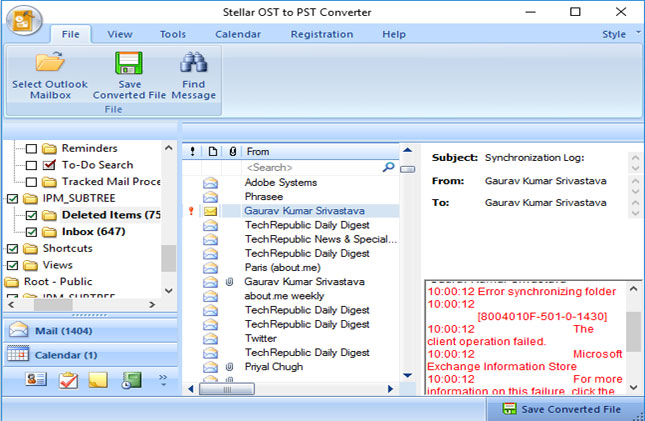
Step 3:- The left-hand side pane shows lists all the converted mail items, whereas you can preview the individual mails in the adjoining pane.

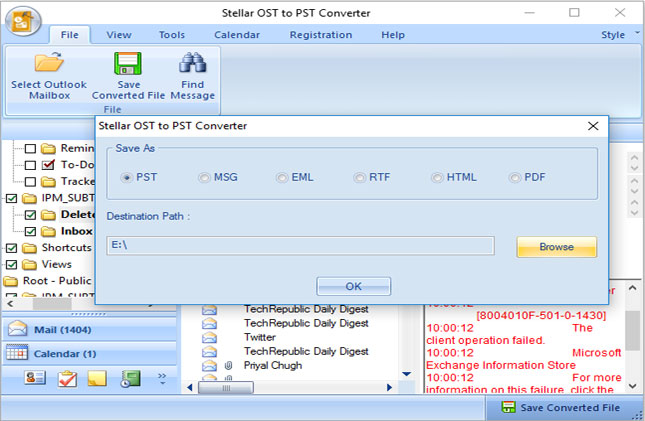
step 4:- There are six different file formats; such as .PST, .MSG, .EML, .RTF, .HTML, and .PDF in which you can save the individual emails.

Step 5:- The screenshot shows the saving process is on. If you wish, you can stop the process also.
Step 6:-File has been successfully saved at your desired location.