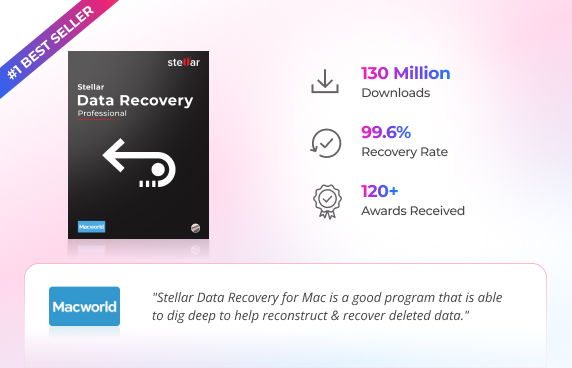
99.6% Recovery Rate
Millions of users have successfully recovered their files with Stellar.
 Excellent
Recover documents, photos, videos, emails, audio and other files from Mac and connected storage devices. Premium adds dedicated photo and video repair when recovered media is damaged, corrupted or no longer opens or plays correctly.
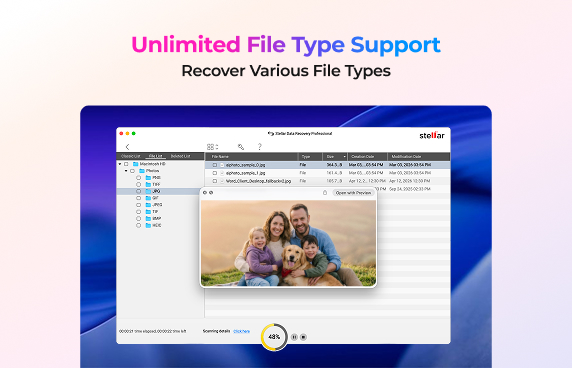
Recover data from all Mac storage devices & 1000+ file formats.
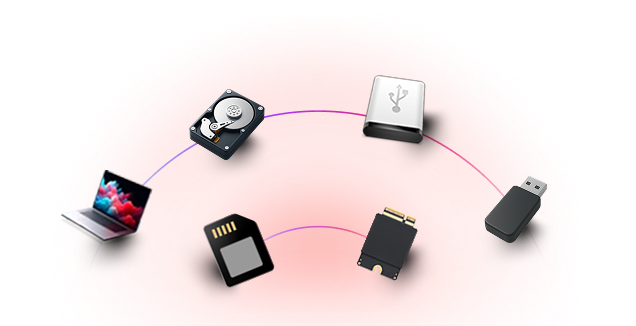
Recover data from MacBook SSDs, iMac Fusion Drives, LaCie USB-C drives, USB Flash Drives, External HDDs/SSDs, SD Cards, Memory Cards & More.
Stellar Data Recovery for Mac can help you restore your lost or deleted data across the most common Mac data loss scenarios.
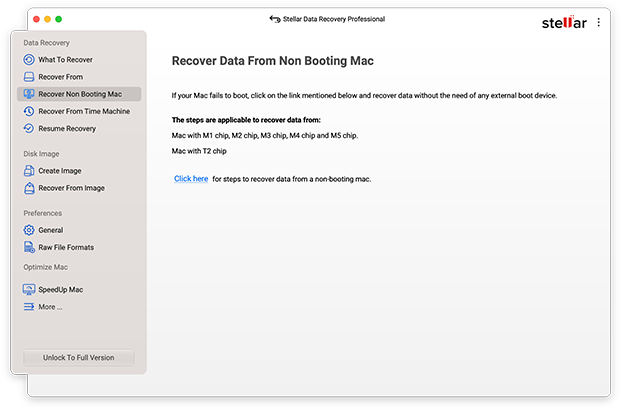
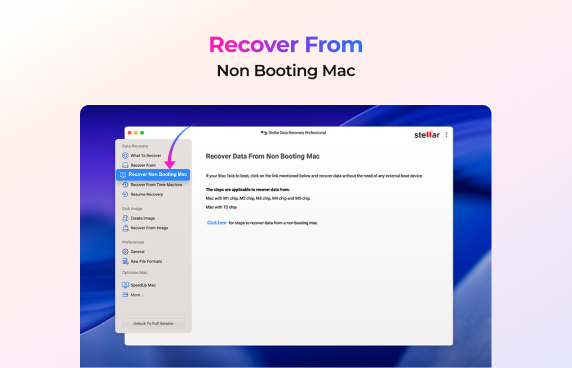
When your Mac will not start, normal file access may not be possible. Professional is designed for recovery from crashed or non-booting macOS, helping you access important files when the Mac's startup system is no longer usable.
 Recover data from a crashed or non-booting
Mac.
Professional edition includes recovery
support for non-booting macOS.
Recover important files when Macintosh HD is
not normally accessible.
Scan, preview and select the files you need
before recovery.
Recover files to a separate safe storage
destination..
Recover data from a crashed or non-booting
Mac.
Professional edition includes recovery
support for non-booting macOS.
Recover important files when Macintosh HD is
not normally accessible.
Scan, preview and select the files you need
before recovery.
Recover files to a separate safe storage
destination..
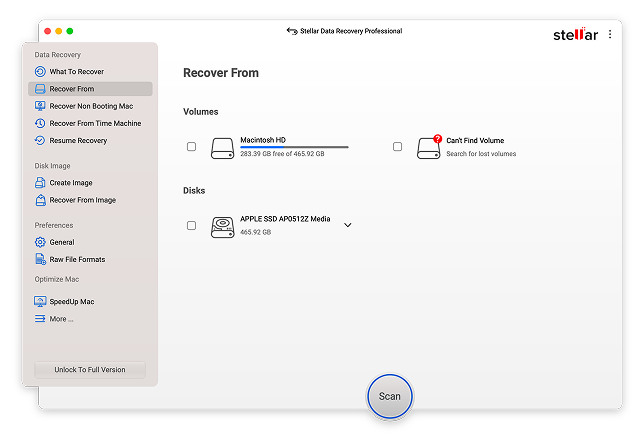
A missing volume can make an entire set of files appear to have disappeared. Professional can recover data from lost or deleted volumes and use Deep Scan to search formatted APFS, HFS+, NTFS and ExFAT volumes by file signatures and reconstruct fragmented data.
Recover data from lost or deleted volumes.
Deep Scan formatted APFS, HFS+, NTFS & ExFAT
volumes
Search for scattered file fragments and
reconstruct recoverable files.
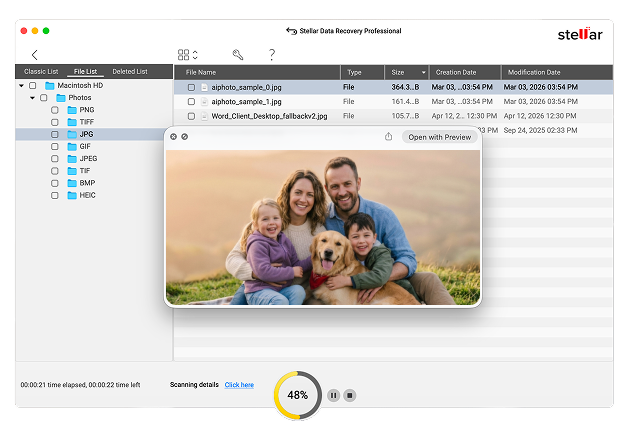
When a storage drive shows signs of failure, repeatedly scanning the original drive can add risk. Professional provides disk imaging to create an exact copy for recovery, along with drive health monitoring and cloning tools that help identify bad sectors and protect the recovery process.
Create an image of a drive or selected
storage area for safer recovery.
Scan the disk image instead of repeatedly
working on the original drive.
Monitor temperature, performance, health and
S.M.A.R.T. attributes.
Real recovery performance, not just promises
Millions of users have successfully recovered their files with Stellar.
See exactly what’s recoverable before you spend a dollar — no sign-up needed.
Positive reviews from publications like PCMag, PC World & Techradar is what makes Stellar a leader in Data Care.

Read-only scanning means your original files and drive stay untouched throughout recovery.

Tech Specification & Whats New

12.8.0.0

Professional

English, Deutsch, Français, Italiano, Español & Japanese

Apple Silicon (M1, M2, M3, M4, M5, M6) and Intel Core

4 GB minimum (8 GB recommended)

250 MB for installation

macOS Golden Gate 27, Tahoe 26, Sequoia 15, Sonoma 14, Ventura, Monterey, Big Sur, Catalina 10.15, 10.14 & 10.13
APFS, HFS+, HFS, exFAT, FAT32, NTFS (external drives only)
Professional adds advanced recovery capabilities that are not included in Standard: recovery from non-booting macOS, recovery from lost volumes, disk imaging, and drive health monitoring with cloning. Standard already includes core recovery, FileVault-encrypted drive recovery and Time Machine recovery.
Yes. Professional supports recovery from crashed or non-booting macOS. This is a Professional-and-above capability and is intended for situations where the Mac cannot boot normally.
Yes. Professional includes lost-volume recovery. It can search for recoverable data when a volume is lost, deleted or no longer normally accessible.
Yes. Professional supports Deep Scan of formatted APFS, HFS+, NTFS and ExFAT volumes using signature-based recovery to locate file fragments and reconstruct recoverable files.
Yes. Time Machine recovery is supported, and the Professional product page also lists recovery from BootCamp partitions.
Disk imaging creates an exact copy or image of a drive or selected storage area. Professional can scan the image for recovery, which can reduce repeated access to a drive that contains bad sectors or may be at risk of failure.
Yes. Professional includes drive health monitoring that tracks temperature, performance, health and S.M.A.R.T. attributes, along with tools for reporting bad sectors and cloning a drive.
Yes. The trial version lets you scan and preview recoverable data before activation. You can check the files found by the scan before purchasing.
Yes. The current Mac product information lists support for Apple Silicon Macs and Intel-based Macs. The supported operating systems include macOS Golden Gate 27, Tahoe 26, Sequoia 15, Sonoma 14, Ventura, Monterey, Big Sur, Catalina 10.15, 10.14 and 10.13.
3M+
Customers
30+
Years of Excellence
100+
R&D Engineers
190+
Countries
8000+
Partners
120+
Awards Received