- Data Recovery for iPhone Windows
- Data Recovery for iPhone Mac
Step 1:
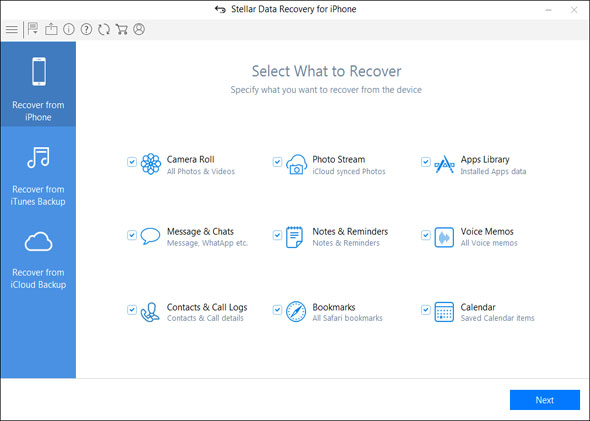
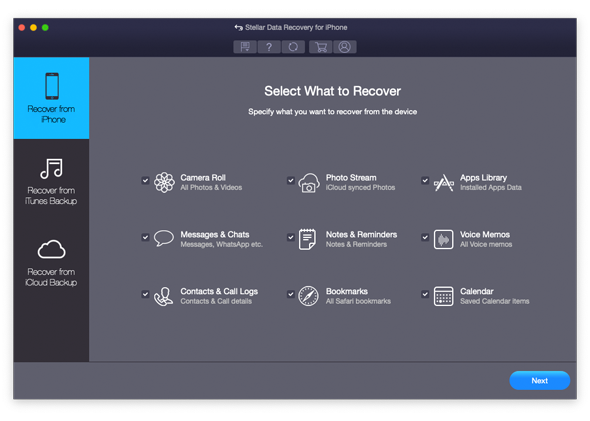
This is the main interface of Stellar Data Recovery for iPhone; Select the 'Recover from iPhone' option to recover lost or deleted data. From Select 'What to Recover Screen'; select the type of data that you want to recover and Click Next.
Step 2:
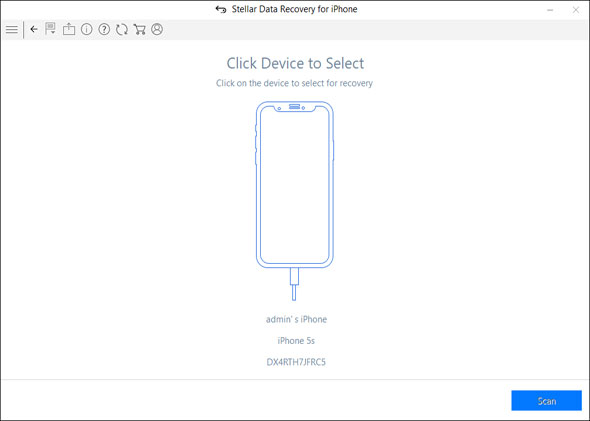
Now plug your iOS device into your computer and select the connected device to proceed.
Step 3:
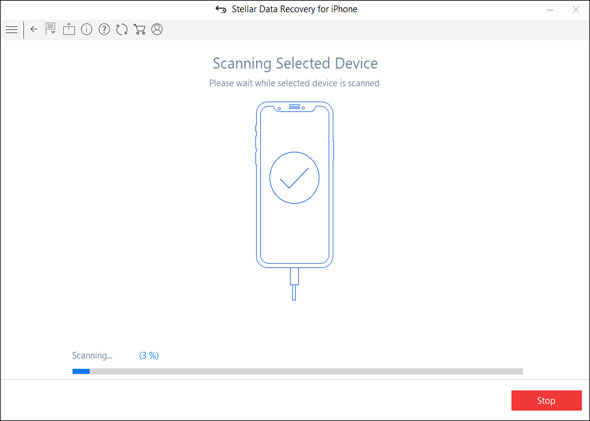
The software starts analyzing the device you have selected.
Step 4:
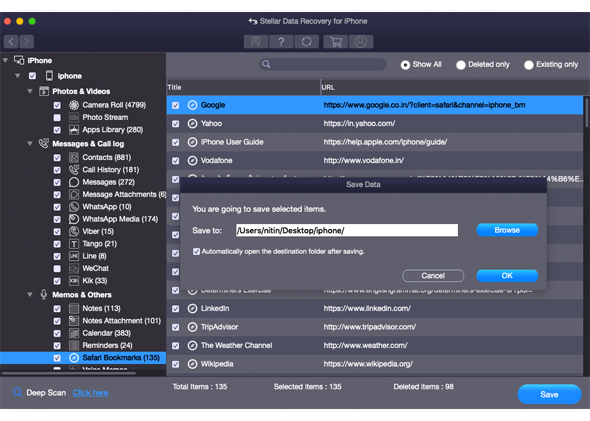
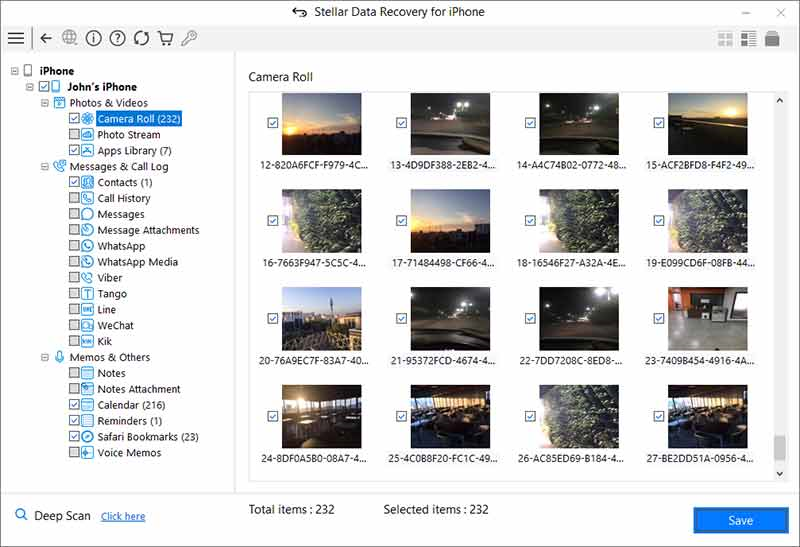
After successful analyzing and scanning, you can preview of your data before recovery. Select the items that you want to save and click on the 'Save'.
Step 5:
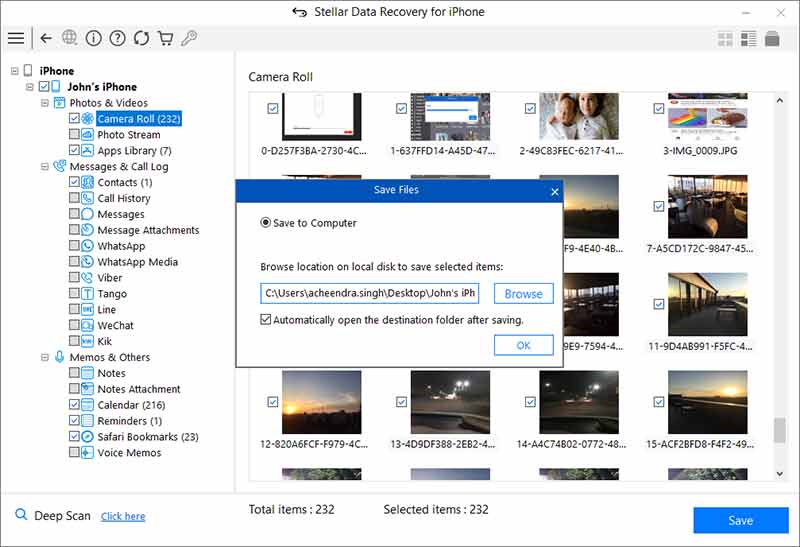
At this moment, provide the location where you want to save your data.
Step 1:
This is the main interface of Stellar Data Recovery for iPhone; Select the 'Recover from iPhone' option to recover lost or deleted data. From Select 'What to Recover Screen'; select the type of data that you want to recover and Click Next.
Step 2:
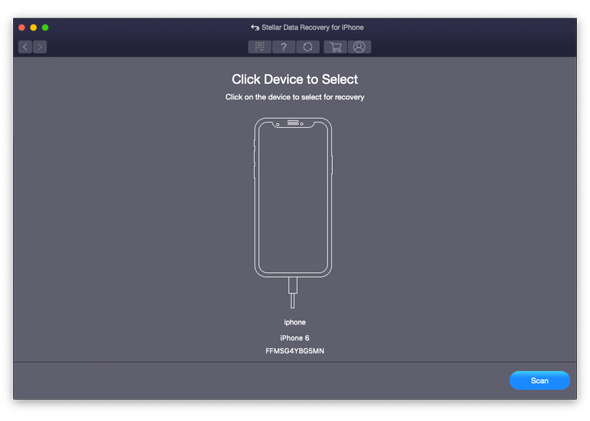
Now plug your iOS device into your computer and select the connected device to proceed.
Step 3:
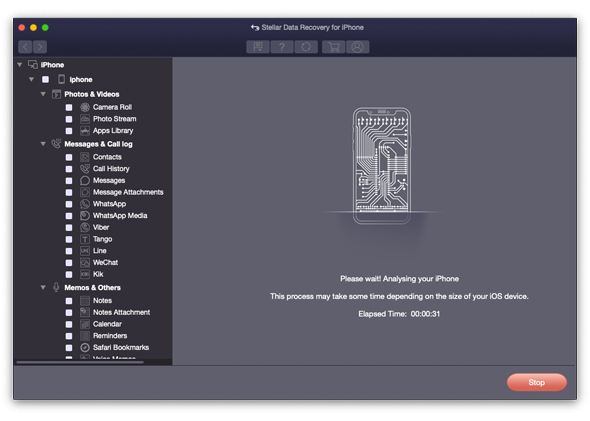
The software starts analyzing the device you have selected.
Step 4:
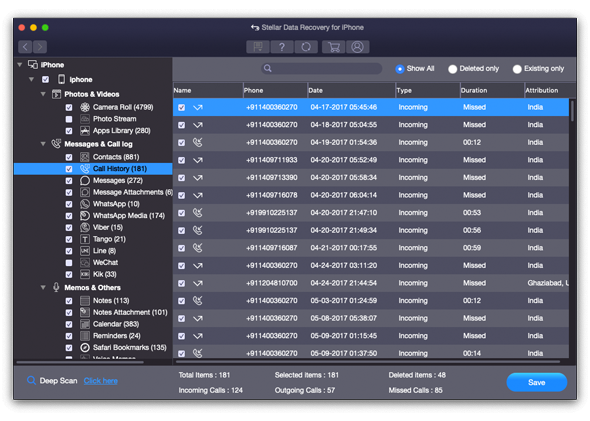
After successful analyzing and scanning, you can preview of your data before recovery. Select the items that you want to save and click on the 'Save'.
Step 5:
At this moment, provide the location where you want to save your data.