What is a file with .bak extension?
In SQL Server, the .bak extension is used to store the backup. You could use any extension, but it is a good practice to use the bak file. A SQL Server backup can be restored and when it is restored, it extracts the .mdf file and the log file. A backup file can have 1 or multiple data files and transaction log files.
How to backup the database into a .bak file
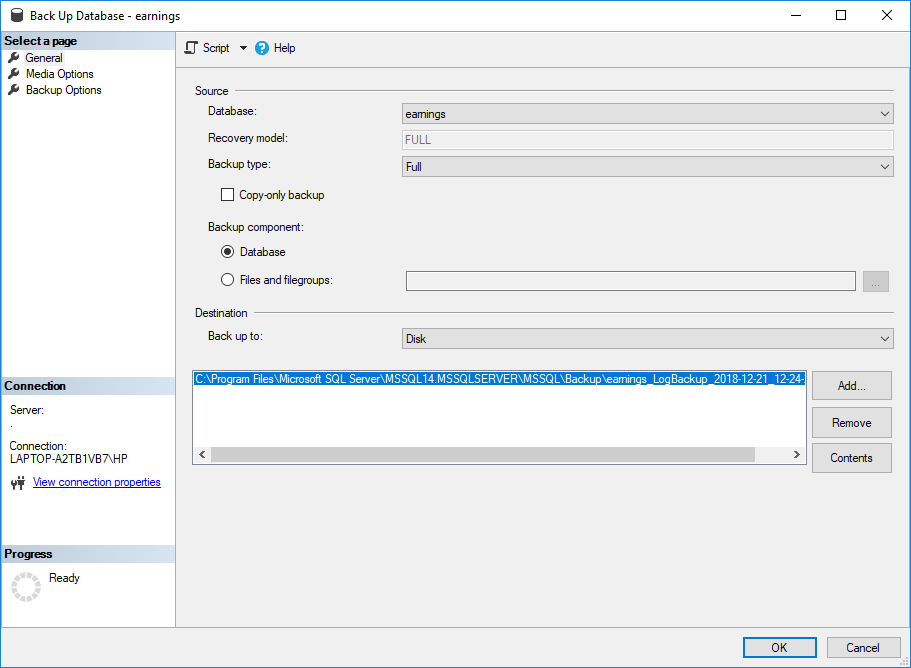
In order to backup your database to a bak, in SSMS (SQL Server Management Studio) select the database and go to Tasks>Back Up:

By default, the backup type is full. You can specify the destination and the backup name:
How to convert the .bak to MDF
In order to restore your bak file to MDF file(s) and transaction files (LDF), right-click the database node and select Restore Database:
If you select the device, you can choose your .bak file to restore. Usually, the backup files are stored in a path like this one:
C:\Program Files\Microsoft SQL Server\MSSQL14.MSSQLSERVER\MSSQL\Backup\yourfile.bak
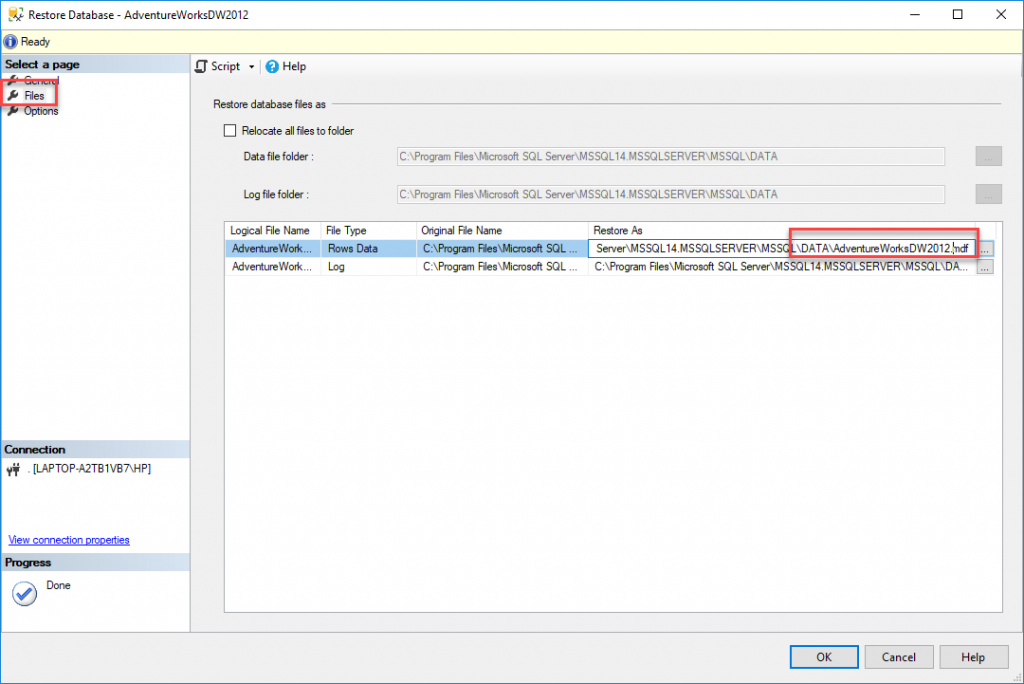
If you go to the Files page, you can set the path for the MDF and LDF files:
When you
press restore, you will be able to restore the information.
Note that there are several types of backups. A full backup will contain all the information, whereas a differential backup will backup only the differences between the last backup and the changes of the current database. A differential backup takes less space because it does not store all the information.
The restoration is not exactly converting a bak file into MDF file, basically, it is extracting the information from the bak file to get the MDF file and the transaction log files also. Finally, for backup strategies, refer to this link.
What is an MDF
MDF is a SQL Server database extension for the main data files. The database is stored in physical files that can be an MDF file and NDF files. A database can have 1 MDF file and 0 or multiple NDF files.
The NDF files are secondary files that can be used to distribute the information to reduce the backup time or restoration time.
You can see where your MDF file is by right-clicking the database in SSMS and selecting properties:
In the files page, you can see the path of your files including the MDF and LDF.
How to convert .bak file to MDF if the .bak file is corrupt
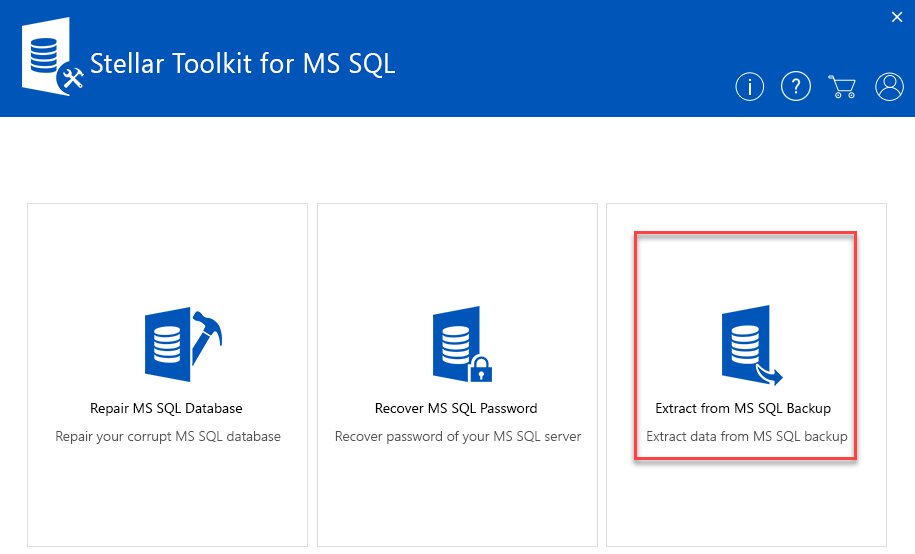
If your backup is corrupt, you cannot restore the information or you may not be able to restore all the information required. You can use the Stellar Toolkit for MS SQL Server. There are 3 applications in the Toolkit, select the Extract from MS SQL Backup. This application is used to restore a SQL Server backup if it is corrupt.
Then you need to select the .bak file and press the Scan button:
You can select the backup set:
You will need to select your SQL Server version. The version 2016 is compatible with SQL Server 2017.
You can check the preview of database objects. If everything is fine, you will be able to see the success message:
The software will restore the database backup. You can restore the bak file into SQL Server using the software specified.
Once restored, it can be converted to an MDF file when the data is restored.
Conclusion
The bak file is a compressed file that includes the main data file, transaction log files and secondary files (if any). When a file is restored, the backup file is converted to a database composed in an MDF file, transaction logs and sometimes a secondary file with ndf extension. You can use the Stellar Toolkit for MS SQL to get the MDF file from the bak file. The Toolkit can repair not only SQL Server backups, but also includes tools to restore MDF files or recover passwords.
