TOP USES
Data loss may happen on a virtual machine due to reasons such as unexpected shutdown, hypervisor malfunction, or human error. Stellar data recovery toolkit can mount a virtual machine image (VMDK, VDI, VHD, and VHDX) and recover the lost data.
A RAID may turn inaccessible due to controller failure, disk errors, disk failure, etc. leading to data loss. The toolkit can rebuild the RAID & scan the RAID volume to recover data. It can also create a virtual drive to allow data recovery, if it is not feasible to rebuild the RAID.
Recovering data from a Synology NAS RAID configuration can be a challenging and delicate process. Data loss can occur on a Synology NAS due to various reasons, such as controller failure, disk errors, and system failures. The Stellar Data Recovery Toolkit can efficiently and effectively recover data from a Synology drive formatted in BTRFS.
KEY FEATURES OF STELLAR DATA RECOVERY TECHNICIAN
Recover data from failed RAID 0, 5, 6, and Nested RAID levels using Stellar Data Recovery Technician. The software virtually rebuilds logically damaged, corrupted, failed, or broken RAID arrays to retrieve RAID data. The software supports HDD and SSD RAID drives and hardware/software RAID arrays.
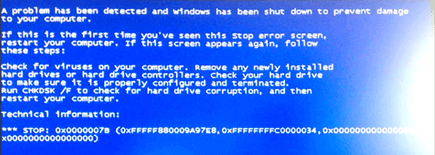
Stellar Data Recovery Technician efficiently recovers data from BSoD-affected, crashed, or unbootable PCs and laptops. This advanced software offers a Create Recovery Drive feature that allows you to create a bootable media to plug into the affected PCs and retrieve data quickly.
Retrieve data from the encrypted drives with Stellar Data Recovery Technician. The software supports all BitLocker encrypted storage media drives. Simply enter the BitLocker key, run the software, and get back your files. Even BitLocker encrypted disk image recovery is possible using this software.
This powerful data recovery software supports RAW drive recovery for severely corrupted hard drives. Be it an HDD, SSD, or USB drive, the software comprehensively scans the drive to locate the inaccessible or severely corrupted drives, or RAW drives, and recovers every bit of data from them.
Other Important Features
Stellar Data Recovery Technician features a Drive Monitor utility that checks the hard drives’ S.M.A.R.T. status. It shows a hard drive’s critical attributes, such as health, performance, and temperature. Through this feature, the software alerts the users against any impending danger to the hard drive, including severe corruption, increasing bad sectors, etc.
The software offers dual scanning modes- Quick and Deep scans. You can also run custom scans to perform selective and comprehensive searches for missing or deleted Outlook email files. With this software, you can efficiently recover deleted emails and access all email data clients, including Microsoft Outlook (PST), Exchange Server (EDB), etc.
Stellar Data Recovery Technician supports disk image recovery and drive cloning to restore data in case of severe logical hard drive failure. While the Disk Image feature allows you to create a compressed image of your drive to perform safe recovery, the Drive Cloning feature allows you to create a replica of the drive to prevent any damage.
This advanced data recovery software offers a Preview File feature that allows you to check your recovered files before saving them. Once you’re done scanning the location/drive to find the lost or deleted data, you can preview your files to be assured of their originality. Once satisfied, recover them in the desired location.
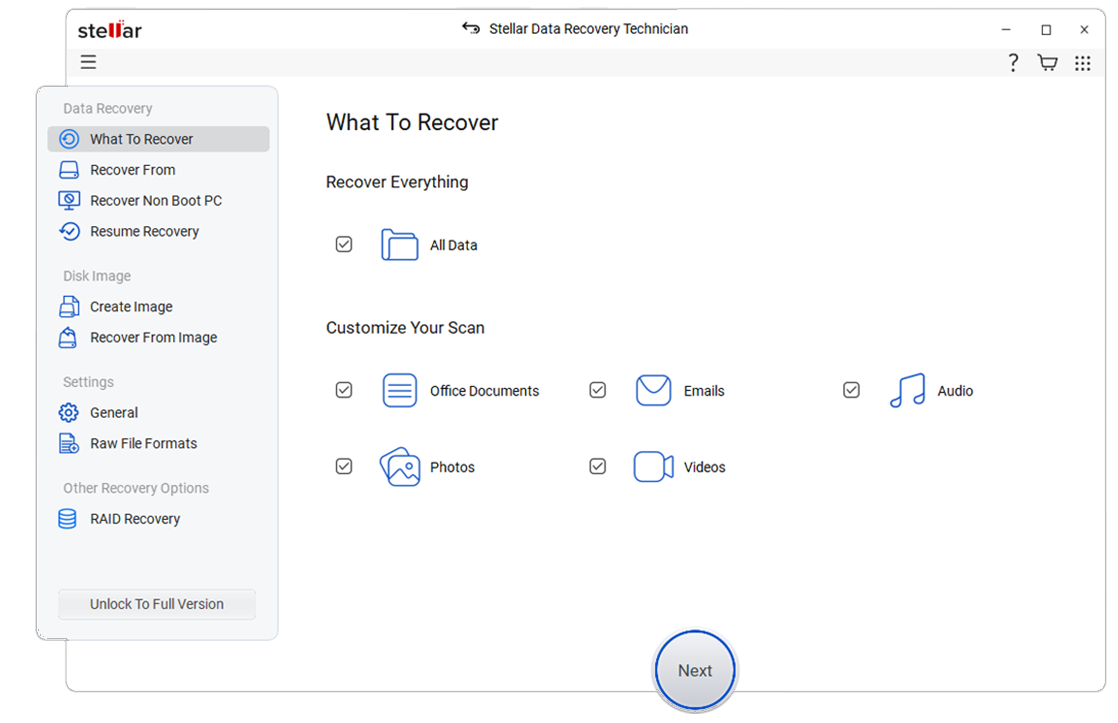
How to Use Stellar Data Recovery Technician
CASE STUDY
CUSTOMER REVIEWS
DATA SHEET
| Version: | 14.0.0.0 |
| License: | Single System |
| Editions: | Technician |
| Language Supported: | English, Deutsch, Français, Português Brasileiro, Dutch, Italiano, Español, 日本語 , 한국어, हिंदी, 中国人 |
| Release Date: | October 2026 |
| Processor: | Intel compatible (x64-based processor) |
| Memory: | 4 GB minimum (8 GB recommended) |
| Hard Disk: | 500 MB for installation files |
| Operating System: (64 Bit only) |
Windows 11, 10, 8.1, 8 and Windows Server 2022, 2019, 2016 |
USEFUL ARTICLES
*Free download to scan and preview your lost data.
FIND YOUR ANSWERS
Partition Recovery is related to recovering lost or deleted drive partitions on the hard drives and other storage media drives. You can use Stellar Data Recovery Technician for easy and quick recovery from lost partitions due to accidental deletion, formatting, corruption, or malware attacks.
You can run the software on a dual monitor setup and get the comfort of working on two screens without minimizing or switching between the screens. The software allows an effortless and precise recovery experience, allowing you to tackle multiple tasks simultaneously.
The software uses a Sample File (a working video file captured by the same device in the same format as your corrupted video). Stellar Data Recovery Technician uses this Sample File to analyze the file structure, format, device, bitrate, resolution, and more details to repair corrupt videos.
A Quick Scan in Stellar Data Recovery Technician runs a fast and basic search to find the deleted or lost data based on file pointers. However, Deep Scan performs a comprehensive, file-signature-based search examining the entire hard drive for file traces. The scan helps recover data from complex loss scenarios, such as drive formatting, corruption, etc.
Yes, Stellar Data Recovery Technician is compatible with a TPM (Trusted Platform Module)-enabled system.
Stellar Data Recovery Technician supports multiple file types for RAID data recovery software, including photos, audio, documents, PDFs, and other common data formats.
If your device is physically-damaged, or you want an expert to handle your data recovery job; our 'Lab Experts' can help.
Learn MoreWHY STELLAR® IS GLOBAL LEADER
3M+
Customers
30+
Years of Excellence
100+
R&D Engineers
190+
Countries
8000+
Partners
120+
Awards Received