Microsoft has acknowledged two separate bugs that were introduced in the January 2026 optional preview update (KB5074105) which affected users who installed it early. One of them is a serious bug that can cause affected PCs to crash, particularly on systems with specific GPU configurations, and it doesn’t appear to be limited to Nvidia hardware. The company has also confirmed another issue that affects WPA3 Wi-Fi connections.
As per the support document, a bug in Windows 11 can trigger a BSOD error on some devices, displaying the error code—KERNEL_SECURITY_CHECK_FAILURE. While the kernel security error itself isn’t new — reports trace back to 2023 — Microsoft has published detailed report outlining the underlying causes and potential triggers behind the problem.
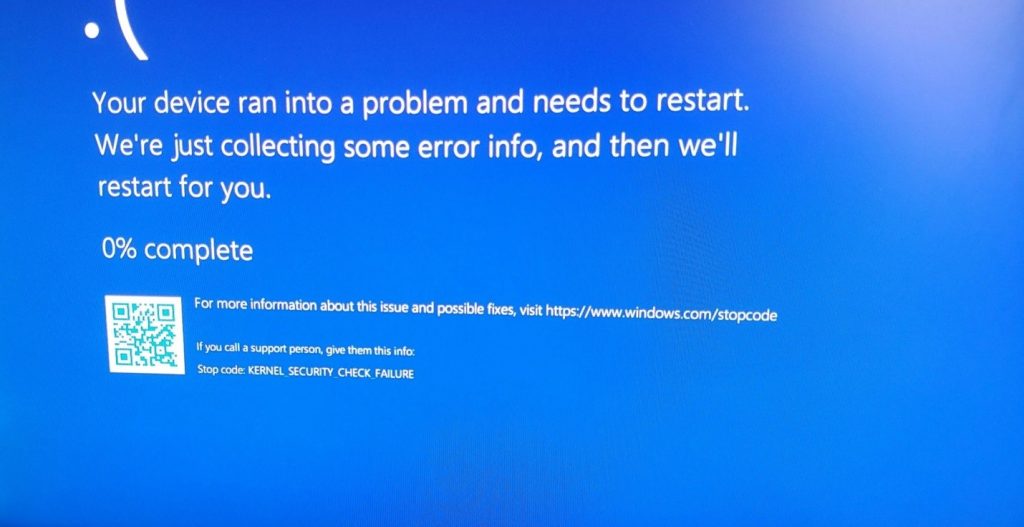
On Reddit, some users highlighted encountering the KERNEL_SECURITY_CHECK_FAILURE blue screen while trying to play Genshin Impact, especially when kernel-mode-hardware-enforced stack protection is enabled.
The good news? It’s finally patched up, though after a considerable delay. In the release notes for the 11 February 2026 update, Microsoft quietly acknowledged the GPU-related BSOD issue and confirmed rolling out a fix:
- “[Gaming]Fixed: This update addresses an issue that determines device eligibility for the full-screen gaming experience.
- [Networking] Fixed: This update addresses a ni ssue that prevented some devices from connecting to certain WPA3- personal Wi-Fi networks.”
Microsoft gave the disclaimer that without installing the recent updates some PCs can run into a system error linked to dxgmms2.sys which is a critical component responsible for DirectX graphics memory management. And Windows may crash with KERNEL_SECURITY_CHECK_FAILURE (Bug Check 0x139) to prevent damage.
In addition to that, Windows users had previously reported that they could no longer connect to Wi-Fi networks using WPA3-Personal security while WPA2 networks remained functional. Microsoft admitted about the issue in the same support document.
The Fix: Rolling Out Now
The fix for both of these issues is shipped with the February 2026b Patch Tuesday update.
- Update Version: KB5077181
- Build Numbers: Windows 11 Builds 26200.7840 (24H2) and 26100.7840 (23H2/25H2)
- Status: This is a mandatory security update and it will download & install automatically for most users
Bottom Line
While the fix for the KERNEL_SECURITY_CHECK_FAILURE and WPA3 Wi-Fi issues is a much needed relief for users—its rollout has been rocky. Reports of infinite boot loops suggest that Windows 11 isn’t out of the woods just yet… If your system is currently stable and you skipped the buggy January preview, it may be wise to pause your updates for a few days while Microsoft irons out these installation hiccups.
But for those already trapped in a restart cycle or facing system instability, these “fixes” can sometimes lead to unintended data loss or OS corruption. To stay protected, it’s always best to have a reliable professional data recovery software handy to safeguard your files before diving into the latest mandatory patch.
