


Data Parity in RAID: What is it? How it Works and its Role in RAID Data Recovery
September 14, 2026| 5 min read



Summary: You may lose data from Synology RAID 5 due to various reasons, such as data deletion, drive formatting, lost/deleted partition, broken/damaged/inaccessible RAID drives, drive failure, and other reasons. In this article, we will mention different methods to recover data from Synology RAID 5. We will also mention an advanced NAS data recovery software for quick and secure Synology RAID 5 recovery.
Free Download 100% SecureSynology RAID 5 is configured with minimum three drives. It follows Striping and Parity (Distributed) mechanism to store the data, thus offering fault tolerance. This means that you may not lose any data in case of a single drive failure. You just need to replace the failed disk with a new one and the other disks in the RAID array remain functional.
However, you may lose data from RAID 5 due to deletion (accidental or deliberate), controller malfunction, malware or virus attack, and various other reasons. In this article, we will mention different methods to recover data from Synology RAID 5.
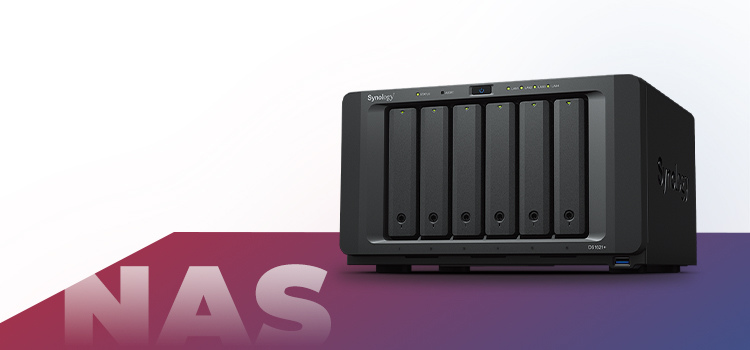
Below, we’ve mentioned two methods to recover data from Synology RAID 5.
When a drive fails or damages in Synology RAID 5 storage pool, it becomes degraded but remains accessible. However, it is necessary to repair the degraded storage pool. You can use Synology’s DiskStation Manager to repair the degraded RAID 5 storage pool and restore it to a healthy state. To do so, you need to first replace the faulty drive in the storage pool with the healthy drives. Follow the given steps to repair the degraded Synology RAID 5 storage pool:
Note: The DSM versions should match those on the original drives. Also, don't use the spare drive to create the RAID storage volumes or pools. Instead, keep it in the location of Drive 1.
|
Read: Repair Synology RAID 5 Storage Pool with Degraded Status using DSM 7 and DSM 6.2. |
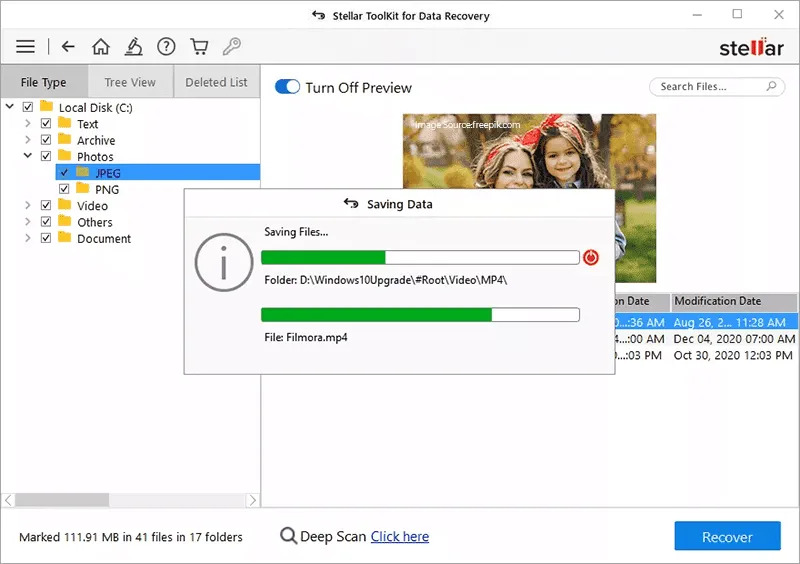
Apart from a drive failure, you can lose data from Synology RAID 5 due to data deletion, controller malfunctioning, malware infection, etc. In such cases, the best solution to recover data from Synology RAID 5-based NAS is by using a powerful NAS data recovery software, such as Stellar Toolkit for Data Recovery. This advanced NAS data recovery tool is compatible with Windows, Linux, and Mac. It supports recovery from Synology RAID 0, RAID 5, and RAID 6 arrays, and Nested RAID levels with BTRFS file system. It can efficiently recover all types of data from broken, damaged, or inaccessible RAID drives. Follow the given steps to recover data from Synology RAID 5-based NAS using the software:
.jpg)
.jpg)
Note: If you don't see the files you want to retrieve, click Deep Scan. This will scan the drives through every bit and sector.
.jpg)
.jpg)
Recovering data from Synology RAID 5 in case of a single drive failure can be easily done, if hot spare drives (additional drives) are available in the array/storage pool. However, if they’re not available, you can replace the faulty drive with the healthy one and repair the degraded RAID 5 storage pool using the DiskStation Manager.
However, the best option to recover data from Synology RAID 5 in case of data deletion, drive formatting, lost/deleted partition, broken/damaged/inaccessible RAID drives, or any other reason is by using Stellar Toolkit for Data Recovery. This advanced NAS data recovery software not only recovers data after single drive failure but also supports recovery in case of data deletion, drive corruption, controller malfunctioning, and more. The software restores data from broken, damaged, or inaccessible RAID 0, 5, and 6 levels, and Synology Hybrid RAID (SHR) drives.
Data Recovery Expert
This article was Reviewed by Rohit Arora, a Data Recovery Expert at Stellar Data Recovery.
Senior Content Writer
This article was written by Mansi Verma , a Senior Content Writer at Stellar Data Recovery.
September 14, 2026| 5 min read
September 10, 2024| 5 min read
![[Fixed] How to Back up Your RAID?](https://www.stellarinfo.com/public/image/article/How-to-Backup-Your-RAID-1542.jpg)
June 6, 2024| 5 min read






 5 min read