TOP USE CASES

When to Use Stellar Toolkit for Data Recovery?

Lost Data from Virtual Machine?
Lost Data from Virtual Machine

Data loss may happen on a virtual machine due to reasons such as unexpected shutdown, hypervisor malfunction, or human error. Stellar data recovery toolkit can mount a virtual machine image (VMDK, VDI, VHD, and VHDX) and recover the lost data.

Need to Recover Data from Inaccessible RAID?
Need to Recover Data from Inaccessible RAID

A RAID may turn inaccessible due to controller failure, disk errors, disk failure, etc. leading to data loss. The toolkit can rebuild the RAID & scan the RAID volume to recover data. It can also create a virtual drive to allow data recovery, if it is not feasible to rebuild the RAID.

Need to Recover Data from Synology NAS?
Recover-Data-from-Damaged-or-Broken-RAID

Recovering data from a Synology NAS RAID configuration can be a challenging and delicate process. Data loss can occur on a Synology NAS due to various reasons, such as controller failure, disk errors, and system failures. The Stellar Data Recovery Toolkit can efficiently and effectively recover data from a Synology drive formatted in BTRFS.

KEY FEATURES OF STELLAR DATA RECOVERY TECHNICIAN

RAID Recovery Capabilities

Recovers from All Types of Storage Drive

Recovers from All Types of Storage Drive

Stellar Data Recovery toolkit is designed for all types of storage drives, including hard drive and solid state drive, USB flash memory, hybrid storage, portable drive, memory card, optical storage, Synology drives etc. It can also recover data from BitLocker® encrypted drive, after you enter the BitLocker password or Startup key.

Recovers from RAID 0, RAID 5, & RAID 6

Recovers from RAID 0, RAID 5, & RAID 6

The toolkit can reconstruct an inaccessible RAID array by using parameters such as disk order, start sector of RAID, stripe/block size, etc., and then scan the RAID volume to recover the data. Further, it can provide the probable values for RAID construction, when the parameters are unknown, thus allowing data recovery.

Constructs Virtual RAID for Data Recovery

Constructs Virtual RAID for Data Recovery

In worst-case scenarios, the software allows to create a virtual drive if it is unable to rebuild a RAID or find the volume. It then performs RAW recovery, i.e. file signature-based search of lost data in the RAID volume image, and retrieves the data.

Recovers from Virtual Machine

Recovers from Virtual Machine

The toolkit also recovers data from a virtual machine by mounting the VM image and scanning it like a physical storage. It can scan the visible partitions of the virtual machine or can also search and find the missing partitions, and scan those to retrieve the data. The toolkit can recover data from VMDK, VDI, VHD and VHDX images.

Other Important Features

Know your product Better

Recover Data from an Inaccessible RAID Volume

Recover Data from an Inaccessible RAID Volume

Stellar Data Recovery Technician recovers data from logically corrupt and inaccessible RAID 0, RAID 5, and RAID 6 volume and partitions. The RAID data recovery software for Windows works without the RAID controller card. It scans for the deleted/lost RAID volumes, and recovers data from RAW and missing RAID volumes.

Recovers Data from SSD RAID array

Recovers Data from SSD RAID array

RAID using solid-state drives (SSD) sometimes fail due to RAID controller failure, software glitch, sudden power outage, RAID errors, worn out SSD connectors, overheat, and other reasons. Stellar Data Recovery Technician recovers data from SSDs using RAID 0, RAID 5, or RAID 6 array. It supports recovery from formatted, deleted, or logically corrupted SSD RAID drives.

Formatted RAID array recovery

Formatted RAID array recovery

The reliable Stellar Data Recovery Technician recovers data from formatted RAID 0, RAID 5, and RAID 6 logical volume and partition. It automatically rebuilds a virtual RAID array and lets you save the recovered data to an internal/ external disk, even when you don’t know the RAID parameters for reconstruction.

Deleted RAID partition recovery

Deleted RAID partition recovery

Recovers your critical data from a deleted, lost, undetected, failed, or corrupt RAID partition. The powerful Stellar Data Recovery Technician scans and retrieves data on RAID partition lost due to accidental deletion, failed RAID stripping, sudden power failure/ system shutdown, malware/ virus intrusion, bad sectors, software related errors, and other.

Recovers from RAID Server

Recovers from RAID Server

The efficient Stellar Data Recovery Technician recovers lost data from RAID server configured in RAID 0, 5, or 6. It recovers data from corrupted and inaccessible RAID-based server without any additional RAID controller cards.

Supports Recovery with Virtual RAID Construction

Supports Recovery with Virtual RAID Construction

Stellar Data Recovery rebuilds probable RAID if its parameters such as number of disks, file system, block size, parity order and other details are not known. The software automatically matches patterns and identifies the RAID parameters as you select the 'Don't know' checkbox and specify the possible values for Strip Size, Parity Order, Parity Delay, and other.

Recovers Hardware and Software RAID
Stellar Data Recovery software recovers data from hardware and software-based RAID 0, RAID 5, and RAID 6 arrays. The tool supports data recovery from hardware-based RAID servers without a controller cards or additional hardware and software requirements.

Recovers Hardware and Software RAID

Stellar Data Recovery software recovers data from hardware and software-based RAID 0, RAID 5, and RAID 6 arrays. The tool supports data recovery from hardware-based RAID servers without a controller cards or additional hardware and software requirements.

Recovery from Non-Booting Windows System

Recovery from Non-Booting Windows System

Stellar Data Recovery Technician software restores RAID data even when your Windows system fails to boot. The advanced RAID recovery tool creates a bootable USB media that you can use to boot the Windows system, following which initiate RAID data recovery.

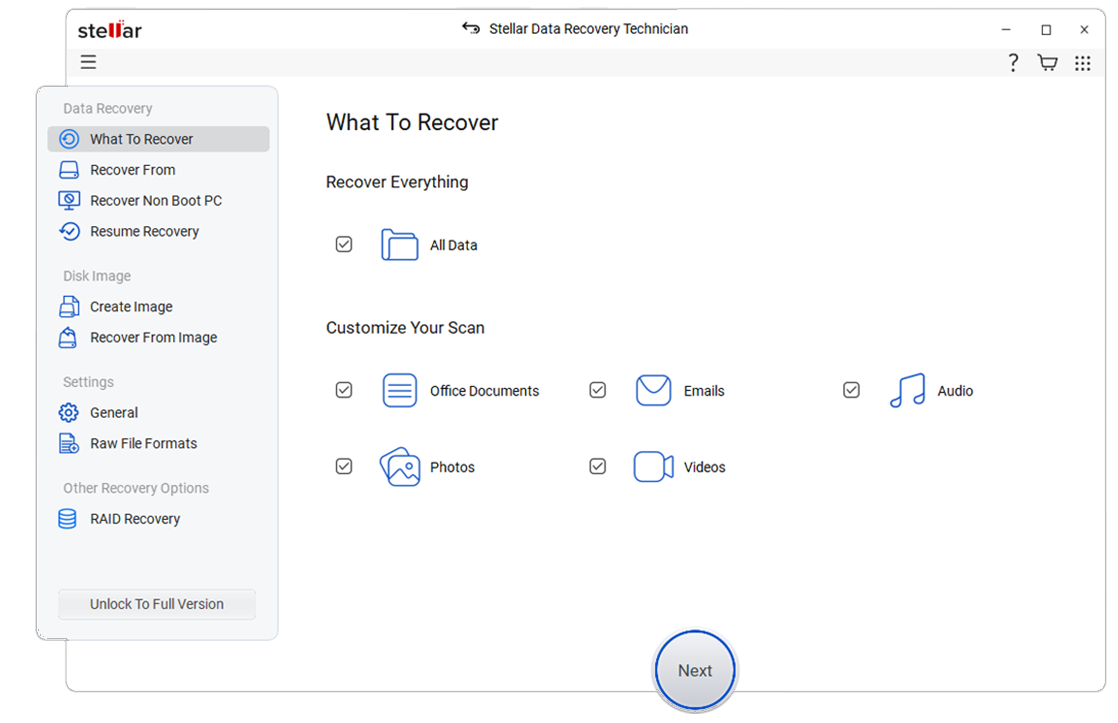
How to Use Stellar Data Recovery Technician

Screenshots & Video

Product Video

CASE STUDY

Critical Historical Data Restored with Stellar Toolkit for Data Recovery

FRUGALHACKS, a leading IIoT automation solution provider company, faced an unexpected data availability crisis when critical backup data could not be located across local storage drives and designated backup repositories. With routine operations impacted and historical records inaccessible, the team needed a fast, reliable recovery solution. Stellar Toolkit for Data Recovery delivered — successfully restoring the missing data with minimal downtime and enabling FRUGALHACKS to resume normal business processes.

Learn More arrow
Customer Verdict banner_graphic_4

Stellar software resolved our issue effectively by successfully recovering the required backup data. The recovery process was straightforward, reliable, and helped us restore access to important information with minimal downtime.

FRUGALHACKS

MSP Server Recovery: Overcoming RAID Metadata Corruption

The client is a mid-sized Managed Services Provider (MSP) that specializes in cloud hosting, remote IT support, and cybersecurity for a diverse portfolio of enterprise clients. Their internal operations depend on a central RAID-configured storage server that houses proprietary automation scripts, client configuration templates, and internal project databases.

Learn More arrow
Customer Verdict banner_graphic_4

Stellar® Data Recovery Technician helped us recover critical internal server data from our failed RAID system and regain access to our operational files without disrupting client services.

Managed Services Provider

24 TB Healthcare Data Recovery: Overcoming RAID 6 Rebuild Failure

The client is a large-scale regional healthcare network providing critical medical services across multiple facilities. Their infrastructure relies on high-capacity RAID 6 storage servers to host the hospital’s Electronic Health Record (EHR) system, real-time patient monitoring databases, and a massive PACS (Picture Archiving and Communication System) for diagnostic imaging.

Learn More arrow
Customer Verdict banner_graphic_4

Stellar® Data Recovery Technician helped us recover our entire RAID 6 storage after a failed rebuild left our hospital data inaccessible, allowing us to restore clinical operations quickly without risking patient data.

Confidential Healthcare Firm

15 TB AEC Data Recovery: Restoring RAID 50 Server After Multi-Disk Failure

The client is a prominent Architecture and Engineering firm specializing in large-scale urban infrastructure and civil engineering projects. The firm’s centralized production environment relies on a high-performance RAID 50 storage array to host mission-critical AutoCAD drawings, Revit (BIM) models, and massive project management databases.

Learn More arrow
Customer Verdict banner_graphic_4

Stellar® Data Recovery Technician allowed us to recover critical server data from our failed RAID 50 system without risking further damage to the disks. The recovery process was efficient and helped us restore our architectural operations before construction site deadlines were impacted

Confidential Engineering Firm

CUSTOMER REVIEWS

You're in Good Hands

AWARDS & REVIEWS

Most Tested. Most Awarded. For Over 30 Years, We've Been Recognized As Experts.

q1 q1
Tucows star
Tucows

Stellar RAID Recovery is a reliable tool designed to recover corrupt inaccessible data from damaged RAID arrays.

KIT GURU star
KIT GURU

Stellar Data Recovery is an easy to use, but powerful data recovery tool and offers retrieval options from the more basic for home use to advanced for business users.

Spiceworks star
Spiceworks

Safely recover data from RAID 6, RAID 5 and RAID 0 Arrays and support ExFAT, FAT and NTFS file System.

DATA SHEET

Technical Specifications

product Icon
About Product
Stellar Data Recovery Technician
Version: 14.0.0.0
License: Single System
Editions: Technician
Language Supported: English, Deutsch, Français, Português Brasileiro, Dutch, Italiano, Español, 日本語 , 한국어, हिंदी, 中国人
Release Date: October 2026
System Requirement
Processor: Intel compatible (x64-based processor)
Memory: 4 GB minimum (8 GB recommended)
Hard Disk: 500 MB for installation files
Operating System:
(64 Bit only)
Windows 11, 10, 8.1, 8 and Windows Server 2022, 2019, 2016

USEFUL ARTICLES

Product Related Articles

How to recover data from virtual disk files (VMDK, VDI, VHD and VHDX)?

Use Stellar Toolkit for Data Recovery to recover data from virtual disks (VMDK, VDI, VHD and VHDX), created by using VMWare, Oracle Virtual Box, Hyper-V, or Disk Management tool in Windows.

How to create a disk image to recover data from Windows, macOS, or Linux storage drive?

Use Stellar Toolkit for Data Recovery to create an image of Windows, macOS, or Linux storage and then scan the image to recover the data.

How to recover data from a corrupted partition of Windows, macOS, or Linux storage drive?

Use Stellar Toolkit for Data Recovery to scan and recover data from the corrupted partitions of Windows, macOS, or Linux storage. You can easily recover the data from corrupted APFS, NTFS, FAT, exFAT, HFS, HFS+, Ext2, Ext3, or Ext4 formatted partitions.

A worry-free RAID Data Recovery experience

  • Unlimited Recovery
  • Trusted by Millions of Users
  • Awarded by Top Tech Media
  • 100% Safe & Secure to Use

*Free download to scan and preview your lost data.

FIND YOUR ANSWERS

FAQ

Yes, it is necessary to reconstruct the RAID. Stellar RAID Data Recovery software verifies the consistency of data in the reconstructed RAID drives. Only after rebuilding the RAID, you will get probable RAID constructions, on which you can perform various data recovery operations to recover your data.

It is suggested to enter the RAID parameters, if you exactly remember them. Wrong information can mislead the software and lessens the data recovery chances. However, if you don't at all remember the RAID parameters, the software provides option to mention 'Don't Know' in the field given and choose all possible options for the corresponding parameter. In such a case, this RAID hard drive recovery software searches for all specified parameter options and create the probable RAID constructions.

Yes, the software can recover deleted data from Synology NAS. Here are some of the best NAS data recovery software options you can choose from to recover lost data from your NAS device.

Yes, Stellar Toolkit for Data Recovery offers a unique capability to recover the data from virtual machine. It supports VMDK, VDI, VHD, & VHDX file formats.

Yes, you can easily recover all your deleted or formatted data from the RAID drives. Once you rebuild the RAID, you can select and scan the drives or the virtual RAID drive. Once the scan gets completed, select the files you want to recover from the scanned list. Then select 'Recover', choose the destination and click 'Start Saving'.

Yes, the software is able to recover data from such a condition. There are many situations, when two or more RAID drives get logically corrupt and the normal rebuild operation fails. Stellar Data Recovery Technician software is especially designed for such instances of severe RAID array corruption and efficiently recovers all your data from the troubled drives.

No, there is no need to have the RAID controller card while recovering data from the troubled RAID Drives using RAID recovery software by Stellar.

If the software fails to create probable RAID construction, the software shows another option – 'Create Virtual Drive'. You can still perform this virtual RAID drive, perform raw recovery, and search for the lost volumes in it.

Yes, in order to perform RAID Recovery, the software requires all your member RAID drives. You also need to specify proper sequencing of these drives for successful recovery.

Yes, most of the times, the data is recoverable after re-formatting the RAID 5 volume, depending upon the way that how you’ll re-format the drive. Using Windows, if we do a re-formatting of a volume, then, it will create what exactly appear to a ‘clean’ new volume; but, the original data will still appear on the disk in the ‘Free and Available’ space. However, a low-level format, which has been performed by the RAID controller utility will completely ‘Wipe’ overwrite every single block on a drive. A low-level format is slower than high – level format.

If you have deleted a partition then you can easily recover it using the ‘Can’t Find Drive’ feature of the RAID drive recovery software.

A RAID system can fail and data becomes inaccessible due to:

  • RAID Controller Failure
  • Multiple RAID Hard disk Failure
  • Intermittent drive failure resulting in RAID degradation
  • Accidental reformatting of drives or whole RAID array
  • Failed Rebuild or Lost RAID Array configuration etc.
  • Immediate RAID Server Crash due to Power issues
  • Application/software corruption etc.

Stellar Data Recovery Technician supports 300+ file types and allows you to add additional file types apart from those already mentioned in File Lists. Using Add Header option, user can add a new file type or edit an existing file type to facilitate the RAID data recovery process.

The importance of using Drive Monitor is that you can use it to prevent drive failure or corruption of your drive by regularly checking the health, performance and current temperature. If you notice that the health and performance of drives are low, clone your hard drive to remove bad sectors. The reason being, bad sectors in hard drives are a leading cause of poor health and performance.

Yes, you can recover the data lost from 4K hard drives using Stellar data recovery software. The tool works with all leading make and models of 4K drives/

Yes, the software fully supports dual-screen setups and enables a native data recovery experience.

DATA RECOVERY IN-LAB SERVICES

Do you have complex data loss problems?

DATA RECOVERY SERVICE
We can help!

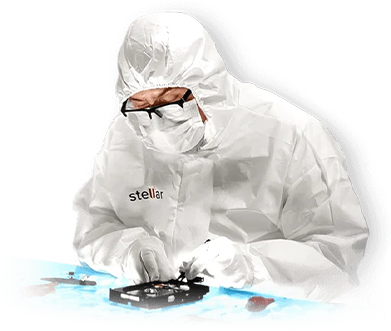
If your device is physically-damaged, or you want an expert to handle your data recovery job; our 'Lab Experts' can help.

Generic placeholder image
DATA RECOVERY IN-LAB SERVICES

Do you have complex data loss problems?

Generic placeholder image
We can help!

If your device is physically-damaged, or you want an expert to handle your data recovery job; our 'Lab Experts' can help.

Learn More

WHY STELLAR® IS GLOBAL LEADER

Why Choose Stellar?

  • 3M+

    Customers

  • 30+

    Years of Excellence

  • 100+

    R&D Engineers

  • 190+

    Countries

  • 8000+

    Partners

  • 120+

    Awards Received

Stellar With 30 Years of Excellence
Technology You Can Trust
Data Care Experts since 1993