 Company
 Leadership
  Media Coverage
 Press Releases
 Career
  Case Studies
 Blogs
Blogs  Articles
  Videos
 Features
 How it Works?
 Price
Price Reviews
 Specifications
 Help
Help FAQ's
FAQ'sProduct Screenshots

Ketul Patel

 For Individuals
For Individuals
 Data Recovery
 File Repair
 Data Erasure
  For Business
For Business
 Email Repair
 Email Converter
 Email Migration
 File & Database Repair Data RecoveryData Erasure
 Toolkit
 Forensic
 Lab Services
  Our Partners
  About
About Resources
 Support
  Contact us
TOP USE CASES
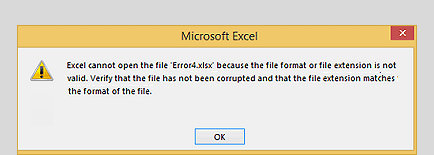
You may face an error - "Excel cannot open the file .xlsx” in Office 365, Excel 2024, 2021, 2019, 2016, etc., leading to data loss. This error occurs when you try to open corrupt Excel file or an invalid file format. Using the correct extension can resolve the issue, if there is no corruption. However, you need an Excel repair tool if the file is corrupt. Stellar Repair for Excel can repair the corrupt file and recover all objects in intact form.
Learn More
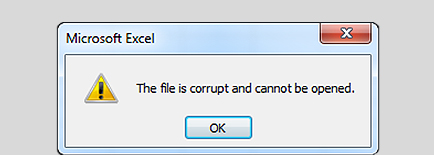
You cannot open an Excel file if it is corrupted. For example, opening an Excel file created in a lower version like Excel 2007 in Excel 2010 or later version can throw a corruption error message. Or, the file may open in a ‘protected view,’ not allowing any write operations. The Excel repair tool from Stellar provides a comprehensive solution to fix corrupt Excel files across all versions, including Office 365, Excel 2024, 2021, 2019, 2016, 2013, and older.
Learn More 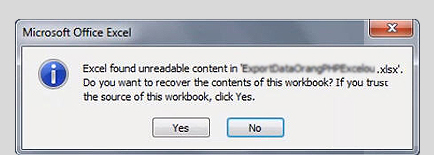
You may encounter an error message – “Excel found unreadable content in filename.xls”, with a message to recover the contents of the workbook. Clicking ‘Yes’ to recover the contents may lead to loss of formatting, replacement of formulas, and inconsistencies. Stellar Phoenix Excel Repair software now Stellar Repair for Excel can scan the workbook and recover its contents.
Learn More Software Important Capabilities

Stellar Repair for Excel software previously known as Stellar Phoenix Excel Repair can repair & fix corrupt Excel files of any size. It removes corruption from individual objects, fixes the damage, and restores the Excel file back to its original state. The Excel repair tool can repair multiple Excel files in a batch.
Learn More

This Excel file repair tool fixes all types of Excel corruption errors, such as unrecognizable format, Excel found unreadable content in name.xls, Excel cannot open the file filename.xlsx, file name is not valid, the Excel file is corrupt and cannot be opened, etc. It provides a comprehensive solution for fixing Excel file issues.
Learn More

The Excel File Recovery Software shows a preview of the repaired Excel file and its recoverable contents, including all its objects in the preview window. You will see the sheet with maximum amount of data with the original formatting and properties. You can also preview other worksheets by clicking on them. This functionality allows you to verify the data in your repaired Excel file before saving the file.
Learn More

The software repairs the corrupt Excel file and recovers all the objects, including macros, tables, charts, series trendlines, query tables, and data validation rules. It can also restore conditional formatting rules, such as data bars, icon sets, etc. from the worksheet. The software also recovers embedded functions, group and subtotal, engineering formulas, numbers, texts, rules, etc. It recovers Excel file data in its intact form.
Reviews & Feedback


Additional benefits of your software

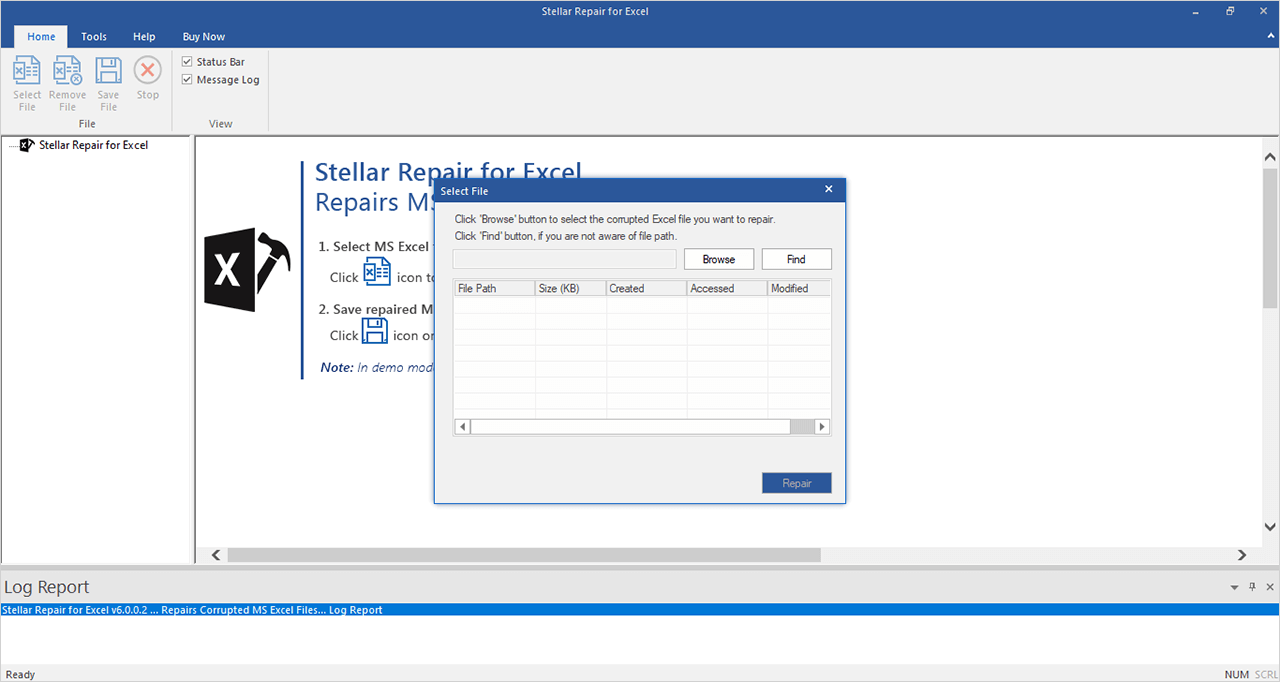
Stellar Excel repair software helps users unaware of the Excel file location to search for all the Excel files on the computer. It provides ‘Find’ option to quickly locate and list all the Excel files for repair. You can select single or multiple files from the list that you want to repair.

Stellar Toolkit for File Repair provides essential tools to repair corrupt Office files via a single interface. It comprises tools like MS Excel Repair, MS Word Repair, MS PowerPoint Repair, and PDF Repair to fix corrupt documents while maintaining the original file format.
Learn More

This efficient Excel repair software can repair the corrupt Excel file and recover all the file objects, including linking objects and visual objects. It can restore embedded objects, like WordArt with complete precision. The software can recover visual elements, like Form Controls, Background Images, and SmartArt Graphics from the damaged/corrupted Excel files.

The Excel repair tool can recover charts from the corrupted Excel file with complete precision. The tool supports various chart types, including TreeMap charts, Sunburst charts, Histogram charts, Stock Charts, Waterfall charts, and Box Whisker charts. It also allows to preview the recoverable charts before saving.
HOW TO USE STELLAR REPAIR FOR EXCEL
PRICING
Repairs corrupted Excel, Word, PowerPoint, & PDF files.
Repairs corrupted Excel, Word, PowerPoint, & PDF files up to 3 systems.
CUSTOMER REVIEWS




Fix Virus-Corrupted Excel Files
An application that enables you to view and repair broken or corrupted Microsoft Excel spreadsheets, including tables, cell comments and charts.
See Softpedia Review

A Reliable Solution for Recovering Files
Stellar Repair for Excel is designed to repair such files so you can continue to use them in Excel.
See Softonic Review
DATA SHEET

| Version: | 7.1.0.0 |
| License: | Single System |
| Edition: | Standard, Technician, & Toolkit |
| Language Supported: | English |
| Release Date: | October, 2026 |
| Processor: | Intel compatible (x64-based processor) |
| Memory: | 4 GB minimum (8 GB recommended) |
| Hard Disk: | 250 MB of Free Space |
| Operating System: (64 Bit only) |
Windows 11, 10, 8.1, 8 |
USEFUL ARTICLES
*Free download to scan and preview all recoverable Excel data.
FIND YOUR ANSWERS
To repair the corrupt Excel file using Excel repair software, follow these steps:
Yes, the tool can repair Excel spreadsheet that contains engineering formulas. In order to repair the Excel sheet, you need to manually enable the ‘Analysis Tool Pack’ add-in from ‘Tools’ > ‘Add-Ins’. Read More
Stellar Excel Repair software shows this message when one or more instances of MS Excel are open. Close all the open Excel files and then click the 'Retry' button to continue using the software.
SOHO or Single User license allows you to use the software only on a single system. With Technician license, you can use the software to repair Excel files on multiple systems at a single location.
The error 'File Error: Data May Have Been Lost' indicates corruption in your Excel file. You can fix this corruption by using Stellar Excel Recovery tool.
The error 'Unable to read file' indicates that your Excel file is in unreadable due to corruption. You need to repair the Excel file using Stellar Excel recovery software.
‘Excel cannot open the file '(filename)'.xlsx’ error appears when your Excel file has encountered severe corruption. To fix the problem, you need to repair the Excel using this software. Top three methods: Fix 'Excel cannot open the file '(filename)'.xlsx' Error of MS Excel
The error shows that you have minor data corruption in your MS Excel file. You can quickly repair and recover the file by using Stellar Excel Recovery software. Must read article: How to Resolve 'Excel found unreadable content in filename.xls' Error in MS Excel
The Excel file repair software can help you overcome the following prominent errors:
Yes, you can verify the effectiveness of Excel repair software using the free trial.
WHY STELLAR® IS GLOBAL LEADER
3M+
Customers
30+
Years of Excellence
100+
R&D Engineers
190+
Countries
8000+
Partners
120+
Awards Received





Listening...


 Installation
  Uninstallation
  EULA
EULA Knowledge Base
