TOP USE CASES

When do you Actually Need this Software?

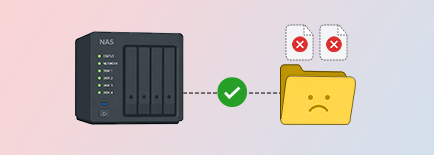
Your NAS is accessible but the data is gone
Recovers-Data-from-RAID-0-5-&-6

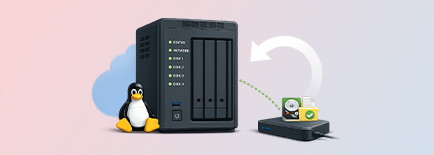
Point the software at your NAS device’s IP address — Synology, QNAP, or Asustor — and it detects the device on your local network without pulling a single drive. Supported file systems are BTRFS and EXT4. QNAP Thin Volumes also work here, as do QNAP Static EXT4 volumes in standalone, RAID 1, RAID 5, and RAID 6 setups.

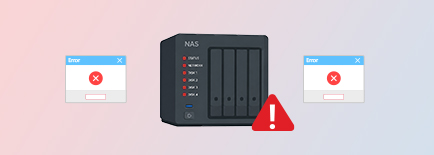
The NAS device itself has failed
Recovery-through-Virtual-RAID-Construction

Pull the drives, connect them directly to your Mac via cable, and run offline NAS recovery. The software reads BTRFS and EXT4 from Synology, QNAP, and Asustor drives across RAID 0, RAID 5, RAID 6, SHR1, and SHR2 configurations.

You’re recovering a Linux server remotely
Recovers-from-Hardware-&-Software-RAID

Connect to a Linux drive over an IP address and pull data from EXT2, EXT3, or EXT4 file systems. For drives you have physical access to, direct connection works just as well.

KEY FEATURES OF STELLAR DATA RECOVERY TECHNICIAN

A Closer Look at Stellar Data Recovery Technician

NAS data recovery — online and offline

NAS data recovery — online and offline

Online recovery connects to Synology, QNAP, and Asustor devices by IP address, identifies the NAS, and scans BTRFS or EXT4 volumes without physical access. QNAP Thin Volumes and Static EXT4 volumes (standalone, RAID 1, RAID 5, RAID 6) are covered. Offline recovery handles RAID 0, RAID 5, RAID 6, SHR1, and SHR2 when the device is down.

Time Machine backup recovery

Time Machine backup recovery

Handles APFS and HFS+ disks, and sparsebundle and backupbundle archives — the formats Time Capsule and NAS-hosted backups create.

Apple M5 chip support

Apple M5 chip support

Runs natively on M5-powered Macs. M1 through M4 and Intel are all covered — no translation layer, no workarounds.

Virtual machine recovery

Virtual machine recovery

VMDK, VDI, VHD, or VHDX — load the file, scan it, restore individual files rather than the full image. Complete file metadata shown per result.

Other Important Features

Know your Product Better

Linux file system support

Linux file system support

EXT2, EXT3, and EXT4 drives attached by cable or accessed over a network. No separate Linux recovery tool needed in mixed-OS environments.

Recovery without disabling SIP

Recovery without disabling SIP

Full Disk Access permission is all that’s required. SIP stays on, no kernel extensions installed — matters in managed environments where SIP is locked on policy.

Disk imaging before recovery

Disk imaging before recovery

Create a sector-by-sector image of a failing drive first. Scan the image, not the original. Standard practice for drives with bad sectors — prevents further failure mid-scan.

Drive health monitoring and cloning

Drive health monitoring and cloning

S.M.A.R.T. attributes, temperature, and performance data for every connected drive in real time. Clone immediately when a drive shows signs of failure.

Pause, resume, and preview mid-scan

Pause, resume, and preview mid-scan

Pause an active scan, come back later, pick up where it left off. Files found so far stay previewable and restorable — useful when a client needs specific files before the full scan finishes.

Customisable scan scope

Customisable scan scope

Choose which file types and drives to include before scanning. Narrowing the scope cuts scan time significantly on large volumes — particularly useful in service centre workflows where time per case matters.

Storage cleanup tools
Duplicate Finder and Large Files Finder work across specific folders or full disk volumes. Speedup Mac clears junk files, old logs, caches, and RAM — useful when handing a machine back to a client.

Storage cleanup tools

Duplicate Finder and Large Files Finder work across specific folders or full disk volumes. Speedup Mac clears junk files, old logs, caches, and RAM — useful when handing a machine back to a client.

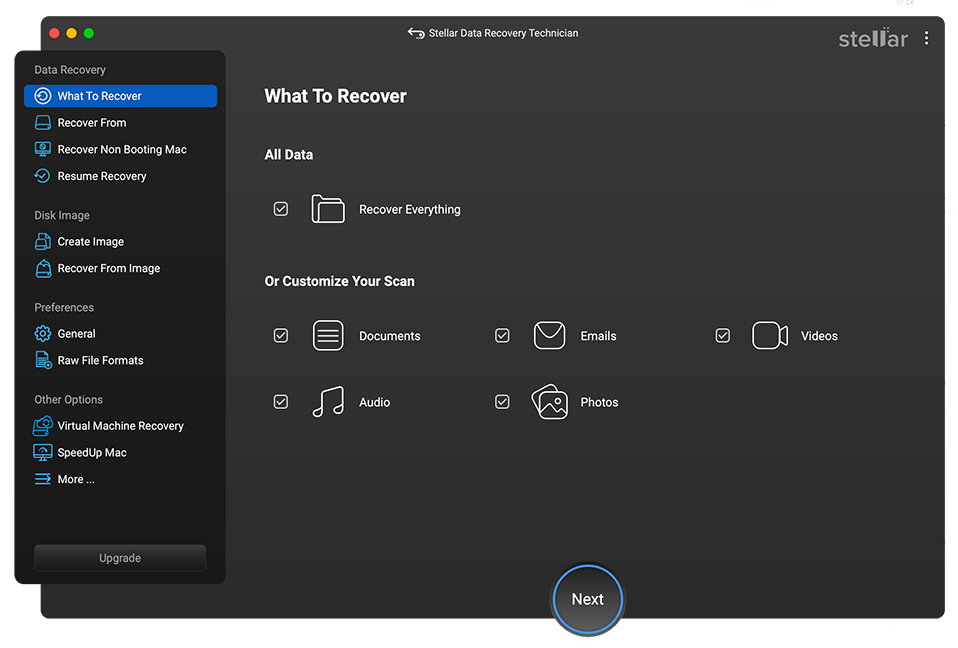
How Stellar Data Recovery Technician for Mac Works

Screenshots & Video

CUSTOMER REVIEWS

You're in Good Hands

DATA SHEET

Technical Specifications

product Icon
About Product
Stellar Data Recovery Technician for Mac
Version: 12.7.0.0
License: Single System
Edition: Technician
Language Supported: English, Deutsch, Français, Italiano, Español, 日本語
Release Date: May 2026
System Requirement
Memory: 4 GB minimum (8 GB recommended)
Hard Disk: 250 MB for installation files
Operating System:
(64 Bit only)
macOS Tahoe 26, Sequoia 15, Sonoma 14, Ventura, Monterey, Big Sur, Catalina 10.15, 10.14 & 10.13

A Worry-free Mac Data Recovery Experience

  • Unlimited Recovery
  • Trusted by Millions of Users
  • Awarded by Top Tech Media
  • 100% Safe & Secure to Use

*Free Download To Preview Lost Data And Repairable Files

FIND YOUR ANSWERS

FAQ

Yes — both online and offline. Online NAS recovery connects to Synology, QNAP, or Asustor devices by IP address, identifies the device, and scans BTRFS and EXT4 volumes — no drive removal needed. QNAP Thin Volumes and Static EXT4 volumes (standalone, RAID 1, RAID 5, RAID 6) are covered. Offline NAS recovery is for when the device isn’t working: connect drives by cable and the software handles BTRFS and EXT4 across RAID 0, RAID 5, RAID 6, SHR1, and SHR2.

No. Online NAS recovery requires macOS Big Sur (11.0) or later. On Catalina, Mojave, or High Sierra that mode isn’t available. Use offline NAS recovery instead — remove the drives from the NAS, connect them directly to your Mac, and proceed from there.

Yes — through offline NAS recovery. RAID 0, RAID 5, RAID 6, SHR1, and SHR2 are supported for Synology, QNAP, and Asustor drives. QNAP Static EXT4 volumes in RAID 1, RAID 5, RAID 6, and standalone setups are covered under both online and offline recovery. Note: this applies specifically to NAS-based RAID. Directly attached non-NAS RAID arrays are not supported.

Yes. There’s a dedicated recovery option for Time Machine. It handles APFS and HFS+ disks and reads sparsebundle and backupbundle archives — the formats used by Time Capsule and NAS-hosted backups.

Yes. Tested and running natively on M5 hardware, as well as M1, M2, M3, M4, and Intel-based Macs.

Yes. EXT2, EXT3, and EXT4 file systems — directly attached drives and network-connected Linux machines.

Yes. Create a bootable recovery drive using the software, start your Mac from it, scan the internal disk, and pull the files you need. No macOS reinstall required.

No. Grant the software Full Disk Access in macOS System Settings — that’s all. SIP stays on, no kernel extensions needed.

No — physical damage is outside what software can address. If the drive appears in macOS Disk Utility, the software can work with it. If it doesn’t, Stellar’s Lab Services handles hardware-level recovery.

One at a time. The licence is transferable, so you can move it between customer machines — useful for service centres working across multiple systems.

Probably not. The Technician edition is priced and built for professionals running recovery jobs on customer machines. Individual home users are better served by the Professional or Premium editions.

WHY STELLAR® IS GLOBAL LEADER

Why Choose Stellar?

  • 0M+

    Customers

  • 0+

    Years of Excellence

  • 0+

    R&D Engineers

  • 0+

    Countries

  • 0+

    Partners

  • 0+

    Awards Received

Stellar With 30 Years of Excellence
Technology You Can Trust
Data Care Experts since 1993