The honest answer to this is more nuanced than a yes or no. While formatting does remove access to all files, it doesn’t always erase the underlying data immediately. Whether your files are recoverable depends on how the card was formatted, what happened afterward, and how SD cards store data at a technical level.
Let’s break it down clearly – without myths or vague reassurances.
SD cards are favored for their compact size and portable nature. But when they run into errors, you need to format them. And when you want to dispose of the SD card or recycle it, you need to delete the data for security purposes. The question most users ask at this point is simple but urgent:
What Formatting an SD Card Actually Does?
When you format an SD card the operating system removes the underlying file system structure and creates a fresh one. A file system - FAT32, NTFS, or exFAT keeps track of things like file names, folder structure, starting and ending location of each file, metadata, etc., and essentially works like a map.
So when the file system structure is recreated, your files don’t instantly vanish from the memory cells but the system forgets where they are. This is the type of formatting most users are familiar with and is called high-level formatting.
What’s the Difference between a Quick Format and Full Format?
A quick format removes the SD card’s file system references but leaves the actual data untouched on the storage cells. The card appears empty and ready to use, but the underlying files still exist until new data overwrites them. This method is fast and is the default formatting option on most cameras, phones, and operating systems.
A full format goes beyond resetting the file system, scanning the entire SD card for errors, and often overwriting existing data blocks in the process. As the original data is replaced at the physical level, recovery after a full format is extremely difficult and often impossible using software tools.
| Aspect | Quick format | Full Format |
| What it removes | Deleted the file system structure while leaving the actual data untouched | Rebuilds the file system and overwrites existing data blocks |
| Time required | Completed in a few seconds | Takes significantly longer to finish |
| Data recovery possibility | High, if the card is not reused after formatting | Low to no one once overwriting occurs |
Is Data Recovery Possible After Formatting an SD Card?
Yes, data recovery is often possible, especially when:
- The format was quick
- No new photos, videos, or files were saved afterwards
- The SD card is still detected by a computer
In these scenarios, advanced recovery tools scan the card directly for file signatures instead of relying on the deleted file system. This approach allows photos, videos, and documents to be reconstructed even after formatting.
How to Permanently Erase Data from an SD Card?
To make sure the data is completely unrecoverable, you need secure erasure – not just formatting. This is where a dedicated file erasure tool becomes essential. What secure erasure does:
- Overwrites data using recognized erasure standards
- Targets actual storage blocks, not just file references
- Prevents recovery using software or forensic methods
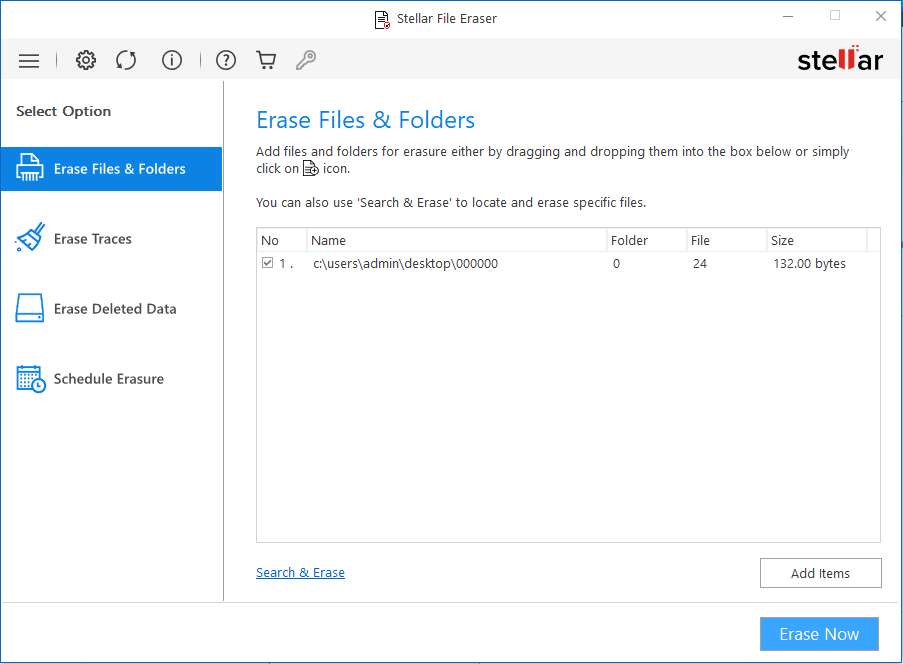
Stellar File Eraser is designed specifically for permanent, irreversible data destruction. It uses advanced overwriting algorithms like the U.S Department of Defense (DoD 5220.2-M) to ensure deleted data can’t be recovered.
When to Use Secure Erasure Instead of Formatting?
Use secure erasure if you are:
- Selling or giving away your SD card
- Disposing of old storage media
- Handling confidential or personal data
- Working under data protection or compliance requirements
Bottom Line
Formatting deletes access to everything on the SD card, but it does not always destroy the data itself.If formatting was quick and the card wasn’t reused, recovery is often possible. If data has been overwritten, recovery becomes physically impossible.
Understanding this difference helps users act correctly and quickly when it comes to data security. To protect your sensitive information from falling into the wrong hands, erase it securely using a file eraser software.
