Dr. Fone is a popular name in the Android Data Recovery space. The tool lets you scan your Android phone for free, but when you recover or save a deleted or lost file, you will have to buy a paid plan. Paid Android data recovery tools are helpful but for many purchasing it for recovering a few files sounds too much. Now, what if I tell you there are Android recovery tools that allow you to scan, preview, and recover your deleted Android files for free?
Yes, there are free Android recovery tools. But which one to choose and which not, are they reliable, do they work? Don’t worry, I will help you out with free Android data recovery alternatives for Dr. Fone. Because I tested five different tools that claim to do the same job, some completely free, some partially free. The test results for some of these free Android data recovery tools are surprising.
I spent time downloading each of these tools, connected my Android device, and scanned these devices for deleted data. Some scanned, some didn’t. Some recovered, some didn’t. Not all of them worked the way they marketed themselves. However, every tool has its own limitations and USP. Hold on! It’s too early to conclude my findings here; let’s read ahead in detail about my detailed review of free Android data recovery alternatives for Dr. Fone.
Top 5 Free Android Data Recovery Alternatives for Dr. Fone
I already assume you know about how to recover deleted files from Android, and when deleted Android files can be recovered. Android data recovery tools work best only when your deleted data has not been overwritten. Before moving ahead, learn what you should actually look for in a good Android data recovery tool.
- It should be easy to install on your computer and easily navigable.
- It must detect your phone without requiring root access.
- It must support all file types - Like Photos, Videos, Audio, Call History, Contacts, etc.
- Then, it must scan your Android device without delay and show progress.
- It should allow you to preview your deleted files once the scan is complete.
- A must-have deleted files list to help you understand which files to recover.
- Lastly, it must allow you to save the files to your computer without complicated steps.
1. Stellar Data Recovery for Android
First, I used the Stellar Free Data Recovery for Android tool, which offered a super-easy one-click installation and then connected to my device quickly. The interface was clean and simple, offering a quick operation. I enabled USB debugging on my device, and it resolved quickly.
This free Android data recovery tool then did a thorough scan, and showed a clear list of deleted and existing files, such as photos, videos, documents, contacts, etc. 10 minutes into the software and I was able to preview my deleted files including audio, videos, photos, documents and many more. This is super helpful as it saved my time with sorting 100s of deleted items before saving the ones I need. It saved the files to my computer to avoid any overwriting.
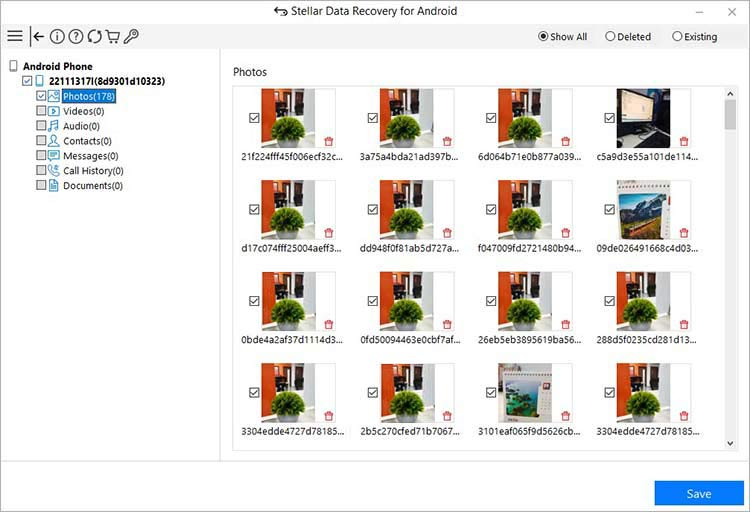
Now, the free trial version does have a limit. It lets you recover up to 10 photo or video files, and each file has to be under 10 MB in size. That is actually fine if you deleted something recent and small, the free version might be all you need. For larger recovery tasks, the paid version removes those limits.
What I liked most was that the tool only promises what it can do. There is no hidden wall that surprises you halfway through the recovery for payments.
2. EaseUS MobiSaver for Android
Upfront, EaseUS MobiSaver offers a clean, friendly interface that makes it easy to navigate, even if you have never used a recovery tool before. Getting started took less than two minutes.
The problem showed up during the scan results. The software listed a long list of files, photos, videos, contacts, etc. but when I looked closely, the deleted list was empty. Every single one of them was already on my phone. None of the deleted files showed up. So what it did was show me a copy of my existing storage, not a real recovery scan.
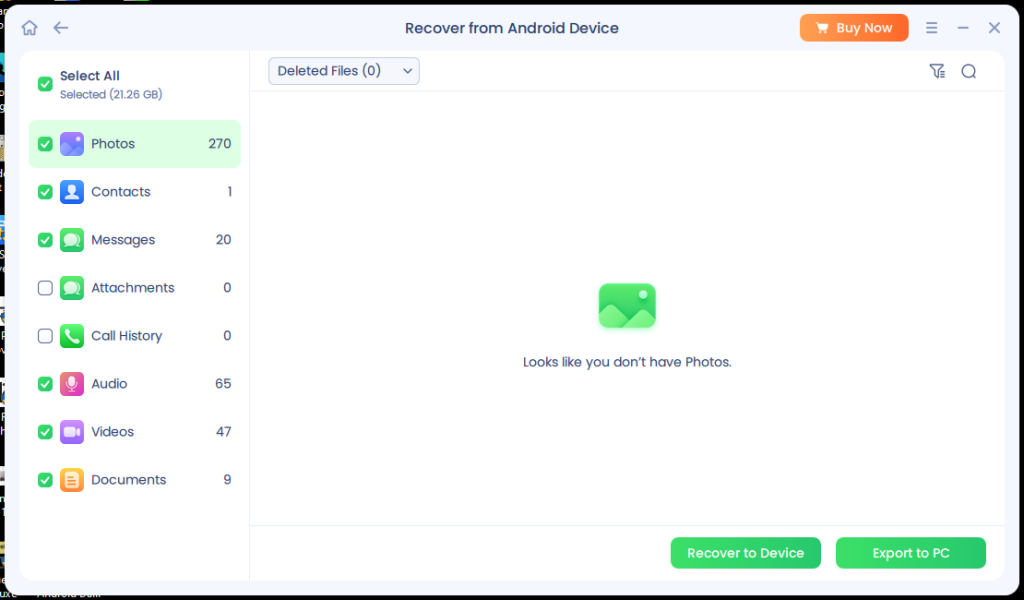
There is also a claim on their website that you can save recovered photos back to your device for free. That is not accurate based on what I experienced. Moving any file to your computer requires the paid version.
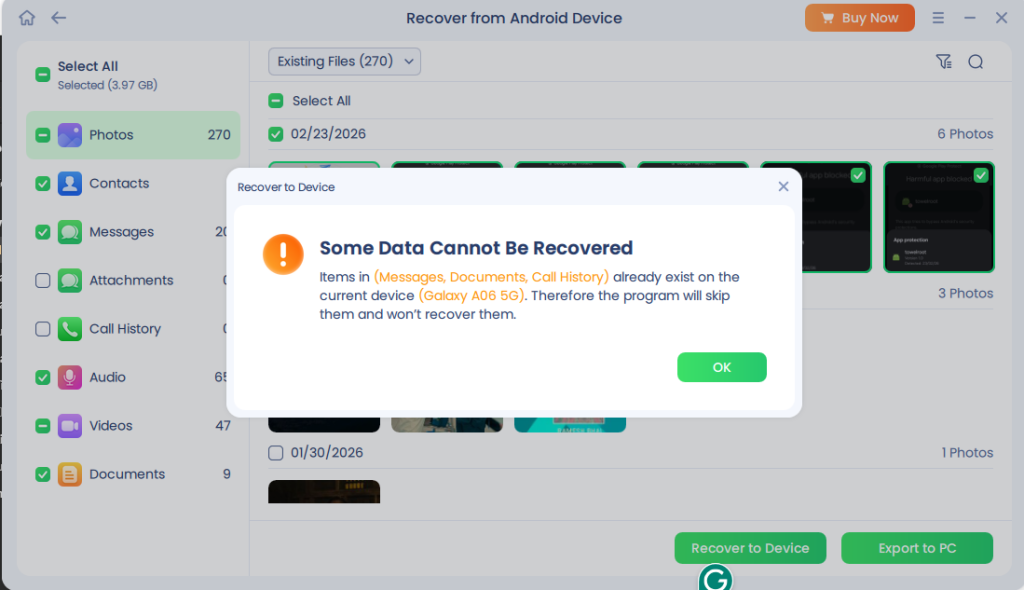
EaseUS allows you to save your photos back to the phone after scanning. But the issue is that if you scan and nothing gets recovered, what are you going to save to the device? Also, let’s suppose even if it recovers some files to the device, it has already overwritten the deleted data. I am not sure if the tool’s free trial version works or not, but saving files to your computer is a paid feature.
3. Gihosoft Free Android Data Recovery
Gihosoft shows up on a lot of "free recovery" lists, which is why it made it onto mine. The software is free to download, the interface is too basic, rather dull, and the setup is simple enough. It claims to scan and recover photos, videos, call logs, contacts, audio, etc.
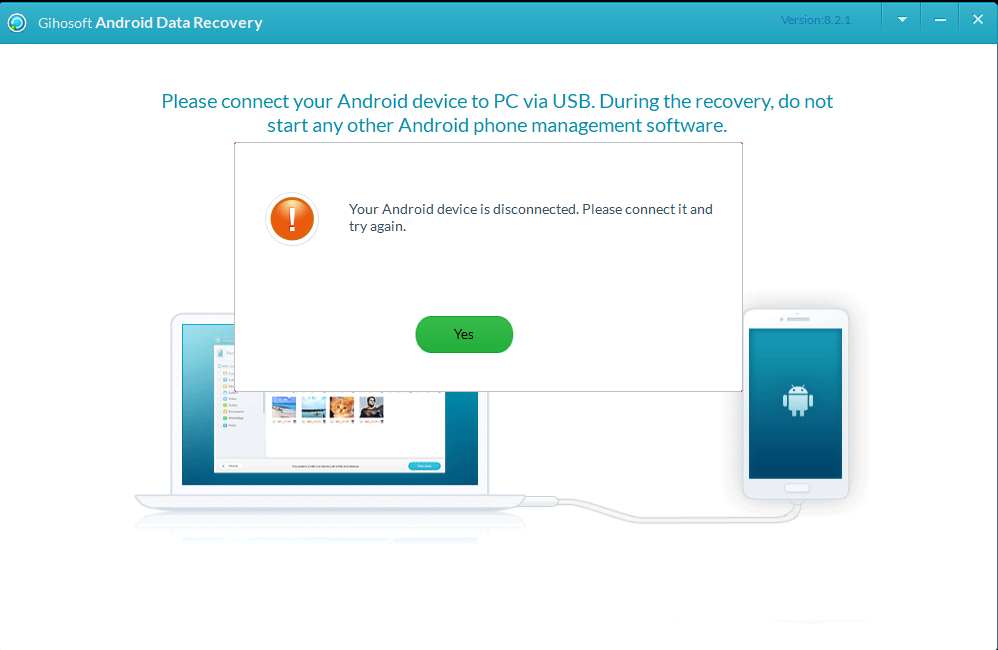
Getting my device to connect was a different story. No matter what I tried, the app could not detect my phone. After going back and forth with USB settings and driver checks, I gave up on the connection entirely. Interestingly, it was detecting any disconnection as soon as I removed the USB adapter.
From what I have read and gathered, Gihosoft works best with older Android devices. The app is developer isn’t well known, and while that alone is not a problem, there is less transparency around how the tool works and what it does with your device data during a scan.
Maybe the tool is not compatible with the newer Android security setup. But I feel that if you have an older Android phone lying around, you might try it out.
4. Primo Sync Android Data Recovery
In one line, I will say it’s Free but requires rooting, which most people would and should avoid. Does it work? Not really! Primo Sync is free, and it has a simple enough interface. There is even a quick scan option that sounds useful at first. The catch is that actually recovering deleted files requires you to root your Android device. I don’t know if this works because that’s where I hit a pause.
I never recommend rooting an Android device. It’s Risky! It can void your device warranty, cause security threats, and in worst-case scenarios, your device can also run into a software problem or become dead. It is a real worry for daily users and is simply not worth the risk. It’s not needed these days, because you can recover data on Android without Root.
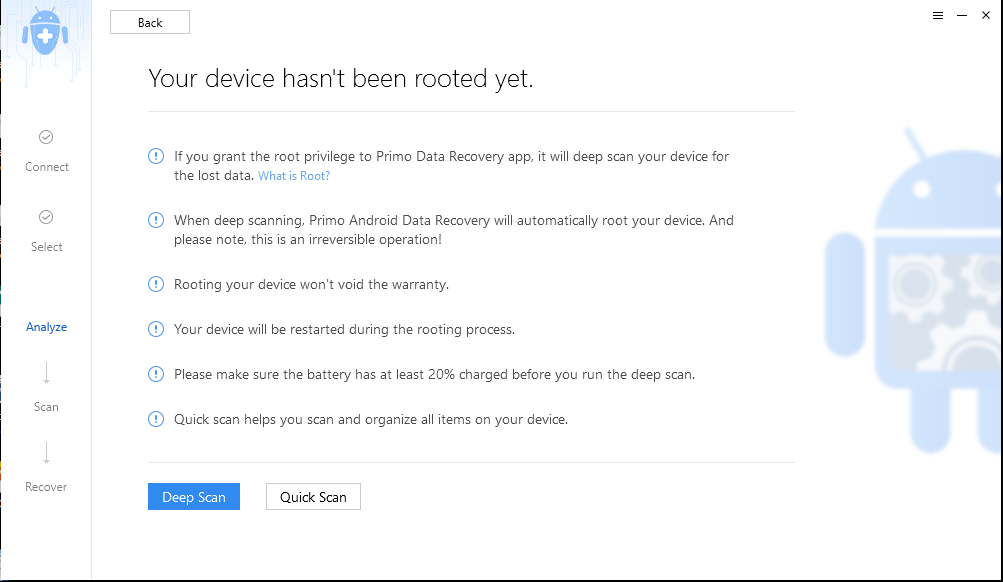
I ran the quick scan without rooting to see what it could show, and it only listed files that were already on the phone. Nothing deleted came up. On top of that, my Samsung device flagged the app as a potential security threat when I tried to give it the permissions it was asking for. I had to manually bypass multiple warnings just to get the app running.
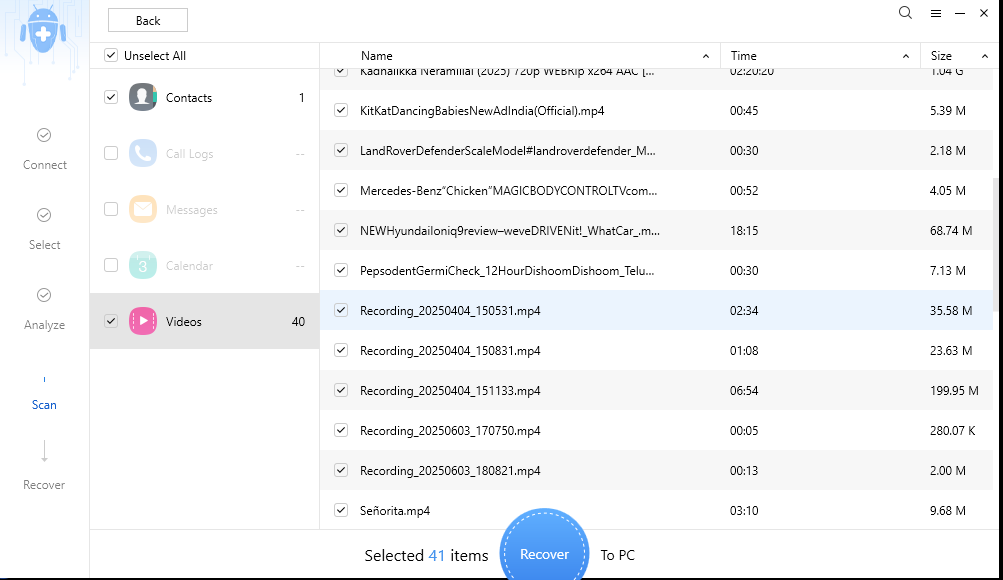
If you happen to have an older Android device that is already rooted and you do not mind the extra steps, Primo Sync might be worth a look. For everyone else, the risk versus reward just does not add up.
5. Aiseesoft Android Data Recovery
Aiseesoft presents itself as a free tool on its website, but that description is a stretch. What is actually free is the scan. Once the scan is done and you want to save anything, you are required to purchase a subscription.
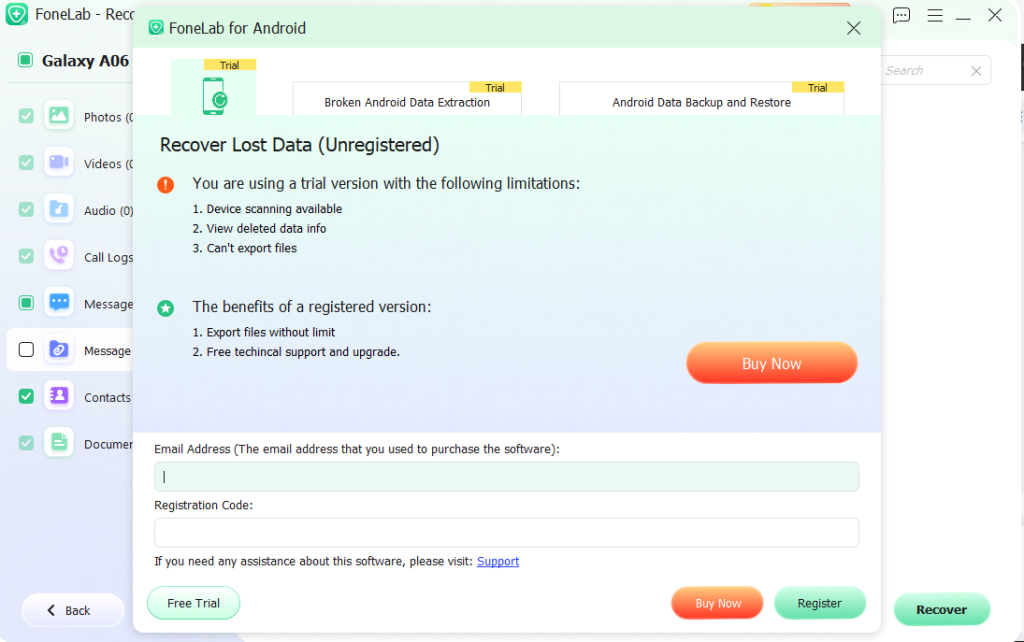
The scan itself was not great either. Similar to EaseUS or Primo Sync, it scanned the files that were already on my phone, but did not list anything that had been deleted. There is also no file preview, so you cannot see what was found before deciding whether to pay for the plan.
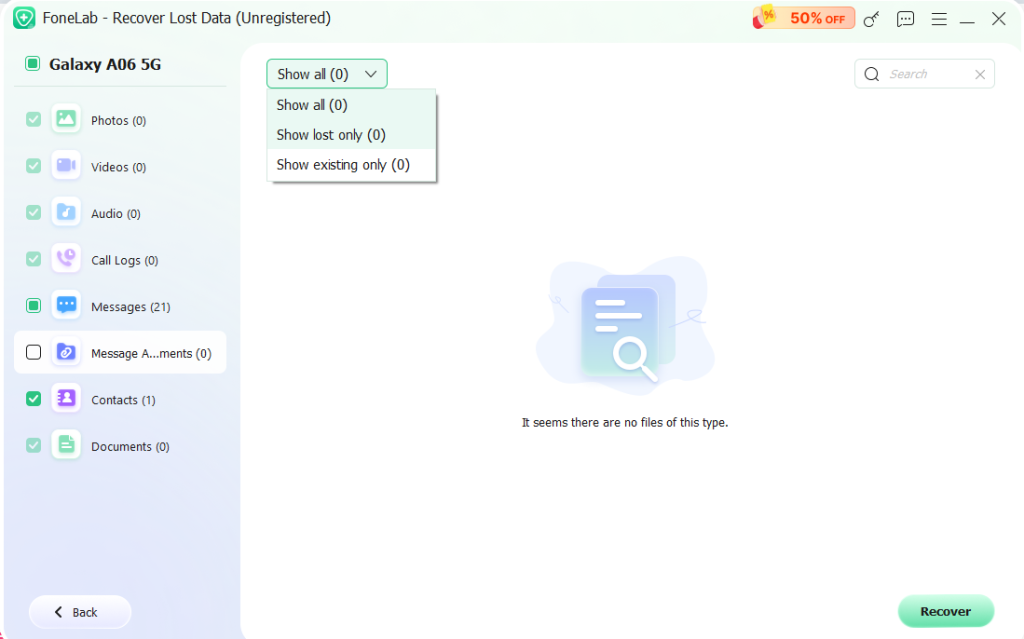
The interface looks a lot like EaseUS and Primo Sync, which makes sense since many of these tools seem to share the same basic design. It is clean and not hard to figure out, but when the core feature does not deliver, the design does not matter much. For what it offers, calling it free is misleading. You are paying to recover files, period.
Which Free Android Data Recovery Tool Should You Use?
The final verdict is - Stellar Data Recovery for Android was the only tool that found and recovered files that were deleted, and you can use the free tier for small recovery tasks. Even if you move beyond the 10-file limit, it's a fair bargain for the price.
But marketing claims aside, no Android data recovery tool can guarantee full recovery of lost or deleted files. So create regular backups and be careful with your Android device after data deletion, and manage your Android storage space with caution. So be careful with your Android device after data deletion, and manage your Android storage space with caution.
