You can fix a broken or corrupt JPEG header by reconstructing the missing image metadata with the help of a JPEG repair tool or by using certain free online photo repair services.
If the image file that has the ‘.jpg’ or ‘.jpeg’ extension finds itself with the error message – “unsupported format,” or the image is blank, then possibly it has an issue with the header part. This implies that the ‘JPEG file Header’ may be corrupted or truncated.
First, let’s break down the reasons that might make a JPEG file header turn corrupt and how we can repair the JPEG file header using some manual or software-based methods. There are tips that can be followed in order not to have the JPEG header turn corrupt.
A corrupt JPEG header can be described basically as an error at the beginning of a JPEG file. A JPEG header contains various pieces of information that help an image viewer software open an image. Standard data that an image header stores:
- Color model of the image (RGB, YCbCr)
- Image dimensions – width and height
- Compression and encoding tables
- Camera or software information
When this header data gets damaged or goes missing, image viewing apps can’t understand or display the file properly, even if the actual photo data is still intact. Don’t worry. This is one of the most common JPEG file problems and can be fixed easily.
There are several reasons why a JPEG header might get broken or corrupted.
- Sometimes, it happens due to sudden power loss during saving a JPEG file.
- It can also happen because of disk errors, corrupt drive, and file transfer errors.
- When the image file gets damaged by malware or viruses.
- Software bugs and improper editing can also cause header corruption.
Basically, anything that affects the structure or data at the starting of your JPEG can lead to a broken header.
Yes, a broken JPEG header can be repaired if:
- If the file size isn’t zero bytes.
- If the main image data still exists
- If you have another JPEG taken with the same device or settings
Repairing a JPEG header basically works by replacing the damaged header with correct data that matches with the original structure of the image. This helps your image viewer to correctly interpret the data again.
Now let’s come to the solution. Today, there are tools that cut the hassle and hard work of reconstructing a JPEG header manually. The entire process just requires you to upload the corrupt files and see them get repaired .
Free online photo repair tools, such as Stellar Photo Repair Online help you fix minor corruption issues in your JPEG, PNG, GIF, RAW and all other formats of photo. All you need to do is:
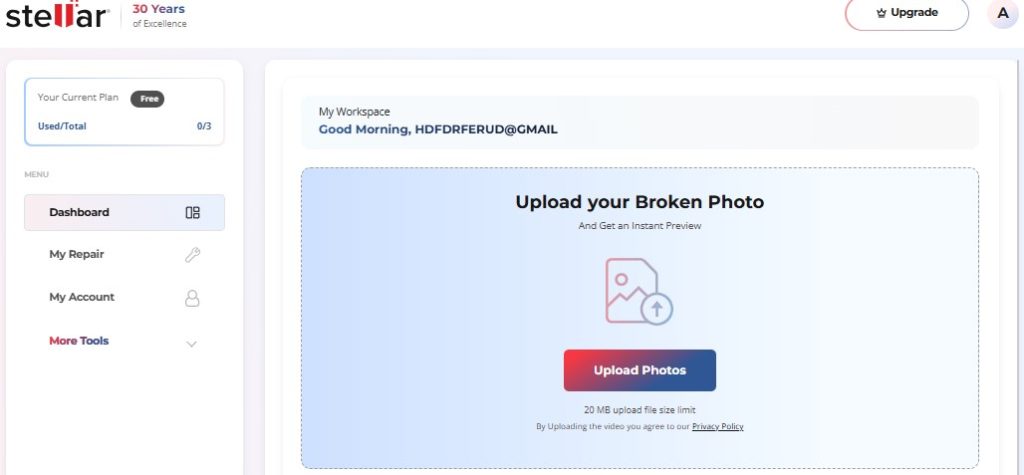
- Then upload the corrupt or damaged JPEG photos and hit Start Repair.
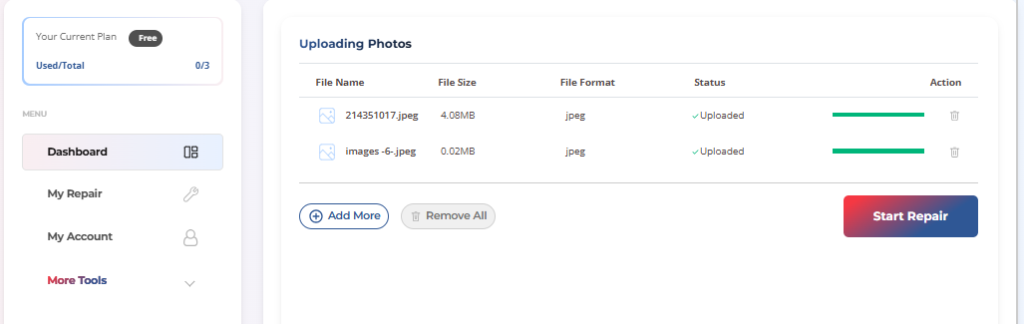
- Now the repairing process will start. Wait for some time for it to complete.

- Once the JPEG images are repaired, you will be able to download them directly to your device.
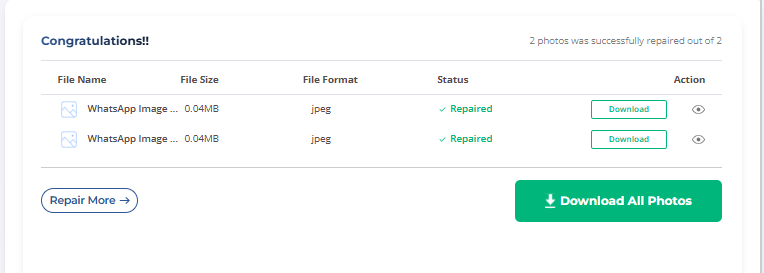
Now preview the files. You will be able to open and view the contents of the images once repaired.
Using an online photo repair service is the fastest and easiest way to repair a corrupt JPEG header. The tool works on all devices, be it smartphones or desktop computers and can fix image files up to 20MB in size.
Additionally, some users may also prefer fixing minor corruption in JPEG header by manually replacing the image bytes This approach, however, requires some technical expertise. If you want go through that route, here’s how to do it.
It is not an easy task to repair a corrupt JPEG image header, but if you possess some technical knowledge, you can surely go ahead with a hex editor utility. Hex editor utility can assist you in finding out the header part of your JPEG image. But in case you don’t have access to the normal copy of an image file of that same device then it will not be feasible to mend your corrupted JPEG image file manually.
- First download and install a reliable hex editor like HxD or Hex Fiend (for Mac).
- Launch the tool and open the JPEG file with the corrupt header by clicking on Open File. Below is the visual representation of the corrupt JPEG image.

- Then again, click on open file and open a healthy JPEG file taken from the same device. You can view the healthy JPEG image data as shown below.
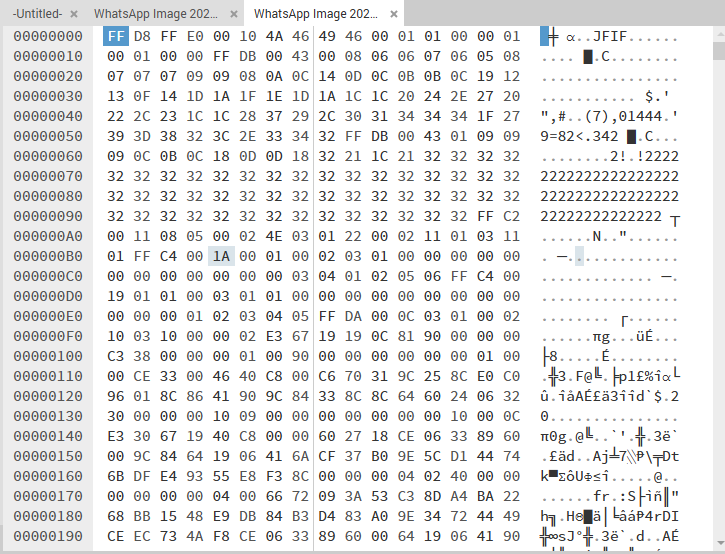
- In order to fix the corrupt image, you need to replace the old header bytes of the corrupted JPEG and match with that of the healthy JPEG file. Do this very precisely, since copy and paste option is not available in most hex editor tools.

- Once the header data of both these files match, hit the Save as button and your image is now repaired.
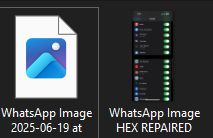
Preview of the JPEG image with corrupted header and after repairing with Hex tool.
Hex editor tools help you access the binary data of the image, but the process is highly technical and sometimes makes it hard to interpret even for experienced users. Any accidental modification to the binary data of an image can make the image further corrupt. Editing the binary data of small image is still manageable but it gets more complex and risky for large images.
What if the JPEG Still Doesn’t Open? Ultimate Solution to Fix JPEG Corruption
However, if the JPEG file is still unopenable by the aforementioned repair methods, then there is a strong possibility that the image file is affected by damage that is beyond the header. Even then, taking help from online fix services may not work. You need more advanced tools to fix image corruption where your file doesn’t open and shows “file corrupted or can’t be opened”, has major visual artifacts, distortions, or gray boxes.
| Level | Issue | Fix |
| Minor Header Corruption | Image not opening in image viewers | Online Repair / Hex Editors |
| Severe Corruption | Missing sections of the image, Visual Artifacts and Distortions | Online Repair / Photo Repair Software |
| Major Corruption | Broken Image or damaged file | Photo Repair Software |
Stellar offers an advanced photo repair software to fix such severely damaged JPEG files. It can help fix the corrupt JPEG file with the help of a healthy sample JPEG file. Since this is a tool- based fix, you will require to install the photo repair software on your computer (supported on both Windows and Mac).
- Once the software is installed, open it, and hit the Add file button.
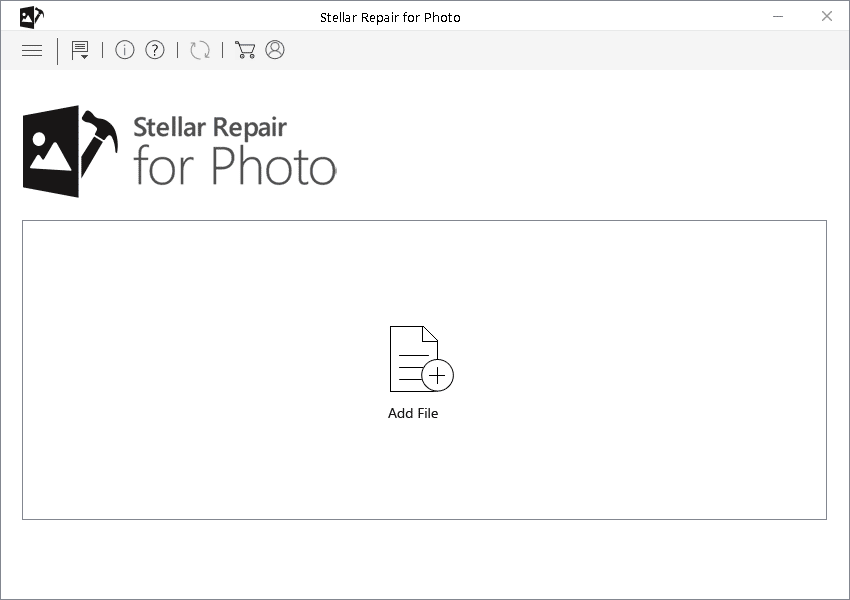
- Add the corrupted JPEG image and then add the sample file on the next screen and hit Repair.
- Now wait for the repairing process to complete. Once completed, preview the repaired JPEG photo file and save it.
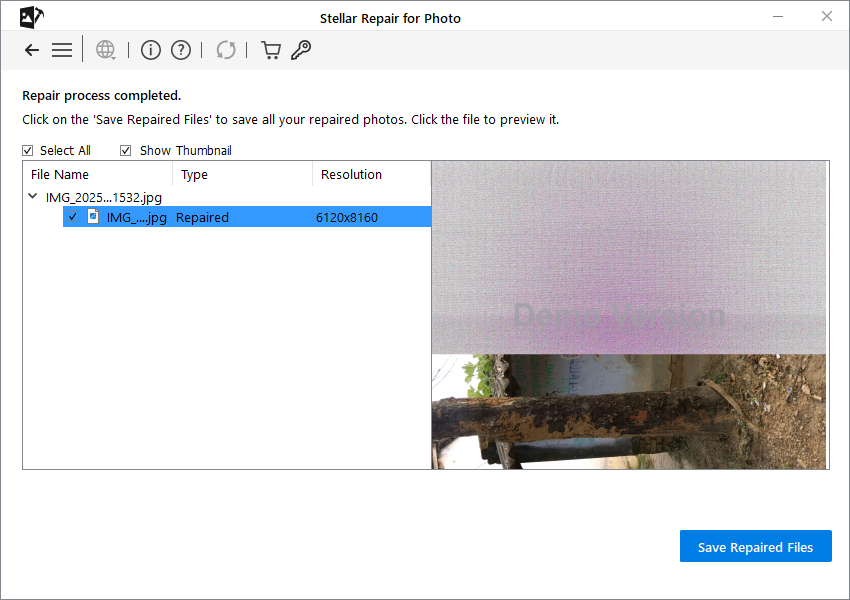
The software can fix all severe photo corruption issues and supports almost all file formats.
Here’s a carefully curated checklist that will help you avoid future header issues on your JPEG or image file:
- Always use safe methods to transfer and save your photos.
- Don’t shut down your camera or device abruptly.
- Store the storage device in a safe place away from dirt and moisture.
- Regularly monitor the health of storage devices with a reliable tool, to avoid complete damage to photo and files stored in it.
- Never interrupt ongoing operations while clicking photos or transferring them.
- Also, use only reliable photo editing or transfer software, because it minimizes risks of corruption.
- Regular backups can also save you from corruption issues.
