 Company
 Leadership
  Media Coverage
 Press Releases
 Career
  Case Studies
 Blogs
Blogs  Articles
  Videos


 Features
 Specs
Specs Help
Help FAQ's
FAQ's Spotlight 1
: Erase Files & Folders
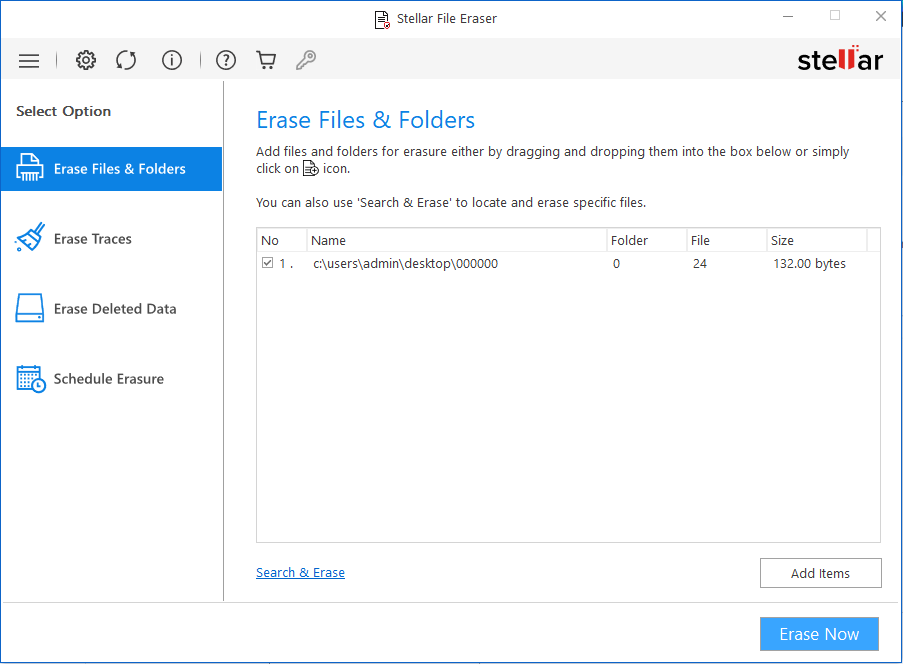
Click ‘Erase Files & Folders’ to add the files & folders for erasure. Click ‘Erase Now’.
 For Individuals
For Individuals
 Data Recovery
 File Repair
 Data Erasure
  For Business
For Business
 Email Repair
 Email Converter
 Email Migration
 File & Database Repair Data RecoveryData Erasure
 Toolkit
 Forensic
 Lab Services
  Our Partners
  About
About Resources
 Support
  Contact us
 Stellar File Eraser software permanently wipes sensitive files stored on your laptop or desktop PC. It safeguards your personal data from falling into the wrong hands.
*Software works only on your Desktop/Laptop

"Unlike similar tools, Stellar File Eraser is 100% safe for the system, as it never makes the mistake of erasing operating system files."
STELLAR FILE ERASER
Stellar File Eraser software securely erases sensitive information from HDDs, SSDs, USB flash drives, external hard drives, and more, eliminating any chance of data retrieval.






Stellar File Eraser software enables you to permanently delete files from your Windows devices, ensuring complete data security.





This secure file erasure software erases files from all Windows PC and external storage devices.
Powerful Comprehensive Solution

Besides your Internet search and browsing history, Stellar File Eraser can wipe clean the sensitive traces of daily Internet activities including cookies, temporary files, favorites and autocomplete data for forms and passwords. The file erasure software can permanently erase the traces of your Internet usage history across Chrome, Mozilla, Safari, IE, Microsoft Edge, Opera, & SeaMonkey.

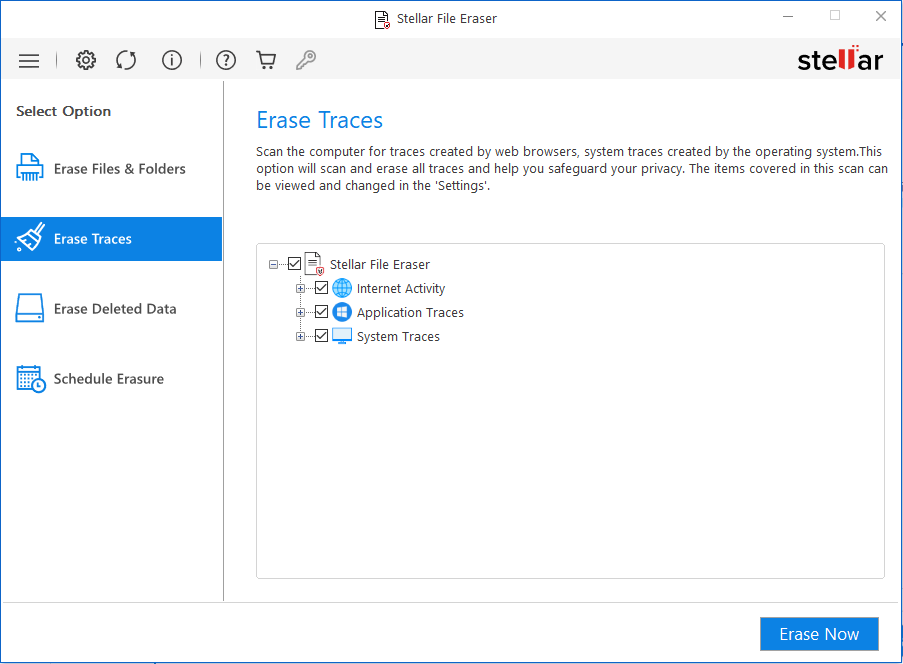
Using applications such as News apps, Instant Messengers, Email apps, Peer to Peer apps, etc. results in traces of sensitive data such as activity log, preferences, and personal information. App traces, such as Skype conversations, can threaten your privacy through online leakage and exposure. Manually finding and removing app traces is impractical and time-consuming for most users. Stellar File Eraser provides an easy & reliable method for removing the app traces without fail.

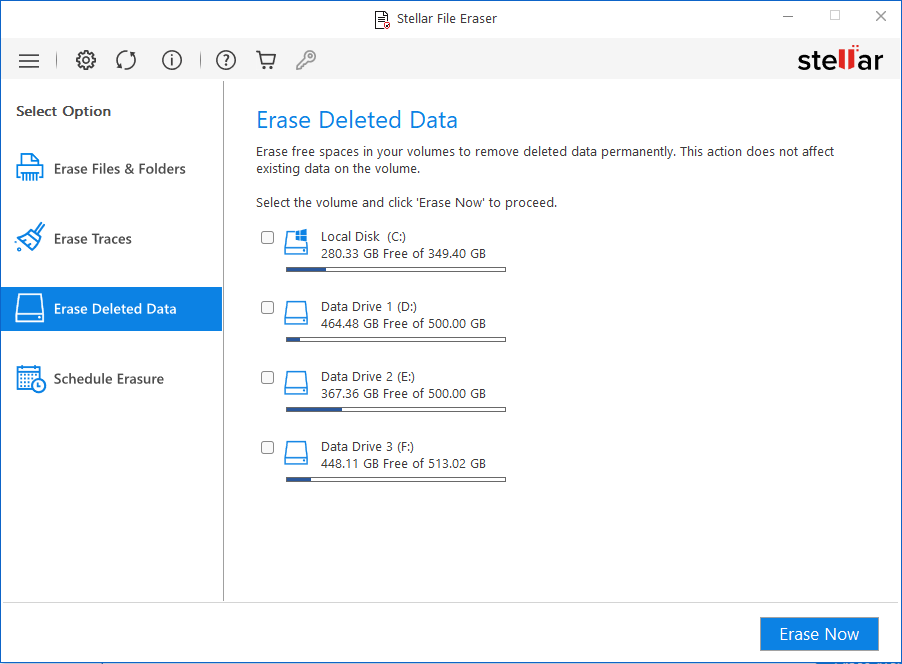
The software can erase the deleted files from drives and partitions to ensure their permanent wiping. By erasing the unused storage space freed up after deleting a file, the tool safeguards even your deleted sensitive information from unwanted recovery using any tool or method. It is a perfect file erasure tool to shred & permanently destroy the files you empty from the Recycle Bin or delete using SHIFT + DEL keys for removal.

System traces are those temporary files that pile up on your computer with routine usage. These files are created by the operating system while running a process. Temporary files consume storage space and degrade system performance. Stellar File Eraser routinely deletes the system traces thus improving your PC’s speed, performance, and storage space utilization.
OTHER FEATURES
/Feature-icons/Search-and-Erase.png)
Stellar File Eraser lets you search for specific files by using Find File by Name option. The software can search for multiple files stored on your computer's hard drive, folders, and subfolders. Additionally, the file wiping software can also find a specific file by using its extension, which can be a handy utility if you don't know or remember the file name.

Stellar File Eraser allows you to link all unwanted files and folders to a list so that you can wipe them at one go. The file wiping tool provides an option to create, remove, edit, or save a list of all items that must be erased from time to time. The process is as simple as selecting the items, adding them to the Erasure list, saving the list, and loading it for quick wiping.
/Feature-icons/Password-Protection-to-Restrict-Access.png)
Stellar File Eraser is not an ordinary software; it packs world-class data erasure technology to give you a fail-safe assurance of data safety. It uses specialized erasure algorithm defined by the US Department of Defense, ensuring that data once erased cannot be retrieved using any data recovery tool. Stellar File Eraser is a robust and reliable file eraser software designed to securely and permanently delete your data, ensuring complete privacy and protection.
/Feature-icons/Automate-File-Erasure-Task-as-per-Convenience.png)
The software can preset the file wiping tasks & run them automatically at a predefined date and time. You can schedule the erasure of files, folders, and traces at frequencies ranging from once, daily, weekly to monthly or with system boot. The software also allows you to view the scheduled tasks and details like status, state, algorithm, mode, frequency & more. You can also add files to an “ignore list”, to skip their erasure.
Software Walkthrough
Click ‘Erase Files & Folders’ to add the files & folders for erasure. Click ‘Erase Now’.
Click Erase Deleted Data & select the storage drive(s). Click ‘Erase Now’.
Click Erase Traces and click Erase Now to wipe the system, app, and Internet traces.
CUSTOMER REVIEWS




Stellar for file application comes at a reasonable price, great solution if you want to keep all of your data safe and sound even when they are deleted.

This data erasure solution uses international algorithm standards including DOD-3 Pass, 7 Pass, NIST, and more to ensure total deletion of any file, application, document, as well as all their traces in the system.

Remarkable software designed to delete data permanently from your hard drive or any other storage devices.

Stellar File Eraser has a simple purpose, namely to protect your privacy and preventing others.
Efficient & Reliable utility to wipe selected files, folders or data from the entire hard drive on Mac OSX.
DATA SHEET

| Version: | 6.0.0.0 |
| License: | Single System |
| Edition: | Standard |
| Language Supported: | English, Deutsch, Français, Italiano, Español, 日本語 |
| Release Date: | September, 2026 |
| Processor: | Intel compatible (x64-based processor) |
| Memory: | 4 GB minimum (8 GB recommended) |
| Hard Disk: | 250 MB for installation files |
| Operating System: (64 Bit only) |
Windows 11, 10, 8.1, 8, Windows server 2019, 2016, 2012 |
FIND YOUR ANSWERS
Yes, you can erase a specific file or set of files by adding them to the erasure list. Alternatively, you can select the file and wipe it using the Erase Now option.
Yes, Stellar File Eraser wipes files beyond the scope of recovery. No data recovery software can recover the erased file.
No, Stellar File Eraser is a ‘read-only’ software. It only reads the information from OS and removes the file, folder, or other data from the specified drive.
Yes, this software is fully compatible with Windows 11 and supports all storage media like HDD, SSD, USB & SD Cards.
No, it is not enough to erase the files just once. Sensitive data such as browsing history, app traces, system traces, online downloads, etc. keep accumulating on your system with routine usage. Therefore, should be regularly erased to ensure safety from breach.
Stellar File Eraser offers a Scheduling feature for automating the file wiping tasks as per time, day and frequency, eliminating the need for manual effort or reminders. Scheduling utility lets you enjoy your daily work on the computer with peace of mind while the software does the heavy lifting.
If your device is physically-damaged, or you want an expert to handle your data recovery job; our 'Lab Experts' can help.
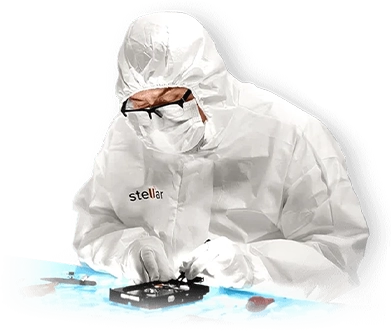

If your device is physically-damaged, or you want an expert to handle your data recovery job; our 'Lab Experts' can help.
Learn MoreWHY STELLAR® IS GLOBAL LEADER
3M+
Customers
30+
Years of Excellence
100+
R&D Engineers
190+
Countries
8000+
PARTNERS
120+
Awards Received





Listening...

 Installation
  Uninstallation
  EULA
EULA Knowledge Base
