For Individuals
 Data Recovery
 File Repair
 Data Erasure
 For Business
 Email Repair
 Email Converter
 Email Migration
 File & Database Repair
 Toolkit
 Forensic
 Lab Services
 Our Partners
 About
About Company
 Leadership
  Media Coverage
 Press Releases
 Career
  Resources
 Case Studies
 Blogs
Blogs  Articles
  Videos
  Support
 Contact us
Stellar saved my critical project files when my drive crashed. Highly recommended!
Jack Albert
Director Video Production
Milwaukee, USA
Milwaukee, USA
Get your lost files back for free. Stellar Data Recovery software finds what other recovery software misses. Built on over 30 years of data recovery experience, our software scans deeper and recovers more. It is 100% read-only, so running it never risks further data loss.

"Stellar Data Recovery grabs deleted data from nearly any media type, supports a clean interface and recovered nearly everything we threw at it."


Our advanced scan and recovery technology hunts down file traces when normal methods come up empty.
Accidentally deleted important files? Stellar software for Windows or Mac helps you regain access for those files for free which got lost from these devices. Recover over 1,000 file types, including documents, spreadsheets, PDFs, archives, photos, videos, emails, and more.
Windows or Mac won't start? Recover your important data from the affected system without losing anything for free before reinstalling the operating system.
Get back your deleted photos, videos, or other important data from phone devices. Free Data Recovery Software for iPhone or Android supports any kind of phone brand.
Accidentally deleted contact messages from iOS or Android? Stellar can help recover important contacts and messages from any lost scenarios for free.
Can't open your hard drive, SSD, USB drive, or memory card? Stellar can scan inaccessible or corrupted storage for recoverable files.
Recover files from Windows, Mac, iPhone® & Android® devices for free. No registration required.
Recover deleted, formatted and RAW-partition data from internal and external HDDs, SSDs, USB drives and memory cards. Recover 1GB of data from laptops, desktops, and servers for free.
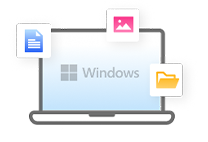
Recover deleted or lost files from macOS internal and external drives, Time Machine backups, and other supported Mac storage devices. Scan and recover data upto 1GB for free.

A desktop software, not an app — it connects to your iOS devices over USB and reads its directly. The software recovers upto 10 files for free, enough to preview real results before upgrading.
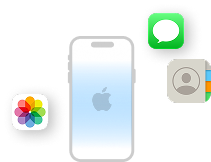
Recover deleted or lost photos, videos, contacts, and messages from phones which work on desktop. The software also recovers 10 files for free to assess the recovery capability.
Find your lost files, preview what's recoverable, and get your data back for free in just three simple steps.

Download and install the software on your Windows or Mac system.
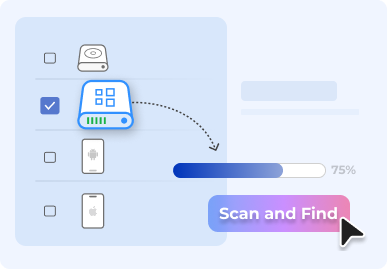
Connect the device or storage containing your lost data and run a scan to find recoverable files.
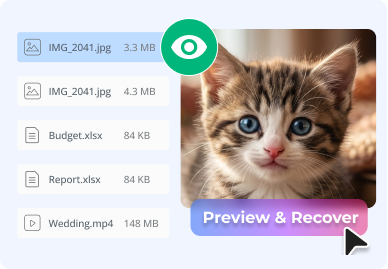
Preview and recover files for free: up to 1 GB on Windows and Mac, or 10 files on iPhone and Android.
Recover any file type from photos and videos to documents and emails from SSDs, HDDs, USB drives, and more.
From irreplaceable personal photos to important documents, find it with our free software.
Whatever you store your files on, there's a good chance we can reach it.
Over 3 million customers worldwide trust Stellar to recover their data. See what they have to say.
When you have precious data on your device, years of work and it goes inaccessible, the instinct is to reboot, reformat, or "just try one more time." What you do in the next few minutes matters more than which software you use.
The moment you notice files are missing
A read-only scan costs nothing and tells you exactly what is still there.
Never onto the drive you lost files
Confirm the files open and are intact before you commit to a recovery.
Writing recovered files back to the original risks destroying what is left.
TRIM can wipe deleted blocks within minutes of the delete.
Don't save, download, or install anything to the affected drive.
“Just checking one more time” is still a write — and writes overwrite your files.
Don't format or reformat the drive before attempting recovery.
A clicking drive is a physical fault — software scanning can make it worse.
Odds fall every hour, and fastest of all on TRIM-enabled SSDs.
Skipping preview means you find out what is corrupted after you have paid.
Our software goes to every possible length to save your data, but we won't make unrealistic promises. When a storage device is severely damaged or isn't recognized by the system, no recovery software can help.
Software won't help in this situation, but this is not a dead end. We at Stellar have a technology where we can recover data in-Lab from the Physically damaged media. Just send your drive to us for comprehensive data recovery service.
Power the drive off. Stellar's In-Lab Clean-Room service recovers from physically damaged drives.
Send Your Drive To Our LabNo software in the world can recover any data which is overwritten.
When TRIM is enabled on an SSD, deleted data usually can't be recovered by any software. Disable TRIM to give recovery software a better chance in the future.
Everyday users have recovered lost files with Stellar Data Recovery software.
We have answers to the most common questions that our users ask.
Data recovery is the process of getting back lost, deleted or inaccessible data from a computer, phone, hard drive, SSD, USB drive, memory card, or other storage device.
Stellar Data Recovery is the best data recovery software with a success rate of 99.6%. The software supports almost all data loss scenarios including deleted files, formatted or corrupted drives, lost partitions, RAW drives, and recovery from HDDs, SSDs, USB drives, SD cards and RAID servers.
Yes. Stellar offers a free software that lets you scan, preview, and recover data without purchasing the software. The current Windows & Mac Data Recovery software allows free 1 GB recovery.
Yes, Stellar Data Recovery can recover deleted and lost files in many data-loss situations. However, no recovery software can guarantee that every file will be recovered. The result depends on factors such as whether the lost data has been overwritten, the condition of the storage device, and how soon recovery is attempted.
Yes. The trial version lets you scan and preview recoverable files, but the amount you can actually save is limited. For Windows & Mac, free recovery provides up to 1 GB by default. iOS and Android devices allow recovery of 10 files for free.
The price depends on the product, platform, edition and license type. For example, Stellar's current Windows pricing page lists paid editions starting at $59.99 for a yearly Standard Edition, while higher editions cost more. iPhone and Android products are priced at $39.99 & $29.99 respectively for yearly subscription.
Yes. Stellar Data Recovery for Android works from a Windows desktop or laptop and supports Android devices from major phone brands. It can recover photos, videos, audio, messages, contacts, call history and documents
Yes. Stellar Data Recovery for iPhone runs on a desktop or laptop and can recover photos, videos, messages, contacts, call history, and other data. It also supports recovery from iTunes and iCloud backup files, including encrypted iTunes backups.
Yes. Stellar Data Recovery is read-only software. scan the drive to retrieve data and does not modify the original data stored on the drives. For better recovery, it is important to stop using the affected storage as much as possible, because new data can overwrite deleted files.
Yes, it is possible, depending on how the storage was wiped and whether the original data has been overwritten. Stellar software can recover data from some formatted, RAW, corrupted, or inaccessible drives, but wiping the drive with secure and certified eraser software makes the recovery impossible.
No. Stellar's current product does not require any registration to download and try the software. You can scan and preview your recoverable data before deciding whether you need the paid version.
Yes. Stellar has dedicated recovery software for iPhone and Android. Install the software on a computer and connect your phone. It can then recover photos, videos, messages, and more.
Yes. Stellar offers free technical support and is available for users experiencing issues with software, including users of the Free Edition. Support is available through email, phone and chat.
In some cases, If the drive is still detected and the problem is logical, recovery software may be able to recover the data. However, if the drive has physical damage, such as a damaged, burnt, water-damaged, or failed drive, software is not helpful. Stellar offers professional lab services for physically damaged HDDs, SSDs, Macs, mobile devices, and other storage media.