662 views Jun 30, 2021
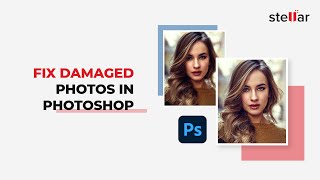
*Sometimes, due to your camera settings or insufficient lighting at the time of the shoot, or other technicalities, photos are not up to mark. Due to these reasons, photos may turn out grainy, blurry, dark with strange spots, dull, or have other shortcomings.
**In this video, we’ll share the different methods of Photoshop that you can use to fix the color, brightness, and other noise in your damaged pictures.
As a bonus, you can download the powerful software Stellar Repair for Photo to start repairing distorted, blurry, pixelated, & greyed-out images. With the help of this software, you can also fix corrupt headers & invalid image file structures:
Download the software from here https://www.stellarinfo.com/photo-repair-software.php
0:00 Start
0:17 Method 1- Noise Reduction Filters
1:24 Method 2- Lab color Method
2:14 Method 3- Photoshop retouch & repair Tools
2:39 Clone Stamping Tool
3:04 Spot Healing Brush Tool
3:36 Healing Brush Tool
3:55 Patch Tool
4:21 Red Eye Tool
4:38 Bonus* Stellar Repair for Photos.
Subscribe to our channel for more such videos: https://www.youtube.com/c/stellardatarecovery
Follow us on Social Media-
Facebook: https://www.facebook.com/stellardata
Twitter: https://twitter.com/stellarinfo
Instagram: https://www.instagram.com/stellardata
Stellar Data Recovery is your trusted partner since 1993 having 3 million-plus satisfied customers globally. Stellar to the rescue! Visit Stellar Info Dot Com to rescue your files right now.
#Bestof2021 #PhotoRepairSoftware #Stellar
 For IndividualsBack to main menu
 Data Recovery
 File Repair
 Data Erasure
  For BusinessBack to main menu
 Email Repair
 Email Converter
 Email Migration
 File & Database Repair
  Toolkit
 Forensic
 Lab Services
  Our Partners
  About
About Resources
 Support
  Contact us
  Company
 Leadership
  Media Coverage
 Press Releases
 Career
  Case Studies
 Blogs
Blogs  Articles
  Videos
  Product Demo | Jun 30 | Duration: 4:53