14,208 views Nov 10, 2021
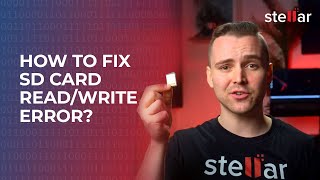
Have you got an SD card that’s corrupted? Let's see a few ways to resolve that. we'll be talking you through a number of different ways that will hopefully help resolve your SD card troubles and fix your SD card.
You may have already tried some of these, so please feel free to use the timestamps to jump ahead.
00:00 Intro
00:10 Basic Troubleshooting
01:01 Unhide Files
01:28 Use Error Checking Tool
02:17 Assign a new letter
03:08 Reinstall SD Card Driver (Windows 10)
03:48 Windows Troubleshoot
04:22 Run Diskpart in CMD
05:12 Format Corrupt SD Card
06:08 Force Corrupt SD to Format
07:38 Stellar Photo Recovery
We do hope one of these methods has helped to fix your corrupted SD card. If not, then please do let us know in the comments below and we will do our best to point you in the right direction. Be sure to subscribe for more Stellar content and we’ll see you next time!
Product Info: https://www.stellarinfo.com/photo-recovery-software.php
SUBSCRIBE to get more solutions: https://www.youtube.com/c/stellardatarecovery
Follow us on Facebook https://www.facebook.com/stellardata
Follow us on Twitter https://twitter.com/stellarinfo
Follow us on Instagram https://www.instagram.com/stellardatarecovery
#sdcardrepair #recoverdeletedphotos #askstellar
 For IndividualsBack to main menu
 Data Recovery
 File Repair
 Data Erasure
  For BusinessBack to main menu
 Email Repair
 Email Converter
 Email Migration
 File & Database Repair
  Toolkit
 Forensic
 Lab Services
  Our Partners
  About
About Resources
 Support
  Contact us
  Company
 Leadership
  Media Coverage
 Press Releases
 Career
  Case Studies
 Blogs
Blogs  Articles
  Videos
  Product Demo | Nov 10 | Duration: 8:30