31,956 views Jan 25, 2022
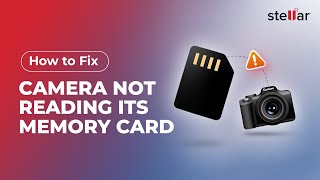
The problem of SD cards becoming unreadable or not getting detected can occur on any device, be it a PC, Mac, camera, or Android phone. There can be various reasons for SD cards not getting recognized or read by your system.
Check out a few methods to fix SD cards that cannot read/write errors on Windows, Mac, or Android phones. Download Stellar Photo Recovery software to recover all your lost media files from your SD cards, https://www.stellarinfo.com/photo-recovery-software.php
0:00 Start
0:27 Check your SD card reader
There could be a problem with your chosen SD card reader, whether it’s one that’s external to your device, or already built-in. If possible, it’s always worth giving another card reader a go, this way, if the card still isn’t being read, then you know it is most likely a problem with the card itself.
0:45 Use a different USB port
Depending on how your card reader is attached to your PC or Mac, it’s an issue with the USB port you’re using.
1:05 Turn off write protection of SD card
When write-protection is enabled on your SD card, you won’t be able to open, edit, copy or even save any files. All you need to do to switch it off is slide the little switch on the side of your SD card to the unlocked position.
1:34 Restart your device
First make sure you've safely removed your SD card reader from your device, then hit restart. Once it’s loaded up again, plug your card reader back in and see if that’s made a difference.
2:03 Put your computer or phone to idle status
If your SD card isn’t being recognized or isn’t displayed on our device’s drive list, it could be due to low memory on your computer. In that case, you need to close all programs and leave your system to rest, or idle, for a few minutes.
2:27 Update drivers
A driver allows an external device to interact with your computer's operating system, you first need to make sure that your drivers are fully updated.
3:10 Format SD card Windows
Formatting the SD card will remove all the photos and videos saved on your SD card, but don’t worry, you can recover them this should fix the unreadable error and make the storage media reusable.
3:59 Assign a new drive letter
If your SD card isn’t showing on your drive list for your computer, it means that the SD card is not being detected. Then you must assign your SD card a new letter.
4:57 Format SD card on Mac
Similarly, as with Windows, you can format your SD card on a Mac too in order to make it usable again.
5:41 Set finder preference to show the SD card
Sometimes external disks are not allowed to be displayed. So, you need to Set a finder preference to show an SD card.
6:14 Mount your SD card in Disk Utility
It’s possible your SD may not be mounted to your device properly, which can easily lead to it becoming unreadable. For that, you need to mount your SD card.
6:43 Recover data
If nothing of the above work, you can recover media files by using an SD card recovery software, as long as that SD card hasn’t been overwritten or isn’t physically damaged.
Stellar Photo Recovery software can help you recover photos and videos from all types of SD cards, including microSD.
-
Follow us on social media-
Facebook: https://www.facebook.com/stellardata
Twitter: https://twitter.com/stellarinfo
Instagram: https://www.instagram.com/stellardata
Stellar is your trusted partner since 1993 having 3 million-plus satisfied customers globally. Stellar to the rescue! Visit Stellar Info Dot Com to rescue your files right now.
#SDCardreadwrite #PhotoRecovery #AskStellar
 For IndividualsBack to main menu
 Data Recovery
 File Repair
 Data Erasure
  For BusinessBack to main menu
 Email Repair
 Email Converter
 Email Migration
 File & Database Repair
  Toolkit
 Forensic
 Lab Services
  Our Partners
  About
About Resources
 Support
  Contact us
  Company
 Leadership
  Media Coverage
 Press Releases
 Career
  Case Studies
 Blogs
Blogs  Articles
  Videos
  Product Demo | Jan 25 | Duration: 8:17