 Company
 Leadership
  Media Coverage
 Press Releases
 Career
  Case Studies
 Blogs
Blogs  Articles
  Videos




 Features
 Specs
Specs Help
Help FAQ's
FAQ's Step 1
: Select What To Erase
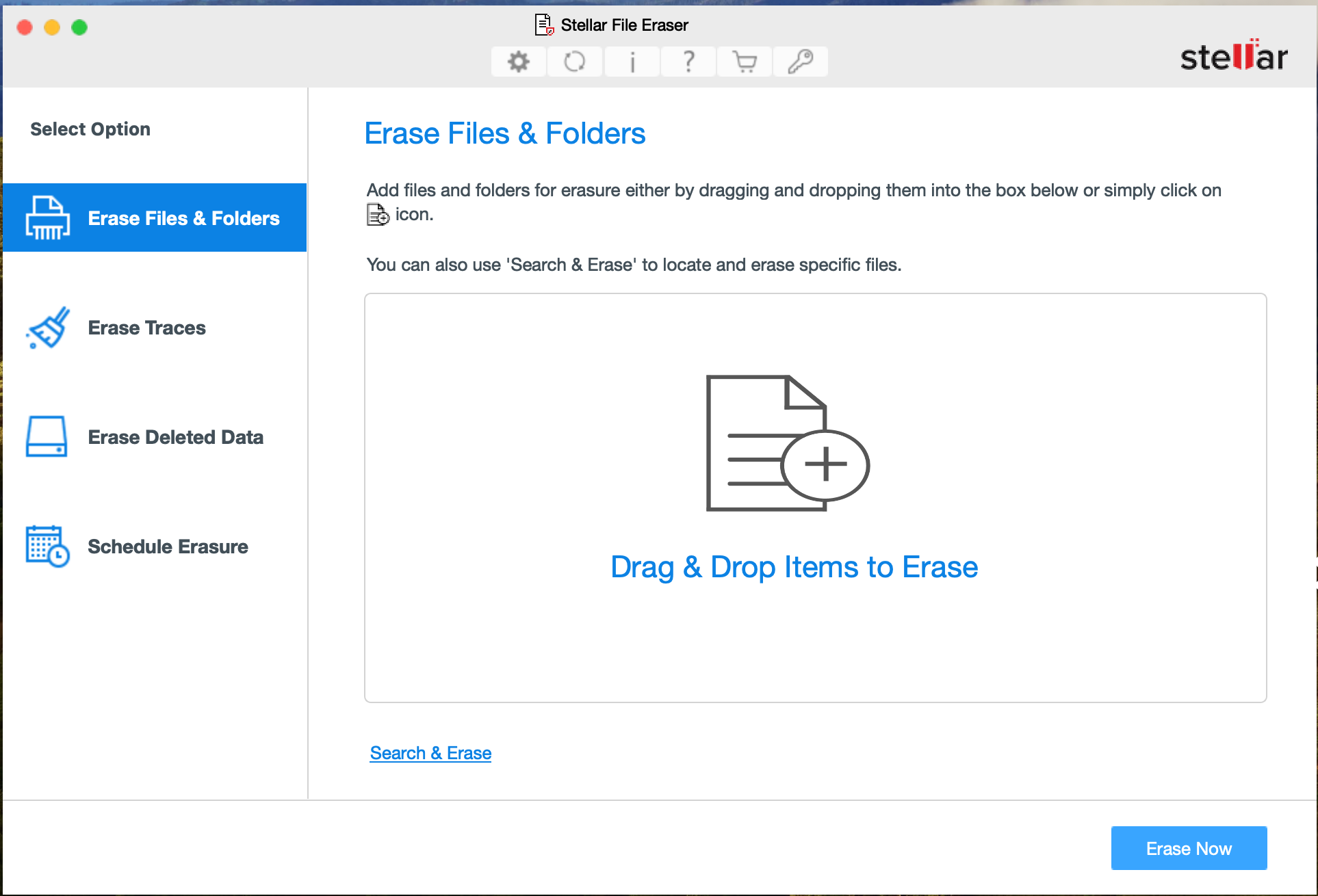
Click ‘Erase Files & Folders’ to add the files & folders for erasure. Click ‘Erase Now’.
 For Individuals
For Individuals
 Data Recovery
 File Repair
 Data Erasure
  For Business
For Business
 Email Repair
 Email Converter
 Email Migration
 File & Database Repair Data RecoveryData Erasure
 Toolkit
 Forensic
 Lab Services
  Our Partners
  About
About Resources
 Support
  Contact us
 Stellar File Eraser permanently erases any sensitive data stored on your Mac system. It erases system and application traces, deleted data, and unused space beyond the scope of recovery.
*Software works only on your Desktop/Laptop

"Stellar File Eraser equips you with the best options when it comes to practicing security— Do not let your data stay vulnerable!"
STELLAR FILE ERASER
Stellar File Eraser software helps to wipe your sensitive information from HDD, SSD, USB Flash Drive, and External Hard Drive & more beyond any scope of recovery..






Stellar File Eraser safely erases data from Mac systems and external storage devices with maximum efficiency.





This file eraser software can eternally destroy any sensitive data stored on a Mac system without any exceptions.
Powerful Comprehensive Solution
/Feature-icons/Securely-Erases-Sensitive-Data.png)
Even if you delete your sensitive data using Shift+ Delete keys, it remains on your Mac’s storage drive. Stellar File Eraser for Mac allows you to securely erase files on Mac or any sensitive data permanently and hence preventing it from falling into the wrong hands. The software leaves no chance of data recovery even with the help of professional data recovery tools and services, including forensics.
/Feature-icons/Erases-Sensitive-Hidden-App-Data.png)
Apps generate residual data that may jeopardize your virtual and physical privacy if accessed by others. Stellar File Eraser for Mac helps the users to permanently erase residual data left behind by Peer-to-Peer (P2P) apps like uTorrent, BitComet, BitSpirit, MP3Rocket, Ares, Imesh, BearShare, SoulSeak, FrostWire, etc. efficiently.
/Feature-icons/Secure-Wipes-Unused-Disk-Space.png)
Empty storage space may contain deleted confidential files. Stellar File Eraser (Mac) helps you safely wipe unoccupied or unused storage space on Mac drive volumes. It overwrites the unallocated storage with random values defined by the selected erasure algorithm, making data recovery impossible.
/Feature-icons/Erases-Traces-of-Internet-Activities.png)
This file eraser for Mac allows the users to securely erase files on Mac as well as internet activities containing confidential information like browsing history, auto-fill form data, internet banking login details, online account credentials, and saved credit/debit card info. The software supports all major web browsers such as Safari, Google Chrome, Firefox, Opera, Edge, etc.
Software Walkthrough
Click ‘Erase Files & Folders’ to add the files & folders for erasure. Click ‘Erase Now’.
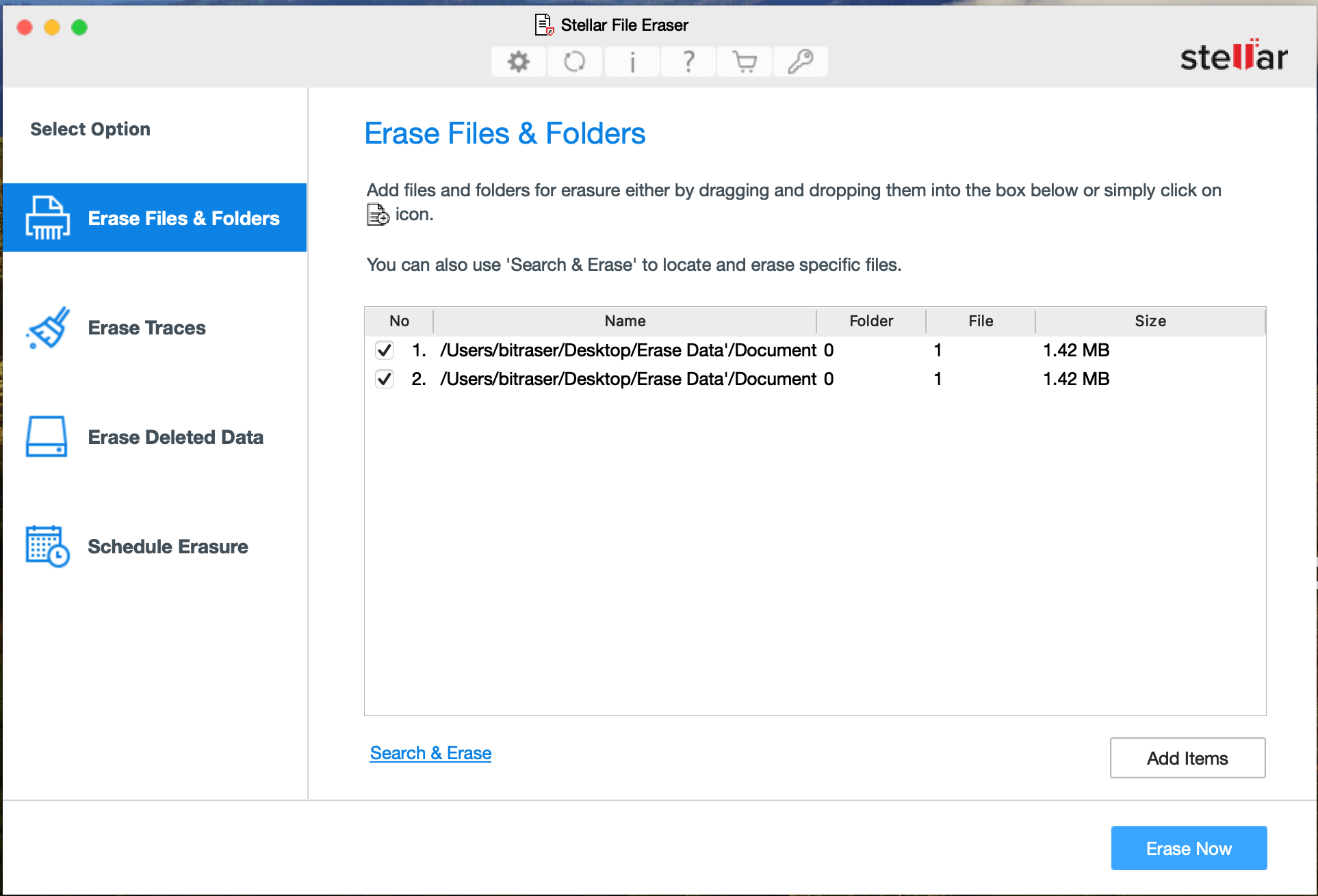
Click 'Erase Free Space' & select the storage drive(s). Click ‘Erase Now’.
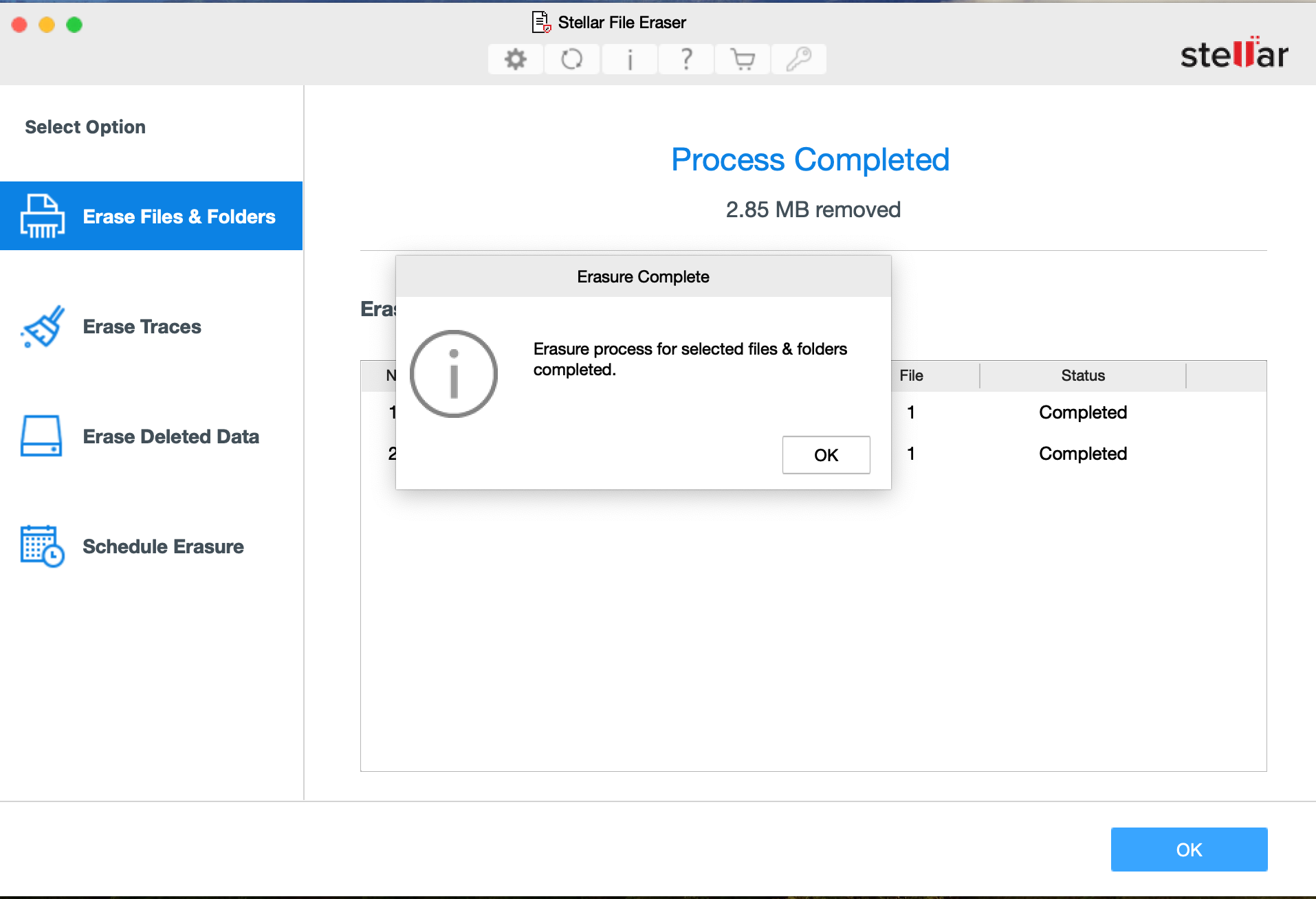
Click 'Erase Traces' & select among the application traces, internet activity, or system traces and click 'Erase Now'.
CUSTOMER REVIEWS




Remarkable software designed to delete data permanently from your hard drive or any other storage devices.

While I like the feel and purpose of Stellar, it still makes me incredibly nervous to use this type of application. I feel as though the software does its job.

"It’s relatively easy to erase the contents of a drive on a Mac with Stellar File Eraser."

Stellar for File has a simple purpose, namely to protect your privacy and preventing others.

Stellar for file application comes at a reasonable price, great solution if you want to keep all of your data safe and sound even when they are deleted.
DATA SHEET

| Version: | 6.0.0.0 |
| License: | Single System |
| Edition: | Standard |
| Language Supported: | English, French, German, Italian, Spanish, Dutch & Japanese |
| Release Date: | October, 2025 |
| Processor: | Intel compatible (x64-based processor) |
| Memory: | 4 GB minimum (8 GB recommended) |
| Hard Disk: | 250 MB of Free Space |
| Operating System: (64 Bit only) |
macOS X 10.13 onwards |
FIND YOUR ANSWERS
Yes, the software works flawlessly on any kind of storage devices such as HDD, SSD, etc.
No, It is not possible to recover file after wiping it with Stellar File Eraser.
Yes, Stellar File Eraser has an exceptional feature of wiping unused or free space to ensure no data recovery is possible for formerly deleted files.
No, the application is designed to erase user’s files only. It does not erase any operating system files, so that your operating system remains unharmed.
WHY STELLAR® IS GLOBAL LEADER
3M+
Customers
30+
Years of Excellence
100+
R&D Engineers
190+
Countries
8000+
PARTNERS
120+
Awards Received





Listening...


 Installation
  Uninstallation
  EULA
EULA Knowledge Base
