 Company
 Leadership
  Media Coverage
 Press Releases
 Career
  Case Studies
 Blogs
Blogs  Articles
  Videos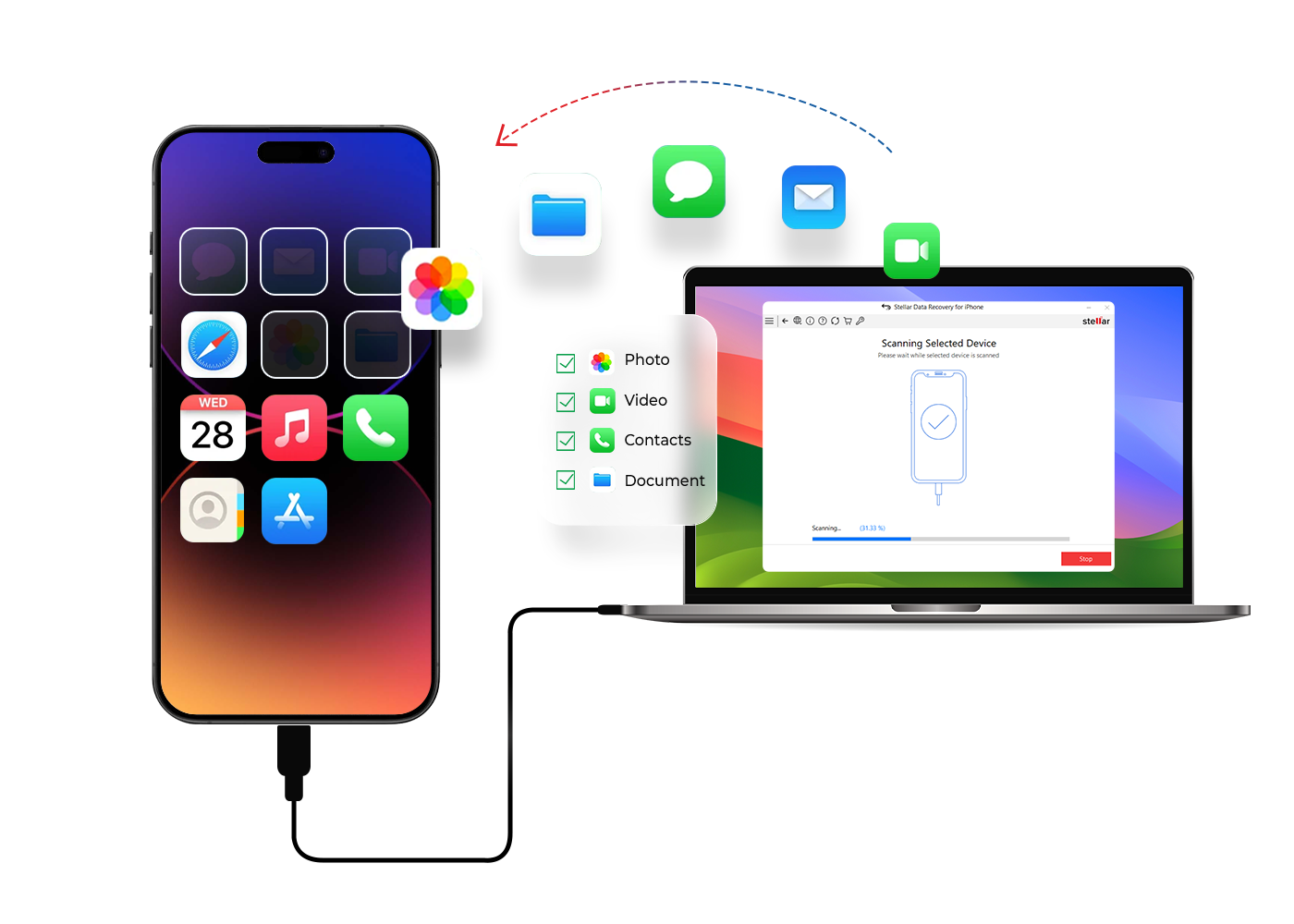

 Features
 Price
Price Specs
Specs Help
Help FAQ's
FAQ's Step 1
: Select What To Recover
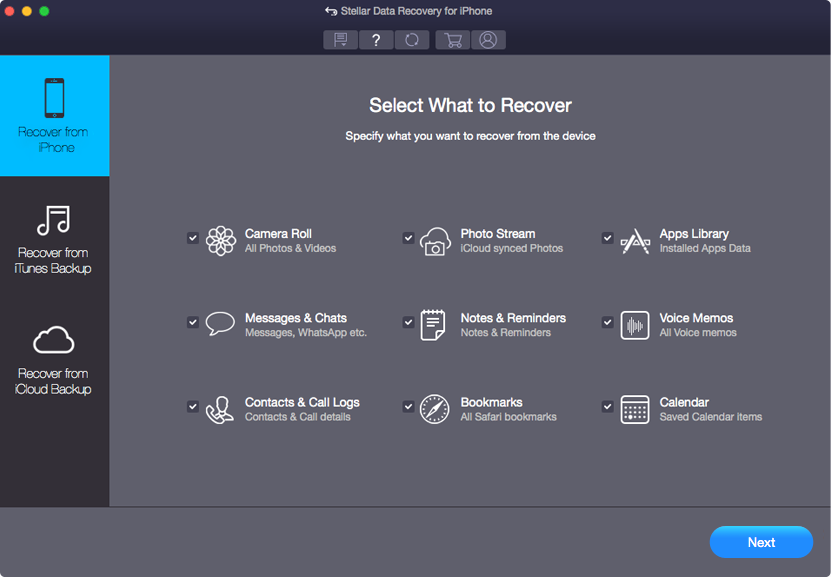
Select type of data from the list that you want to recover & click Next.
 For Individuals
For Individuals
 Data Recovery
 File Repair
 Data Erasure
  For Business
For Business
 Email Repair
 Email Converter
 Email Migration
 File & Database Repair Data RecoveryData Erasure
 Toolkit
 Forensic
 Lab Services
  Our Partners
  About
About Resources
 Support
  Contact us
 STELLAR DATA RECOVERY FOR IPHONE®
Stellar Data Recovery for iPhone® is the best tool to retrieve data lost due to accidental deletion, factory reset, virus attack, jailbreak, failed iOS upgrade, or from a stolen, locked, or broken iPhone.












* Free version lets you scan, preview, and recover up to 10 photos/videos; upgrade anytime for unlimited recovery.
Powerful Comprehensive Solution

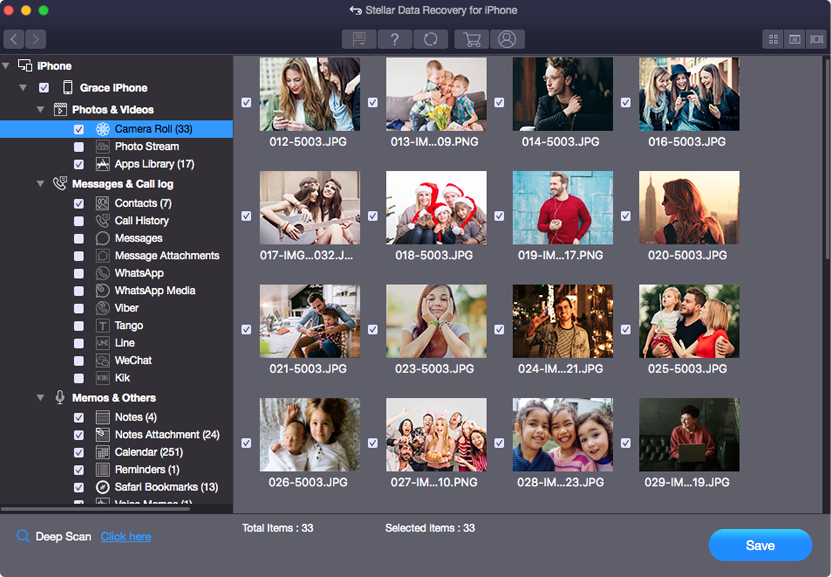
The tool allows restoration of deleted iPhone photos and videos, even if files were accidentally deleted or lost due to OS glitches. The software performs a deep scan to find and recover deleted photos & videos from iPhone or iPad. The demo version lets you restore up to 10 photo or video files for free.

Restore deleted text messages, SMS, iMessages, and even WhatsApp Chats and conversations from your iPhone or iTunes backup. The iPhone message recovery tool’s deep scan feature locates your lost conversations and even WhatsApp media files and attachments. It comes with an advanced preview feature that helps you to view the deleted messages and attachments before recovery. You can instantly recover 10 iPhone messages for free with Stellar Data Recovery for iPhone.

Restore deleted Contacts, Photo Stream, Camera Roll, etc. from Finder/iTunes backup files. It also supports recovery from encrypted Finder/iTunes Backups. The advanced algorithms let you access and recover the lost data stored in the encrypted backup on Windows or Mac devices. Moreover, the entire iPhone backup recovery process doesn’t demand any technical expertise. Read More

No backup? Deleted contacts in a hurry? Lost contacts? Stellar iPhone data recovery tool for Mac helps retrieve your contact details from iPhone or iTunes backup. It gives you the choice to save the contacts list in either VCF, CSV, or HTML format. Along with the contacts, the software also saves the various attributes assigned to the contacts in HTML format. Read More
OTHER FEATURES

Recover data from all types of iOS devices - the iPhone Data Recovery software for Mac restores lost data from iPhone and iPad. Multiple device support makes the software cost-effective and frees you from investing in separate recovery applications for different Apple devices.

You wanted to keep your call history but iPhone reset, deletion, iOS crash, or other reasons led to the loss of call log on your iOS device. Recover lost Call History on Mac with the help of Stellar iPhone data recovery software. The tool helps you restore the missing or deleted call log on your iPhone with name, date, and time.

Stellar Data Recovery for iPhone restores your missing or deleted voice memos on Mac. Irrespective of how you lost them, it recovers the missing audio recordings on your Mac from iPhone, and iTunes backup. The software is easy and quick, and lets you select and save only those Voice Memos you wish to keep. Read More

The 'Deep Scan' function ensures you are able to restore up to 100% of iPhone data even in tough data loss situations. The comprehensive scan of the iOS devices and iTunes backup recovers every bit of lost or deleted data. It works in all loss scenarios including water damaged iPhone, stolen iPhone, iOS crash, jailbreak etc. The feature also helps to recover data from iPhone without backup.
PRICING
In addition to iOS data recovery, this version is inclusive of iPhone Data Erasure, iOS System Repair, and Removes Apple ID.
The All-in-one iPhone solution supports multiple iOS devices - iPhone & iPad to Recover, Erase, iOS Repair, and Remove Apple ID.
CUSTOMER REVIEWS




It even recovers data in the worst data loss scenarios that users fear, including iOS crashes, water damage, lost iPhone, or Jailbreak.
This tool meets the highest demands when it comes to users who have an active lifestyle and prefer convenience above anything these.
See Windows Report Review

Stellar can recover data from a wide variety of iOS devices with an added option of importing to iPhone.
The algorithm and recovery technology is so powerful that you can even get back encrypted iTunes and iCloud backup files.
See iLounge Review

Specially designed to recover lost data from an iPhone.
Recover deleted photos, videos, and more from your iPhone in just a few clicks with Stellar Data Recovery for iPhone.
See Phandroid Review

Stellar Data Recovery for iPhone also recovers the user's encrypted data from iTunes & iClouds.
Software helps to recover things like; deleted contacts, deleted messages from popular mobile apps.
See Tech Times Review

Particularly suitable for users looking for effective solutions without spending excessively.
Offers a reliable solution for retrieving lost or deleted data across various file types.
See Apple Daily Review
DATA SHEET

| Version: | 9.0.0.2 |
| License: | Single User |
| Edition: | Standard, Toolkit |
| Language Supported: | English, Deutsch, Français, Italiano, Español |
| Release Date: | April 2026 |
| Memory: | 4 GB minimum (8 GB recommended) |
| Hard Disk: | 250 MB for installation files |
| Operating System: (64 Bit only) |
macOS Tahoe 26, Sequoia 15, Sonoma 14, Ventura 13, and below |
TRY BEFORE YOU BUY
* Free version lets you scan, preview, and recover up to 10 photos/videos; upgrade anytime for unlimited recovery.
FIND YOUR ANSWERS
The Demo version of Stellar Data Recovery for iPhone allows you to recover up to 10 files (photos and videos) for free, with each file up to 10 MB in size. Once this 10-file limit is exhausted, you will need to purchase and activate the full version to continue recovering more files.
Yes. The iTunes recovery module in Stellar Data Recovery for iPhone recovers data from Finder backups created on macOS Tahoe and previous versions. Although Apple has replaced iTunes with Finder for iPhone backups on newer macOS versions, the software can still detect and scan Finder backup files in the same way.
The recovered contacts from iPhone can be saved in HTML, VCF, and CSV formats.
The software supports all the iOS versions, including iOS 26.x, 18.x, 17.x, 16.x, 15.x, 14.x, 13.x, 12.x, 11.x, 10.x, 9.x, 8.x, 7.x, and so on.
The software supports all the macOS versions, including Mac Tahoe, Sequoia, Sonoma, Ventura, Monterey, and below.
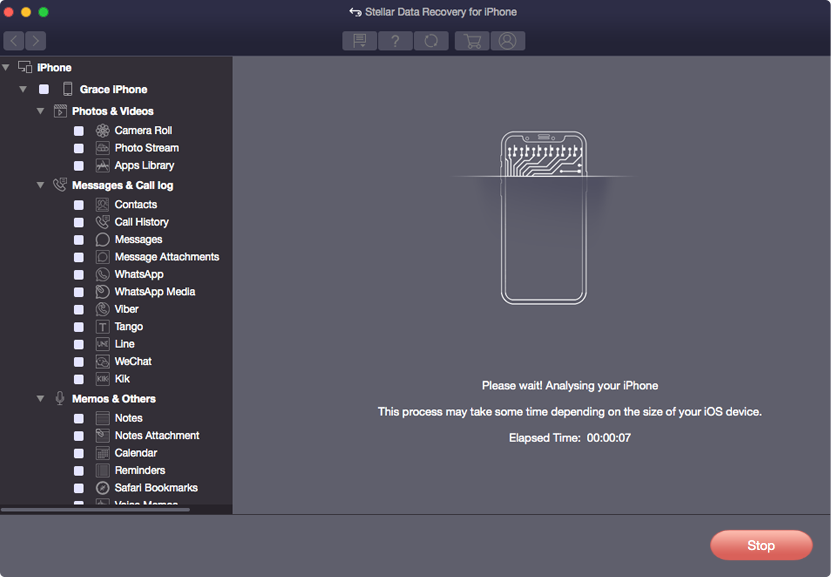
If you are unable to find the deleted or lost files in the Preview, click on ‘Deep Scan’ option in the software. The feature thoroughly scans your iOS device, iTunes/ Finder backup to recover lost iPhone data on Mac.
WHY STELLAR® IS GLOBAL LEADER
3M+
Customers
30+
Years of Excellence
100+
R&D Engineers
190+
Countries
8000+
PARTNERS
120+
Awards Received





Listening...


 Installation
  Uninstallation
  EULA
EULA Knowledge Base
