255 views Sep 30, 2026
Seeing "Unrecognized database format" or "The database needs to be repaired" in Microsoft Access? This free online Access database repair fixes corrupt .mdb and .accdb files directly in your browser, no installs, no Microsoft Access required, no technical expertise needed.
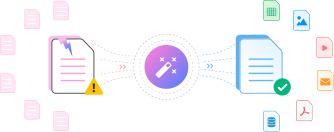
Stellar® Online Access Repair is an Access database repair tool that works for files damaged by system crashes, power failures, disk errors, unexpected shutdowns, or software failures, and it supports Access 2003 through Microsoft 365. Before you download anything, you can preview every recovered table, form, report, query, index, and relationship.
If you've been searching for a free Access database repair tool, or Access database repair software that doesn't require a full install, this video walks you through the whole process.
👉 Try the online repair Access database tool free: https://repair.stellarinfo.com/access (repairs files up to 500MB, no credit card required)
Need to repair larger files? Upgrade to Premium (up to 5GB) or the Technician Edition for unlimited offline Access database repair on your own machine.
⏱ Timestamps:
0:00 – The Access Corruption Error That Stops Your Work
0:34 – Why Compact and Repair Isn't Enough
1:02 – Introducing Stellar Online Access Repair
1:41 – How to Repair Your Access Database (3 Steps)
1:57 – Step 1: Upload Your Corrupt .mdb/.accdb File
2:11 – Step 2: Start the Repair Process
2:25 – Step 3: Preview & Download Recovered Data
2:40 – Free vs Premium vs Technician Edition Plans
3:19 – Recap: Why Choose Stellar for Access Recovery
3:43 – Repair Your Database Free Today
🔔 Subscribe to our channel to be updated: https://www.youtube.com/@UCyoqBFA03K56eBGzlDBbWaQ
Follow us on Social Media-
Facebook: https://www.facebook.com/stellardata
Twitter: https://x.com/stellarinfo
Instagram: https://www.instagram.com/stellardatarecovery/
🌍 Trusted since 1993
Stellar Data Recovery Inc. has helped over 3 million customers worldwide recover their valuable data 💙
Stellar to the rescue! Visit Stellar Info Dot Com to rescue your files right now.✨
#OnlineRepairAccessDatabase #HowToRepairAccess #AccessDatabaseRepair #FixCorruptAccessDatabase #MSAccess

















 Product Demo | Sep 30 | Duration: 4:04