 Buy Now
 Free Download
 Features
 Testimonials
 How it Works?
 Price
Price Reviews
 Specs
Specs Help
Help FAQ
FAQ



Step 1
: Select File Type
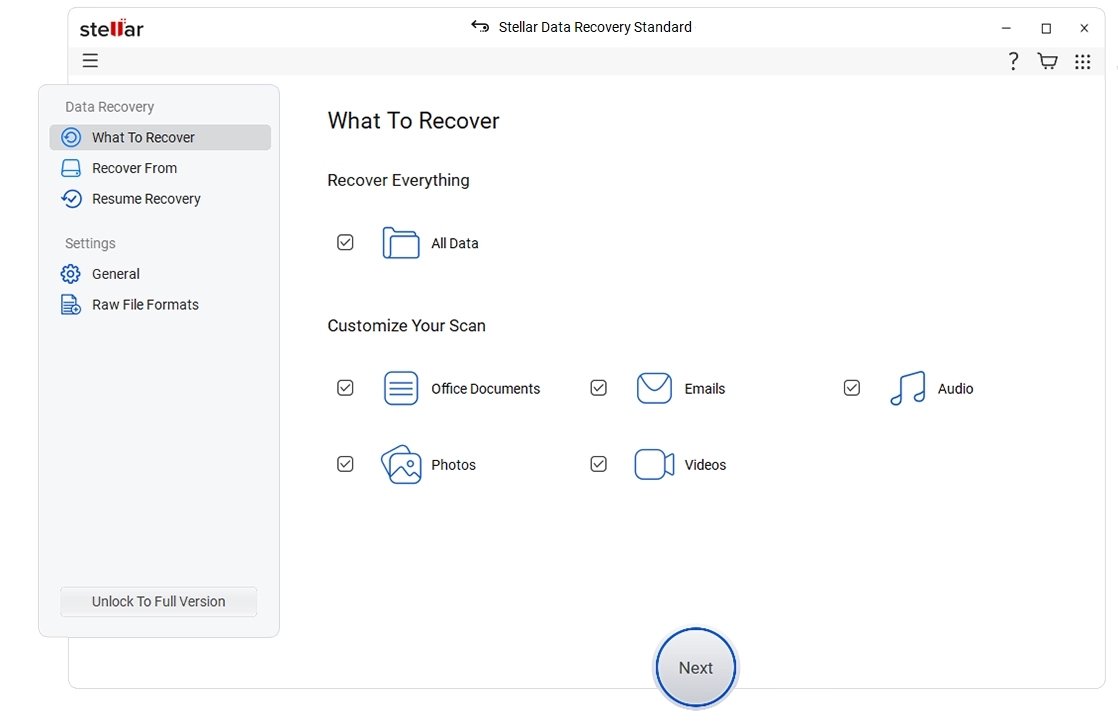
Select the type of data that you want to recover and click 'Next.'
 For Individuals
For Individuals
 Data Recovery
 File Repair
 Data Erasure
  For Business
For Business
 Email Repair
 Email Converter & Migration
 File & Database Repair Data RecoveryData Erasure
 Toolkit
 Forensic
 Lab Services
  Support
Recovers lost or deleted Windows data with ease in any data loss situation whether it's unintentional or deleted intentionally.

*Software works only on your Desktop/Laptop
*Free download to scan and preview your lost or deleted data.




"Stellar Data Recovery is easy to use and works well on hard disk drives, and the advanced repair tool even restored some SSD files, a rare feat."
Stellar Data Recovery for Windows
Stellar Data Recovery for Windows (previously known as Stellar Phoenix) help you recovering data from any logical data loss situation e.g. accidental deletion of data, data lost due to virus attack, drive corruption, drive formatting, and more.


 Hard Disk
Supports all major hard drive brands.
Hard Disk
Supports all major hard drive brands.
 PC/Laptop
Compatible with all PC and laptop brands.
PC/Laptop
Compatible with all PC and laptop brands.  SSD Compatible with leading SSD brands.
 External Drive Works seamlessly with top external drive brands.
 USB Works with all major USB drive brands.
  SD Card Compatible with all major memory card brands.
 Powerful Comprehensive Solution

Stellar Data Recovery for Windows recovers data for all data loss scenarios. Be it an accidental deletion, drive formatting with no backup, drive corruption, disk errors, system errors, and more, this DIY data recovery software has got your back. You can even recover shift-deleted files from emptied recycle bins with this software.

Reclaim your data from encrypted drives with this file recovery software. The software supports recovery from ‘BitLocker’ encrypted hard drives such as HDDs, SSDs, or other storage media drives. You can even perform data recovery from a BitLocker encrypted disk image. You need to enter the BitLocker password to recover deleted files.

Recover data from severely corrupted RAW physical or removable storage drives with this Windows data recovery tool. Whether your system’s drive (physical) or an external storage drive has turned RAW or is inaccessible, the software competently scans the drive to locate the lost or deleted drive volumes and recover each bit of its data.

The software recovers data from corrupt hard drives and formatted partitions. It conducts an in-depth scan of the sectors of your corrupt hard drive or formatted partitions and digs out any data lying there. Even if Windows is unable to access the data, Stellar Data Recovery comprehensively scans your drive with its Deep Scan feature and recovers it securely.
SUCCESS STORIES
Add More Power

The software restores all file types and formats. It offers an 'Add File-Type' feature that allows the recovery of even files with unique extensions. Thus, enabling unlimited file-type recovery. You just need to select the RAW drive to restore your files.

Get a real picture of your recoverable files with the ‘Preview File’ feature of this powerful Windows recovery software. The software recovers data in its original quality and format. You can preview the files before recovering them. Additionally, the software allows a full-screen mode option for recoverable video files.

With this powerful file recovery software, you get two scanning modes – Quick Scan and Deep Scan. Where Quick scan helps you recover data in all common data loss scenarios like deletion, formatting, etc. The deep scan helps you restore data in complex scenarios such as logical drive failure, RAW drives, BSoD errors, lost partitions, and more.

Stellar Data Recovery for Windows provides you with the facility to sort out the files to perform quick and easy file recovery. The software provides three different layouts "File Type", "Tree View" and "Deleted List," that contain neat, well-sorted scan results. You can identify and select files to recover and save them in your chosen location.

Stellar Data Recovery software recovers data from the modern 4K hard drives that store the files on large-sized sectors. The tool can easily scan and get back your data from storage sectors of 4096 bytes, maximizing the data recovery results across all types of hard drives. It performs effective recovery from all types of advanced 4K drives formatted with FAT32, ExFAT, or NTFS file systems.

Stellar data recovery tool comes with dual monitor support, offering you the comfort to work on two screens simultaneously without the need to minimize or toggle. Dual monitor support facilitates a more precise and effortless recovery experience while you tackle multiple tasks.
Software Walkthrough
Select the type of data that you want to recover and click 'Next.'
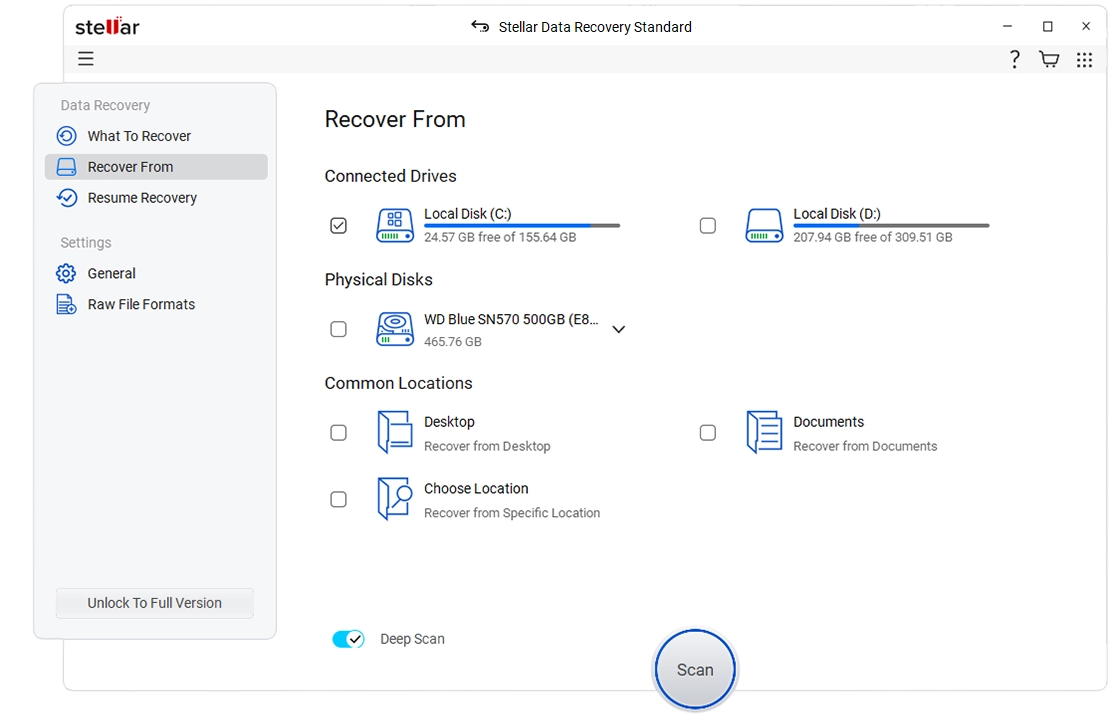
Select the folder location or drive volume and click 'Scan.'
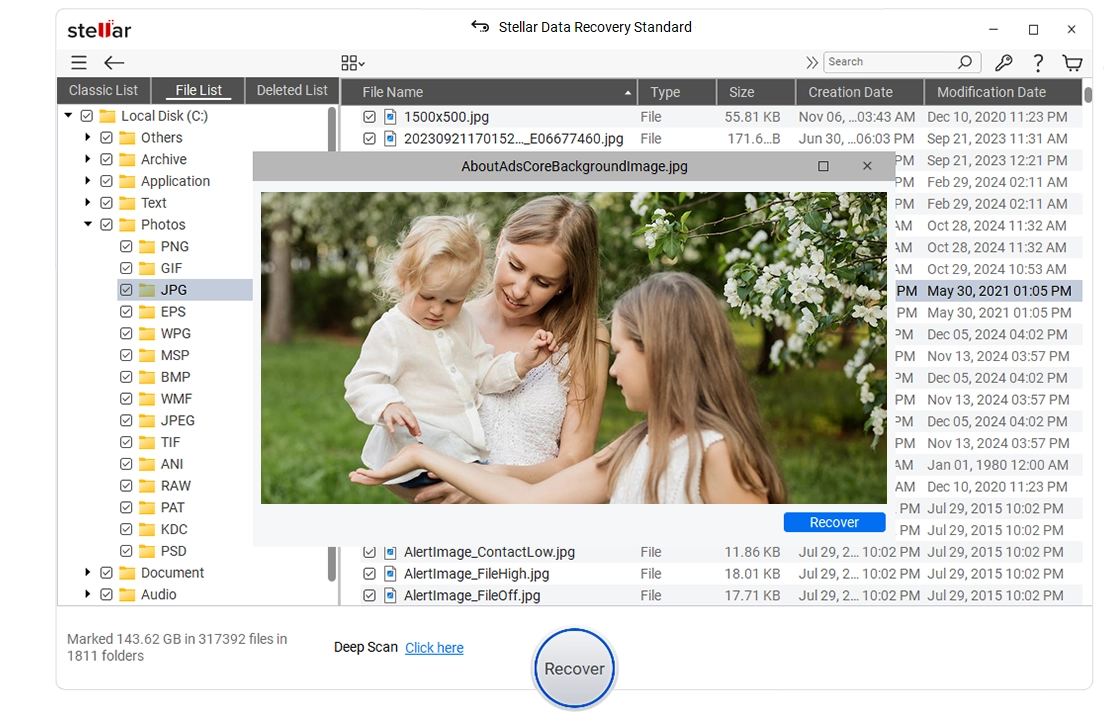
Select files after the scan and click 'Recover' to save recovered data.
 WATCH NOW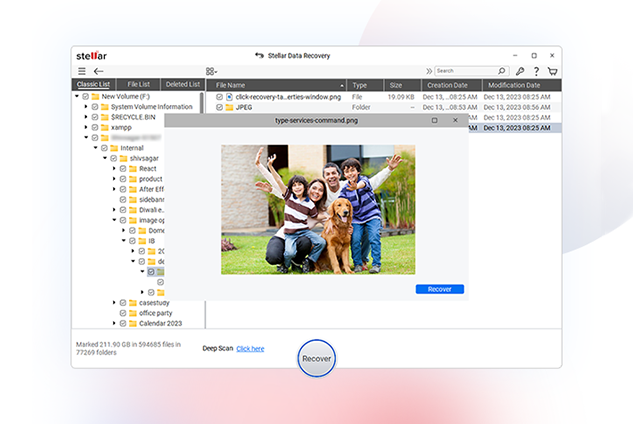
PRICING
Recovers data from lost partitions and unbootable hard disk drives. In addition, offers Drive Monitor to track hard drive health
CUSTOMER REVIEWS




Stellar Data Recovery review: A fast, highly customizable file recovery tool.
Stellar Data Recovery is one of the best data recovery tools we've used, with highly customizable searches, a huge file-type library, and deep scan abilities.
See Techradar Review
It has just one job, and it does that to perfection: recovering data of all kinds.
Stellar Data Recovery's strongest point, after its data recovery and repair capabilities of course, is its simplicity.
See Windows Report Review

Stellar set out to create software that is designed for the people that prefer the DIY method of fixing things.
Stellar Data Recovery Premium for Windows is the best place to start for your data recovery mission. It's the only software in the world that has the ability to recover your data as well as repair your video and image files.
See XDA - Developers Review

Best For High Volumes Of Files
Stellar Data Recovery is the best data recovery software for businesses that need to recover large amounts of data. It offers a wide range of features, including the ability to recover data from SSDs, and it has a very high success rate.
See Forbes Review
DATA SHEET

| Version: | 12.2.0.0 |
| License: | Single System |
| Edition: | Standard, Professional, Premium, Technician, Toolkit |
| Language Supported: | English, Deutsch, Français, Português Brasileiro, Dutch, Italiano, Español, 日本語 , 한국어, हिंदी, 中国人 |
| Release Date: | June, 2025 |
| Processor: | Intel compatible (x64-based processor) |
| Memory: | 4 GB minimum (8 GB recommended) |
| Hard Disk: | 250 MB for installation files |
| Operating System: (64 Bit only) |
Windows 11, 10, 8.1, 8 and Windows Server 2022, 2019, 2016 |
TRY BEFORE YOU BUY
*Free download to scan and preview your lost or deleted data.
USEFUL ARTICLES
FIND YOUR ANSWERS
You can recover your deleted data from Windows by following mentioned steps:
Yes, the software recovers deleted data from desktop.
The recovery time depends upon the size of hard disk or volume. If the scan is running that means the software is working and you would require to wait for the scan process to complete. Once the process completes, you can save the recovered files at your desired location.
Yes. After scan is complete, right-click the file and choose ‘Recover’.
Quick scan is a faster scanning option, which you can use to recover deleted files in Windows PC and from external drives. Deep scan is a bit slower but results are better than quick scan. Use it when the files are not recovered with Quick scan. Deep scan facilitates file signature-based RAW recovery and recovers data from formatted, corrupt, and severely corrupt storage media.
Yes, you can safely recover data from any exFAT-based volume or drive by using Stellar Data Recovery. The software also supports FAT (FAT16/FAT32) and NTFS partitions.
Yes, you can recover deleted email data files with the help of Stellar Data Recovery. The software recovers EMLX, PST, MSG, EDB, MBOX, NSF, GWI, EML, DBX, and many more email file types.
Yes, you can choose to specifically recover photos from removable devices such as pen drive, memory card etc. Select ‘Photos’ option from ‘Select What to Recover' screen to search and recover only images from a removable media.
No, Stellar Data Recovery doesn’t recover deleted data or inaccessible files from CD or DVD. You can use Stellar Data Recovery Professional software for recovery from CD/DVD.
Stellar Data Recovery is a comprehensive tool that supports hundreds of different file types for recovery. You can easily recover any of the below-mentioned categories of file types using the software:
Documents Files
MDB, ACCDB, PDF, PS, CWK, FM3, FMT, WK1, WK3, WK4, DOC, DOCX, XLS, XLSX, PPT, PPTX, SDW, QXD, QXP, EPS, QBB, QBW, WPD, DOT, WBK, DOCM, DOTX, DOTM, DOCB, XLT, XLM, XLSM, XLTX, XLTM, XLSB, XLA, XLAM, XLL, XLW, POT, PPS, PPTM, POTX, POTM, PPAM, PPSX, PPSM, SLDX, SLDM, ADE, ADP, MDA, MDN, MDT, MDF, MDE, LDB, AND, ACCDR, ACCDT, ACCDA, MDW, ACCDE, LLACCDB, XPS, ODT, OTT, ODM, ODS, OTS, ODP, OTP, ODB
Emails Files
EMLX, PST, MSG, EDB, MBOX, NSF, GWI, EML, DBX, DCI, VCF
Photos Files
NEF, CRW, CR2, ORF, SR2, SRF, K25, KDC, DCR, RAF, MRW, PEF, X3F, JPEG, JPG, TIFF, TIF, BMP, GIF, PNG, XCF, PAT, ARW, DNG, PSP, PCT, RAW, MOS, PSD, EPS, INDD, ERF, FH3, FH5, FH7, FH8, FH9, FH11, MCD, VWX, MEF, WP, CDR, CPT, VSD, DWG, PGM, PPM, PCX, MNG, MSP, WMF, WPG, EMF, ANI, NRW, TGA, JP2
Audio Files
WAV, AIFF, RPS, MIDI, MID, M4A, AU, OGG, WMA, AAC, RFL, RNS, RA, RM, MP3, M3D, CDA, AU, OGG, WMA, AAC, RFL, SND
Video Files
AVI, WMV, ASF, MP4, MOV, M4V, 3GP, MXF, MKV, MTS, DIVX, OGM, MOI, VOB, MPEG, MPG, AVS, DVM, QT, ANM, SMJPEG, SCR, FLC, CLK, ANI, FLA, SWF, FLV, M4P
Miscellaneous
MHT, MHTML, ASPX, JSP, PHP, DBF, QDG, QSD, ABD, CBK, CAS, CHM, HLP, NBP, QDF, RTF, TAX, TXT
Archive Files
ARJ, CAB, 7Z, LZA, RPM, TAR, BZ2, HQX, RAR, SIT, SITX, ZIP
Yes. Stellar Data Recovery software efficiently works on a system with TPM chips.
If your device is physically-damaged, or you want an expert to handle your data recovery job; our 'Lab Experts' can help.
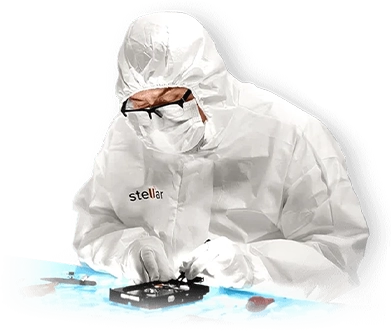

If your device is physically-damaged, or you want an expert to handle your data recovery job; our 'Lab Experts' can help.
Learn MoreWHY STELLAR® IS GLOBAL LEADER
0M+
Customers
0+
Years of Excellence
0+
R&D Engineers
0+
Countries
0+
PARTNERS
0+
Awards Received
Technology You Can Trust Data Care Experts Since 1993




Listening...
 Installation
  Uninstallation
  EULA
EULA Knowledge Base