

 Features
 How it Works?
 Specs
Specs Help
Help FAQ
FAQ



Step 1 : Select File Type
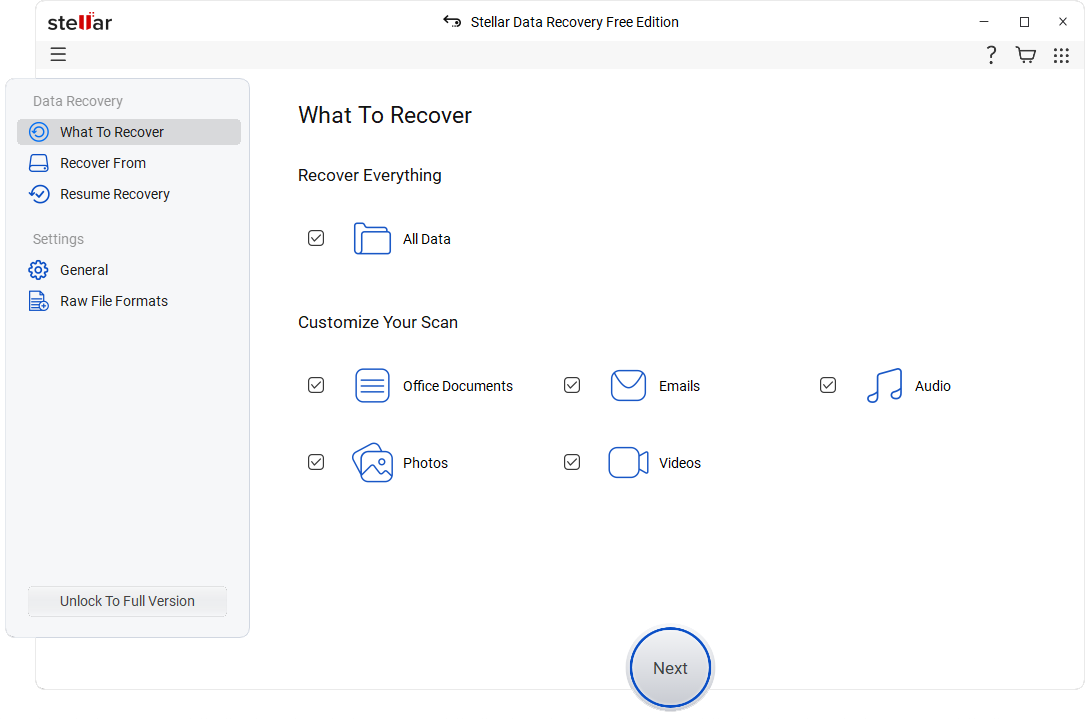
Select the type of data that you want to recover and click ‘Next’.
 For Individuals
For Individuals
 Data Recovery
 File Repair
 Data Erasure
  For Business
For Business
 Email Repair
 Email Converter & Migration
 File & Database Repair Data RecoveryData Erasure
 Toolkit
 Forensic
 Lab Services
  Support
Lost or deleted files? Don't worry! Stellar Data Recovery's free software can help you recover them quickly and easily. Stop using your computer immediately to prevent overwriting and start the recovery process today.

* Free Download recovers up to 1GB data for free.
*Download the free trial version on your Desktop or Laptop to scan & preview your recoverable items.




"Stellar Data Recovery is easy to use and works well on hard disk drives, and the advanced repair tool even restored some SSD files, a rare feat."
Stellar Data Recovery for Windows
Stellar Data Recovery for Windows (previously known as Stellar Phoenix) help you recovering data from any logical data loss situation e.g. accidental deletion of data, data lost due to virus attack, drive corruption, drive formatting, and more.


 Hard Disk
Supports all major hard drive brands.
Hard Disk
Supports all major hard drive brands.
 PC/Laptop
Compatible with all PC and laptop brands.
PC/Laptop
Compatible with all PC and laptop brands.  SSD Compatible with leading SSD brands.
 External Drive Works seamlessly with top external drive brands.
 USB Works with all major USB drive brands.
  SD Card Compatible with all major memory card brands.
 BEST IN CLASS FEATURES

Stellar Data Recovery Free is an easy-to-use software that helps you recover all types of data, including documents, photos, audio, videos, outlook email files and more. You can easily restore lost data due to deletion, drive corruption, formatting, etc. Additionally, the software can recover deleted files from the emptied Recycle bin and RAW drives.

This free data recovery software supports recovery from "BitLocker" encrypted hard drives. All you have to do is to enter the BitLocker recovery key and run Quick or Deep Scan to locate and recover data. It will reclaim your lost data from the encrypted storage drive, just like any ordinary drive.

Stellar Data Recovery software supports recovery from severely corrupted Physical Disk. With physical disk scan feature software can scan, locate and recover data from the missing or deleted RAW files. In addition, you can retrieve 271 new file formats in RAW drive recovery.

System files errors, bad sectors, virus attack, and more can corrupt your storage drive making the entire volume inaccessible or RAW. As a result, the system may prompt you to format the disk volume, which leads to permanent data loss. Protect your valuable data on the corrupt hard drives by using the powerful Stellar Data Recovery software for Windows 11.
SUCCESS STORIES
Brilliant Features

To effortlessly recover lost files from missing or accidentally deleted partitions, upgrade to Stellar Data Recovery's Professional edition or higher. With the help of the advanced Deep Scan mode, the software can thoroughly scan your drive, and then easily locate and restore lost partition data. The software supports various file systems, including NTFS, FAT16, FAT32, and exFAT.
Recover Lost Partitions

To recover data from a crashed system, upgrade to Stellar Data Recovery's Professional Edition. Be it valuable files, critical documents, or cherished memories, recover any data effortlessly with the our advanced recovery software.
Recover Data from Unbootable System

Premium edition of the software can repair corrupt video files of various formats. It can fix blurry, choppy, grainy, flickering, stuttering, unplayable, and out-of-sync videos. The tool repairs videos shot with cameras of Canon®, Sony®, Go Pro®, Olympus®, Nikon®, Fuji®, Samsung®, & other leading brands.
Repair Videos Now

The Premium edition of Stellar Data Recovery software can also repair corrupt JPEG & RAW image files captured by DSLR, digital cameras, drones, Android phones, action cameras, etc. It can easily recover and then repair distorted, grainy, blurry, pixelated, and greyed-out images.
Repair Photos Now

The Technician and Toolkit editions of Stellar Data Recovery offer best-in-class technology to retrieve data from failed or broken RAID drives. The software detects unknown RAID parameters to allow virtual RAID reconstruction for swift data recovery.
Recover RAID Data Now

The Stellar Data Recovery Toolkit edition can recover data from Linux and Mac drives having HFS, HFS+, Ext2, Ext3, and Ext4 file systems. It also retrieves your data from Virtual Drives using native support for recovery from VMDK, VDI, VHD, and VHDX files.
Recover Data from Virtual Drive

Stellar offers best software recovery technology to retrieve data from 4K hard drives that store the data on large-sized sectors of 4096 bytes. As a user, you get a more robust and advanced data recovery utility for conventional and modern 4K hard disks. In addition, the free data undelete software for Windows supports 4K drives formatted with FAT32, ExFAT, and NTFS file systems.

Stellar’s free data recovery software displays an augmented preview of the recoverable files, including MS Office documents, PDFs, images, videos, Zip, RAR, HTML,PHP files, etc. The Preview Files feature also allows playing the recoverable video files in Full-Screen mode. It helps check the recoverability of the files before selecting them.
Software Walkthrough
Select the type of data that you want to recover and click ‘Next’.
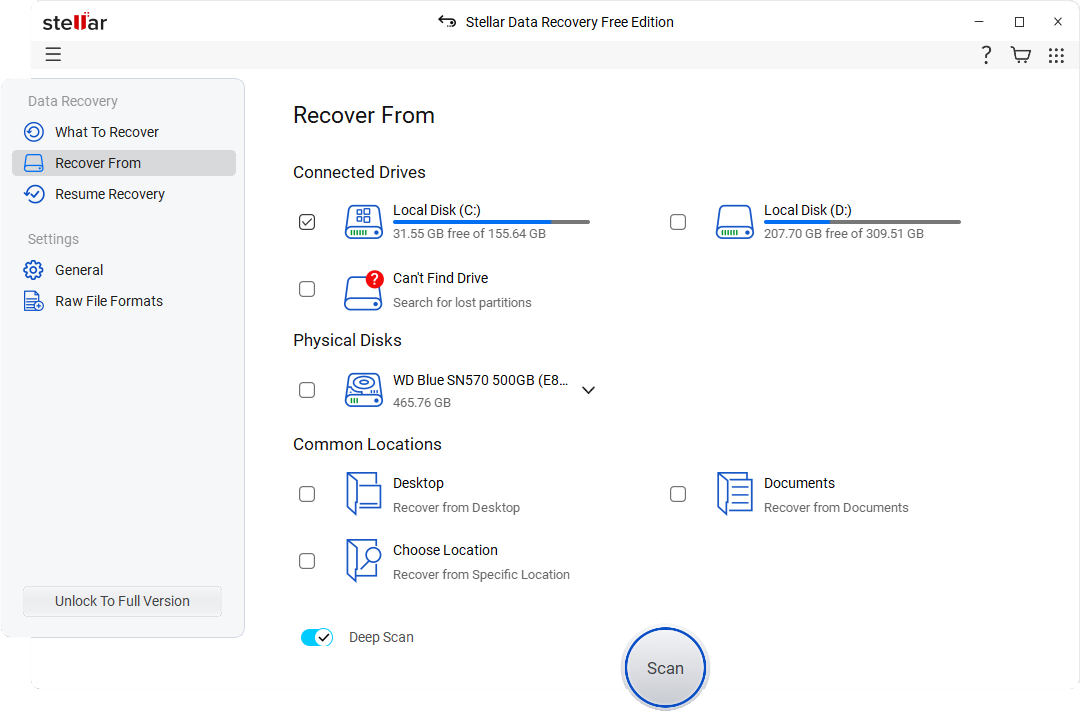
Select the folder location or drive volume and click ‘Scan’.
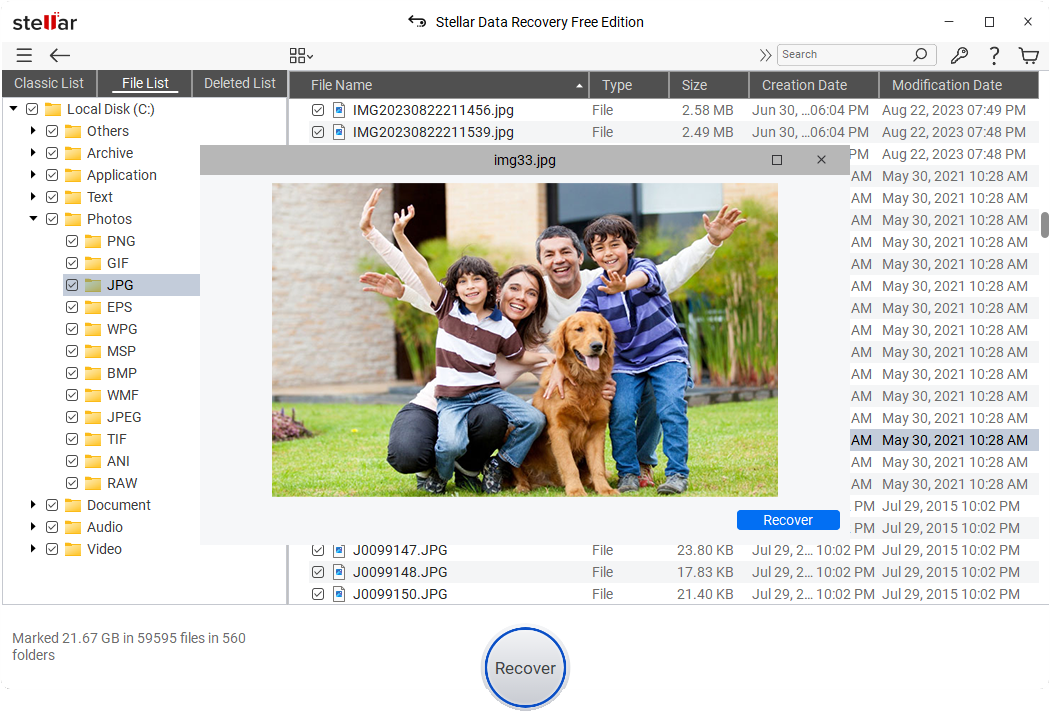
Select files after the scan and click ‘Recover’ to save recovered data.
WATCH NOW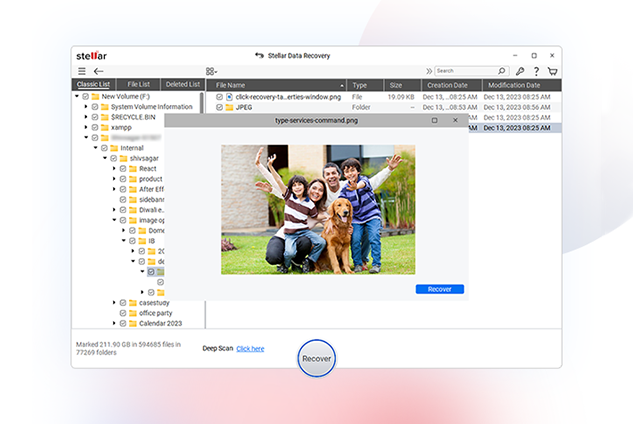
PRICING
| Stellar Data Recovery | Free | Standard | Professional | Premium | Technician | Toolkit |
|---|---|---|---|---|---|---|
| Recover Data | Upto 1GB | Unlimited | Unlimited | Unlimited | Unlimited | Unlimited |
| Evaluation Software | Free Download Free Download | Free Download Free Download | Free Download Free Download | Free Download Free Download | Free Download Free Download | Free Download Free Download |
| Recovers Deleted Photos, Videos, and other Critical Files | ✔ | ✔ | ✔ | ✔ | ✔ | ✔ |
| Recovery from Formatted Systems | ✔ | ✔ | ✔ | ✔ | ✔ | ✔ |
| Recovers from Any Storage Media | ✔ | ✔ | ✔ | ✔ | ✔ | ✔ |
| Recovers Data from NTFS, exFAT, FAT(FAT16/FAT32) | ✔ | ✔ | ✔ | ✔ | ✔ | ✔ |
| BitLocker Data Recovery | ✔ | ✔ | ✔ | ✔ | ✔ | ✔ |
| Recovers Files from Lost Partition | ✔ | ✔ | ✔ | ✔ | ||
| Supports Unbootable System Recovery | ✔ | ✔ | ✔ | ✔ | ||
| Optical Media Recovery (CD,DVD, HDDVD, Blu-Ray Disc) | ✔ | ✔ | ✔ | ✔ | ||
| Creates Disk Image | ✔ | ✔ | ✔ | ✔ | ||
| Monitors Hard Drive Health (SMART) & HDD Cloning | ✔ | ✔ | ✔ | ✔ | ||
| Repairs Corrupt or Distorted Videos | ✔ | ✔ | ✔ | |||
| Repairs Corrupt or Distorted Photos | ✔ | ✔ | ✔ | |||
| Repair Multiple Videos or Photos simultaneously | ✔ | ✔ | ✔ | |||
| Extracts Thumbnails of Images | ✔ | ✔ | ✔ | |||
| RAID 0, 5 & 6 Data Recovery | ✔ | ✔ | ||||
| Supports Creation of Virtual RAID | ✔ | ✔ | ||||
| NAS Data Recovery | ✔ | |||||
| Virtual Drive Recovery | ✔ | |||||
| Recovers Data from Linux and Mac Drives (HFS, HFS+, ext2, ext3, ext4) | ✔ | |||||
| Subscription Type | Yearly Subscription | Yearly Subscription | ||||
| Price | 0 | $59.99 | $89.99 | $99.99 | $199 | $299 |
| Buy Now Read More | Buy Now Read More | Buy Now Read More | Buy Now Read More | Buy Now Read More |
CUSTOMER REVIEWS




Stellar Data Recovery review: A fast, highly customizable file recovery tool.
Stellar Data Recovery is one of the best data recovery tools we've used, with highly customizable searches, a huge file-type library, and deep scan abilities.
See Techradar Review
It has just one job, and it does that to perfection: recovering data of all kinds.
Stellar Data Recovery's strongest point, after its data recovery and repair capabilities of course, is its simplicity.
See Windows Report Review

Stellar set out to create software that is designed for the people that prefer the DIY method of fixing things.
Stellar Data Recovery Premium for Windows is the best place to start for your data recovery mission. It's the only software in the world that has the ability to recover your data as well as repair your video and image files.
See XDA - Developers Review

Best For High Volumes Of Files
Stellar Data Recovery is the best data recovery software for businesses that need to recover large amounts of data. It offers a wide range of features, including the ability to recover data from SSDs, and it has a very high success rate.
See Forbes Review
DATA SHEET

| Version: | 12.2.0.1 |
| License: | Single System |
| Edition: | Free, Standard, Professional, Premium, Technician, Toolkit |
| Language Supported: | English, Deutsch, Français, Português Brasileiro, Dutch, Italiano, Español, 日本語 , 한국어, हिंदी, 中国人 |
| Release Date: | July, 2025 |
| Processor: | Intel compatible (x64-based processor) |
| Memory: | 4 GB minimum (8 GB recommended) |
| Hard Disk: | 250 MB for installation files |
| Operating System: (64 Bit only) |
Windows 11, 10, 8.1, 8 and Windows Server 2022, 2019, 2016 |
TRY BEFORE YOU BUY
* Free Download recovers up to 1GB data for free.
USEFUL ARTICLES
FIND YOUR ANSWERS
Yes, the Free Edition of Stellar Data Recovery is available for free but you can only recover data up to 1GB. You may upgrade to a higher edition for additional functionality and unlimited data recovery.
Yes, our data recovery software is safe to use and does not harm your files or devices. However, it's always recommended to avoid writing new data to the affected storage device until recovery is complete to maximize the chances of recovery.
If your files are not found after the initial scan, try using the Deep Scan feature for a more thorough search. If you still can’t recover your files, it’s possible they may be overwritten or are damaged beyond recovery. You can also consult our data recovery lab for such extreme scenarios.
Download the software by clicking the 'Free Download' button and follow the on-screen instructions. No activation key is required for Stellar Data Recovery Free edition.
Yes, we offer technical support for all users experiencing issues with our software. Please refer to our support page for contact information and support resources.
The time required for recovery depends on the size of the storage device, the amount of data to be scanned, and the performance of your computer. Simple scans may take a few minutes, while deep scans can take several hours.
Stellar data recovery software operate in a read-only mode, meaning it scan the storage device without making changes to it. This prevents overwriting lost data. However, when recovering files, always save them to a different storage device (e.g., an external drive). Saving the recovered files back to the same location could overwrite the data you're trying to recover.
No, we offer editions tailored to fit every budget.
If your device is physically-damaged, or you want an expert to handle your data recovery job; our 'Lab Experts' can help.
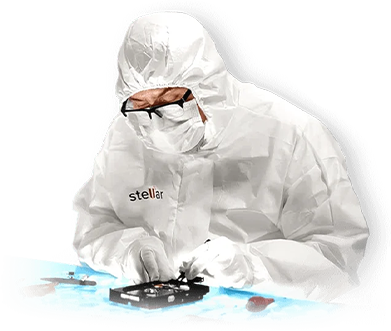

If your device is physically-damaged, or you want an expert to handle your data recovery job; our 'Lab Experts' can help.
Learn MoreWHY STELLAR® IS GLOBAL LEADER
0M+
Customers
0+
Years of Excellence
0+
R&D Engineers
0+
Countries
0+
PARTNERS
0+
Awards Received
Technology You Can Trust Data Care Experts Since 1993




Listening...
 Installation
  Uninstallation
  EULA
EULA Knowledge Base
  Free Download
 Yes
Yes No
No