


Partition Recovery Software - Pro

Product specs
Product Video
Screenshot
Product Spec

Stellar Phoenix Raid Recovery – Technician

Recovers lost, deleted, formatted or inaccessible data from RAID 5 servers and internal or external hard drives

  • Recovers important data from all logical failures of RAID 5
  • Particularly helpful in case manual rebuild of RAID fails
  • Searches all lost volumes in the RAID for maximum recovery
  • Raw Recovery of RAID volumes ensures utmost success
  • Recover data of any type from formatted or repartitioned hard disks


Download

File Size:4.40 MB

* Free Download offers free evaluation of the software & preview all the lost files and folder that can be recovered by the software.
 

Features – Windows RAID Recovery Software (Technician)


The technician license of Windows RAID 5 Recovery software has been specially designed by keeping various requirements of data recovery technicians in view. The software not only facilitates a simple recovery approach for the technicians, but also includes all the features of Stellar Phoenix Windows Data Recovery – Home and Professional licenses.


RAID RecoveryRAID Recovery

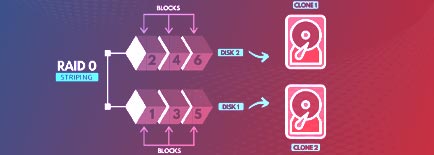
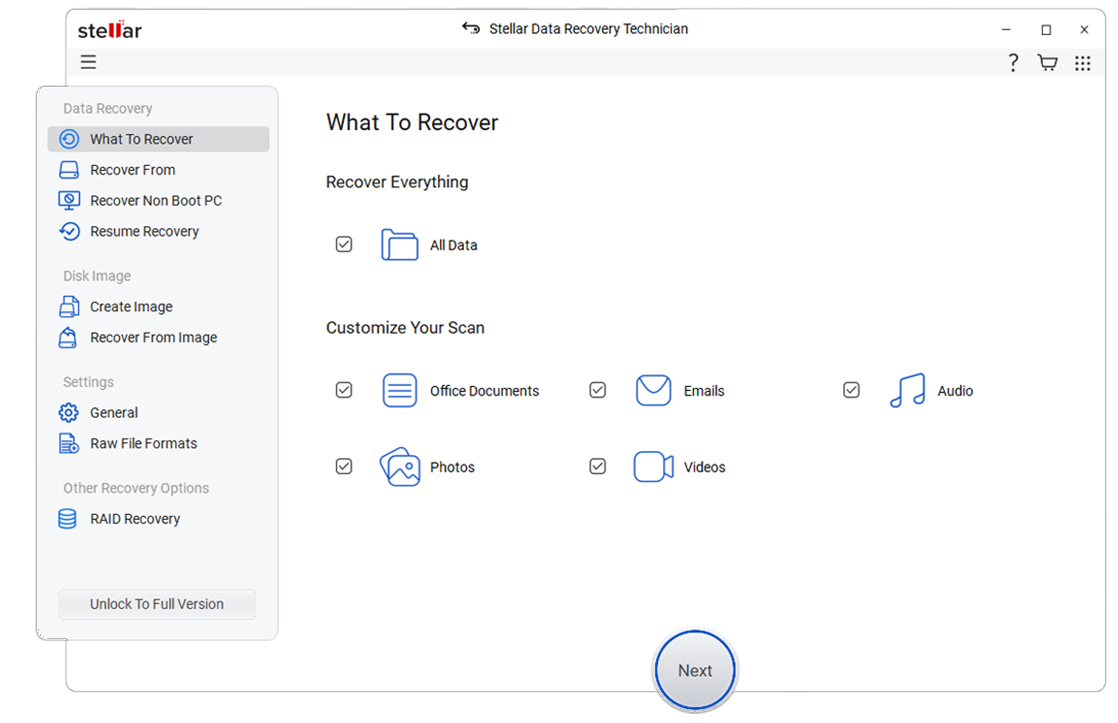
Stellar Windows Data Recovery for Technicians is now studded with features like advanced 'RAID Recovery' options, which recovers data from logically corrupt or inaccessible RAID 5 array. The RAID data recovery software works without the controller card and is powerful enough to recover data, even if the rebuild operation has failed. With support for RAID 5, the current version of the software also provides options to build virtual RAID, search deleted/lost RAID volumes and raw recovery of RAID data.

Drive RecoveryDrive Recovery

With Stellar RAID hard drive Recovery software, it is possible to recover data from lost/deleted FAT, exFAT, and NTFS partitions.

  • Recover all deleted files, folder, documents & photos
  • Supports recovery from hard disks with 2 TB or more
  • Regain deleted and formatted photos, audio, and videos
  • Improved preview of recoverable files after scanning


Optical Media RecoveryAutomatic Detection of RAID Factor

Automatic Identification of RAID Factors With highly efficient techniques, Stellar RAID recovery software can match patterns and identify the RAID factors, automatically. In case, you do not remember or know the parameters set to your RAID configuration, you can still build the probable RAID construction by check-marking the option 'Don't know' and selecting all possible values against the parameters (Strip Size, Parity Order, Parity Delay etc.).


Recovery from Media with Bad SectorsRecovery from Media with Bad Sectors

With Stellar Windows Data Recovery, you can create image of your hard drive with bad sectors and perform the recovery operation from the image itself. Data recovery from the image file of the media not only runs faster but also is a safe means, in case the original media crashes at any moment. The software provides options to create image of the entire hard drive, volume, selected region of the media or any external media. You can also save volume's scan information of any incomplete process as image file for later recovery.


Drive Status CheckRecovery from Virtual RAID Construction

It is because of incorrect RAID parameters or other similar reasons, if the software fails to create any probable RAID construction; it provides an innovative option to create a virtual RAID construction. You can select this virtual RAID drive and easily perform 'Raw Recovery' as well as 'Search Lost Volume' operations to recover your lost/inaccessible data from it.


Optical Media RecoveryOptical Media Recovery

With the 'CD DVD Recovery' option of the software, you can regain all inaccessible data from any CD/DVD/HD DVD/Blu-ray disc, which has been corrupt or incorrectly burnt. The software successfully recovers all data from Multi-session discs, Light Scribe discs, Bootable discs, and Mixed Mode discs. Importantly, the software supports recovery from any optical media burnt on Windows, Mac, UNIX or Linux platform.


Drive Status CheckRaw Recovery in RAID 5

The software provides this advanced technique to recover your lost or inaccessible RAID data, when Quick Recovery fails to give the desired result. With this file signature based recovery technique of the software, you can scan and recover data either from the entire RAID drive or any selected region of it.

Drive Status CheckDrive Status Check

The 'Drive Status' option in the software is ideal to get all information about the connected hard disk, such as serial number, model number, size, status, temperature, firmware revision number, and other S.M.A.R.T features. Stellar Windows RAID Recovery software scans the system hard drive and provides its health status by displaying various parameters.

 
DownloadBuy Now
* Free Download offers free evaluation of the software & preview all the lost files and folder that can be recovered by the software.


FAQ's Windows Data Recovery 5 Technical License


Do I need to rebuild the RAID array before performing the recovery operation?
I don't remember the RAID parameters set to my RAID array. Is there any alternative option in
Stellar Windows RAID 5 Recovery to rebuild the RAID array?
Can I recover my deleted data from the RAID drive?
My RAID array has been severely corrupt and is unable to rebuild. Can I recover data from the array
using Stellar RAID recovery software?
Do I need the RAID controller card to recover data from the RAID drives?
How many drives are required to perform the RAID data recovery operation?
What to do if the software fails to create probable RAID construction and no volume is found?


All trademarks acknowledged © Copyright 2013,
Stellar Information Systems Ltd. Leaders in Hard Drive Data Recovery Software & Services

X
X
X